Start Products PHP Scripts Tokify AI - Automated TikTok & Shorts Video Generator SaaS
PHP Scripts 5.0 (23 reviews) 7 Jun, 2026

Tokify AI - Automated TikTok & Shorts Video Generator SaaS

SaaS platform for creating viral videos with AI for TikTok, YouTube Shorts and Instagram Reels, with automatic generation, AI voices, animated subtitles and scheduled publication on social networks.

  • Automatic generation of viral videos with AI
  • AI voices and customizable animated subtitles
  • Converting long videos into clips for Shorts, Reels, and TikTok
  • Automated publishing and scheduling on social media
  • AI avatars and image animation
  • Video library, drafts, and job queue
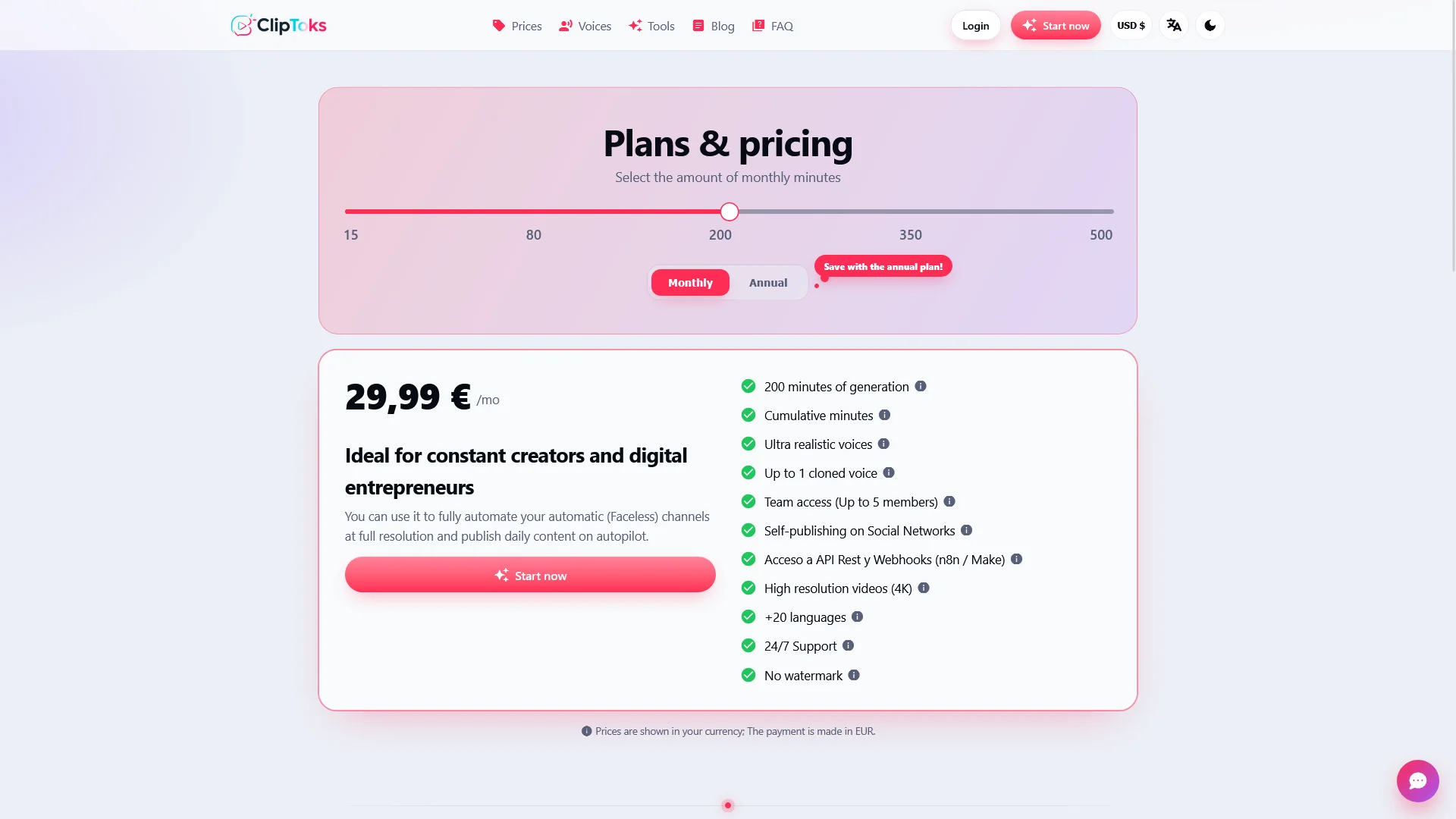
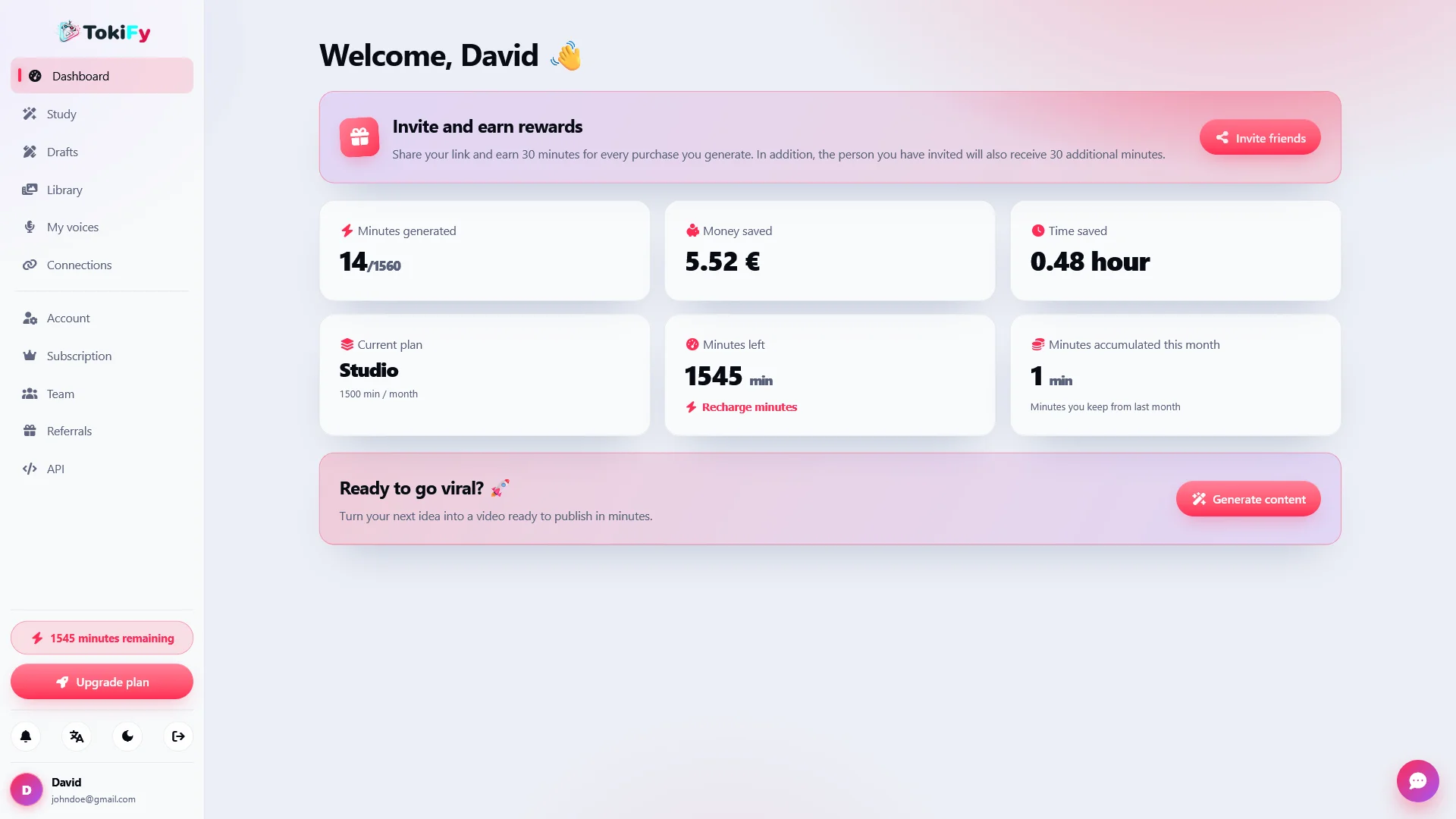
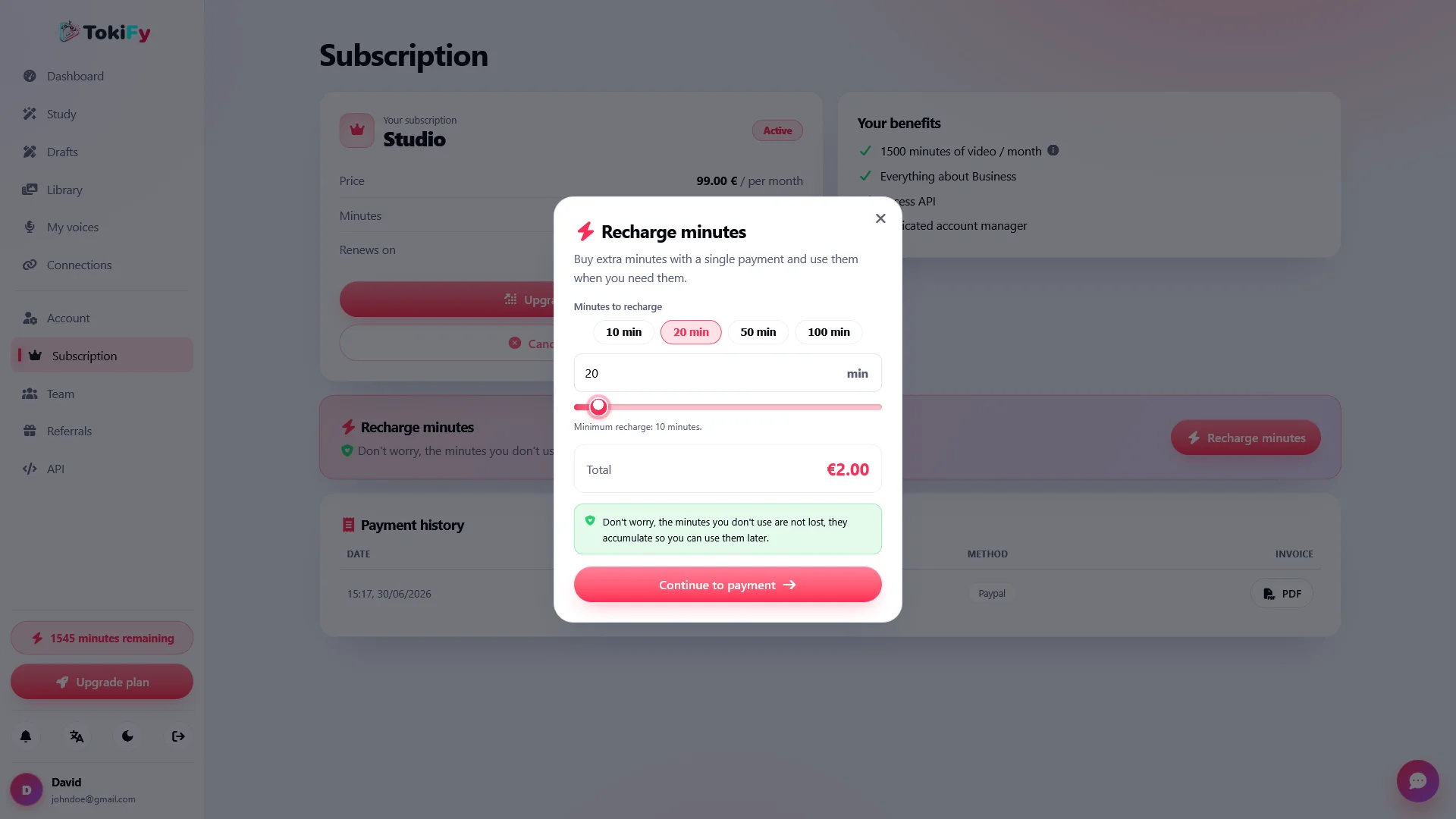
  • Complete SaaS system with subscriptions, minutes, and payments
  • White-label, teams, REST API and full administration panel
From 29,99 € 54,99 €

About this product

Tokify is a self-hosted SaaS platform for creating viral videos with artificial intelligence for TikTok, YouTube Shorts, and Instagram Reels .

Turn an idea, a Reddit story, an image, or a long video into publish-ready vertical content, complete with AI voiceover, animated subtitles, avatars, background clips, and automatic editing .

Create your own video generation SaaS, use the voices and styles you want, automate content production, and publish directly to your social networks from a single platform.

🚀 Create viral videos from start to finish

Tokify is designed to simplify the entire process of creating vertical content.

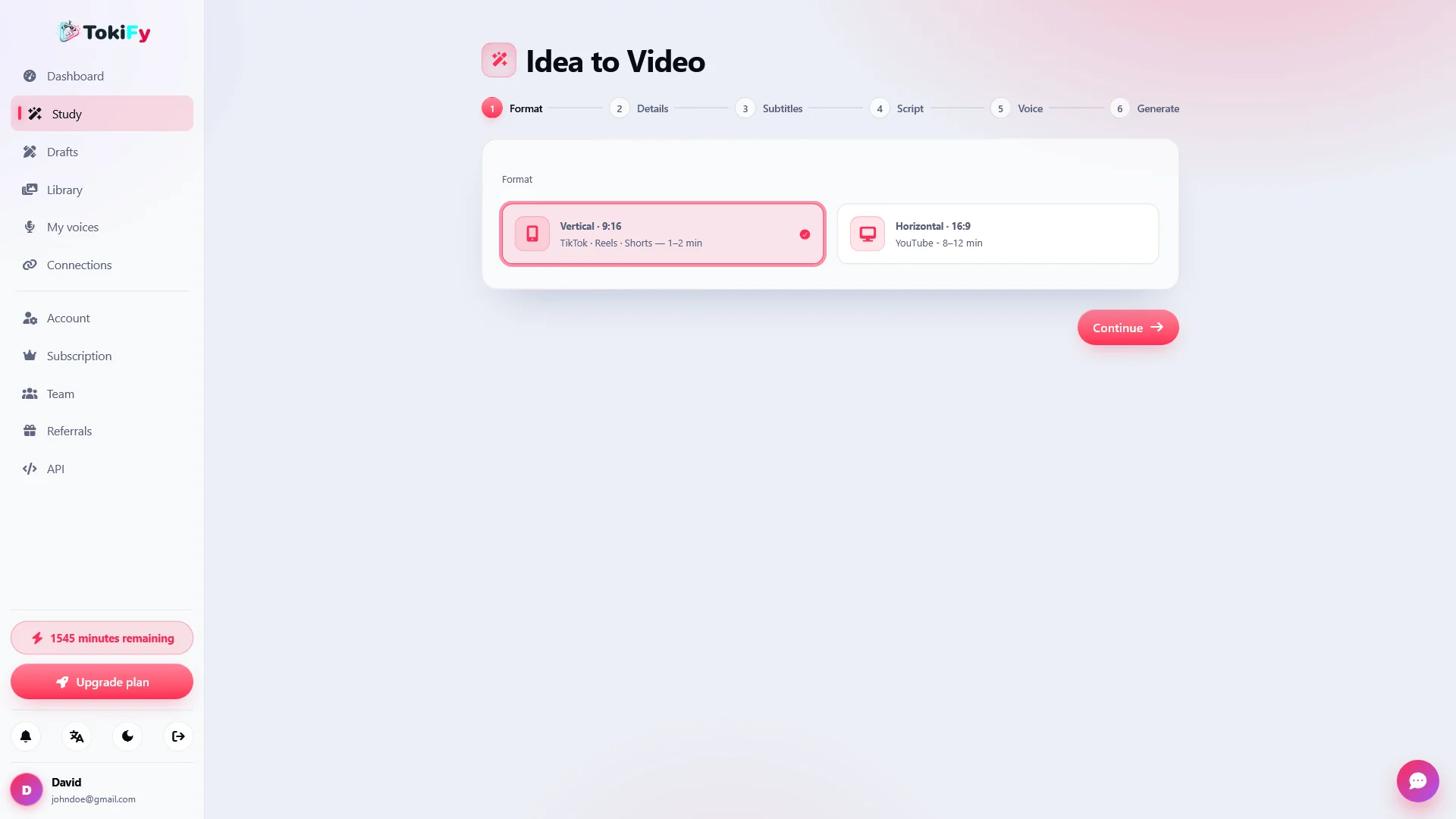
The user chooses what they want to create, configures the style, selects a voice, customizes the subtitles, and Tokify takes care of generating the different parts needed to obtain the final video.

The entire workflow is designed to create content intended for platforms such as:

  • TikTok
  • YouTube Shorts
  • Instagram Reels

From a single idea you can move on to a narrated, subtitled vertical video ready for publication.

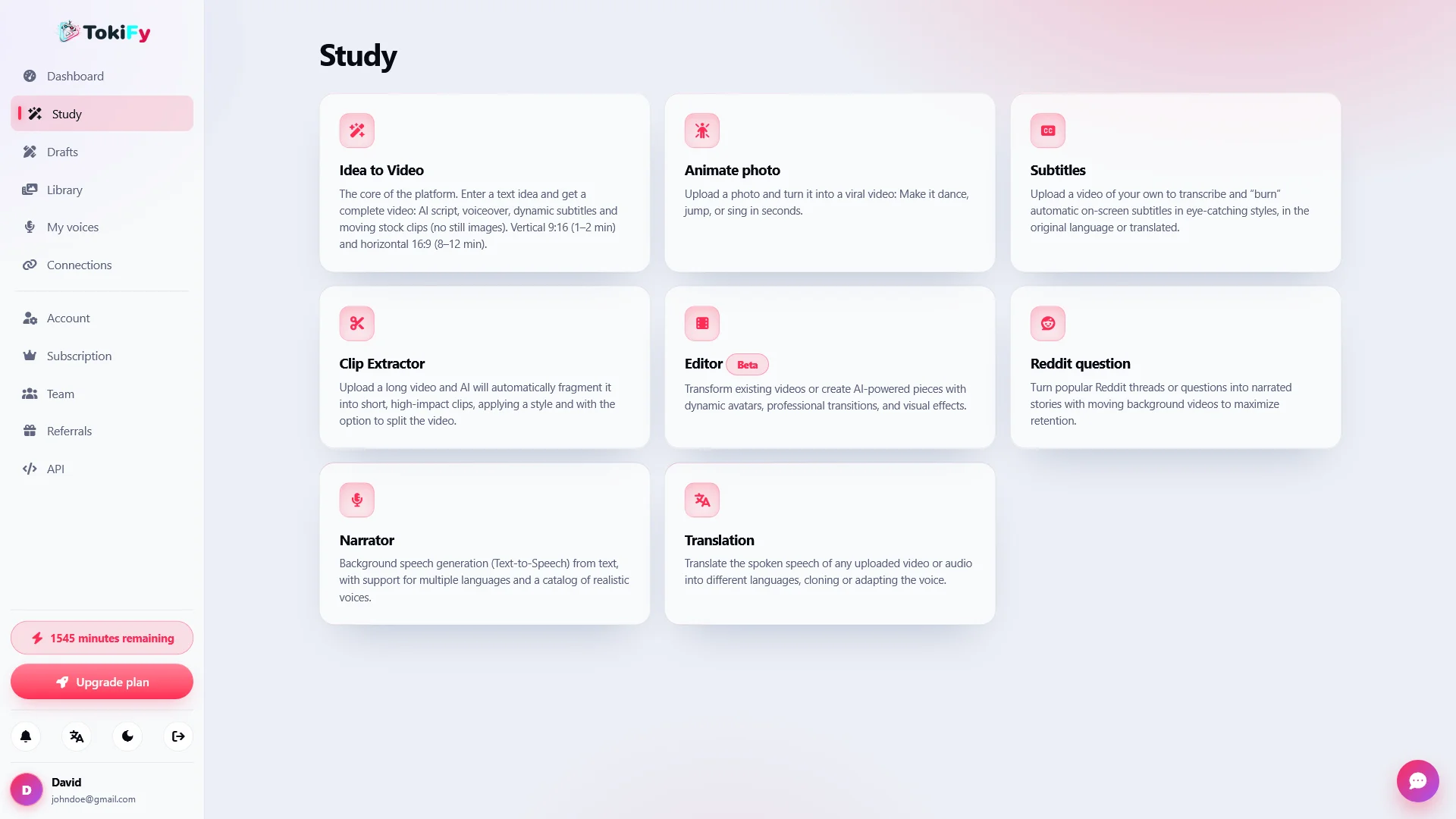
🎬 9 video creation tools

Tokify includes different tools to transform virtually any type of content into short, vertical videos.

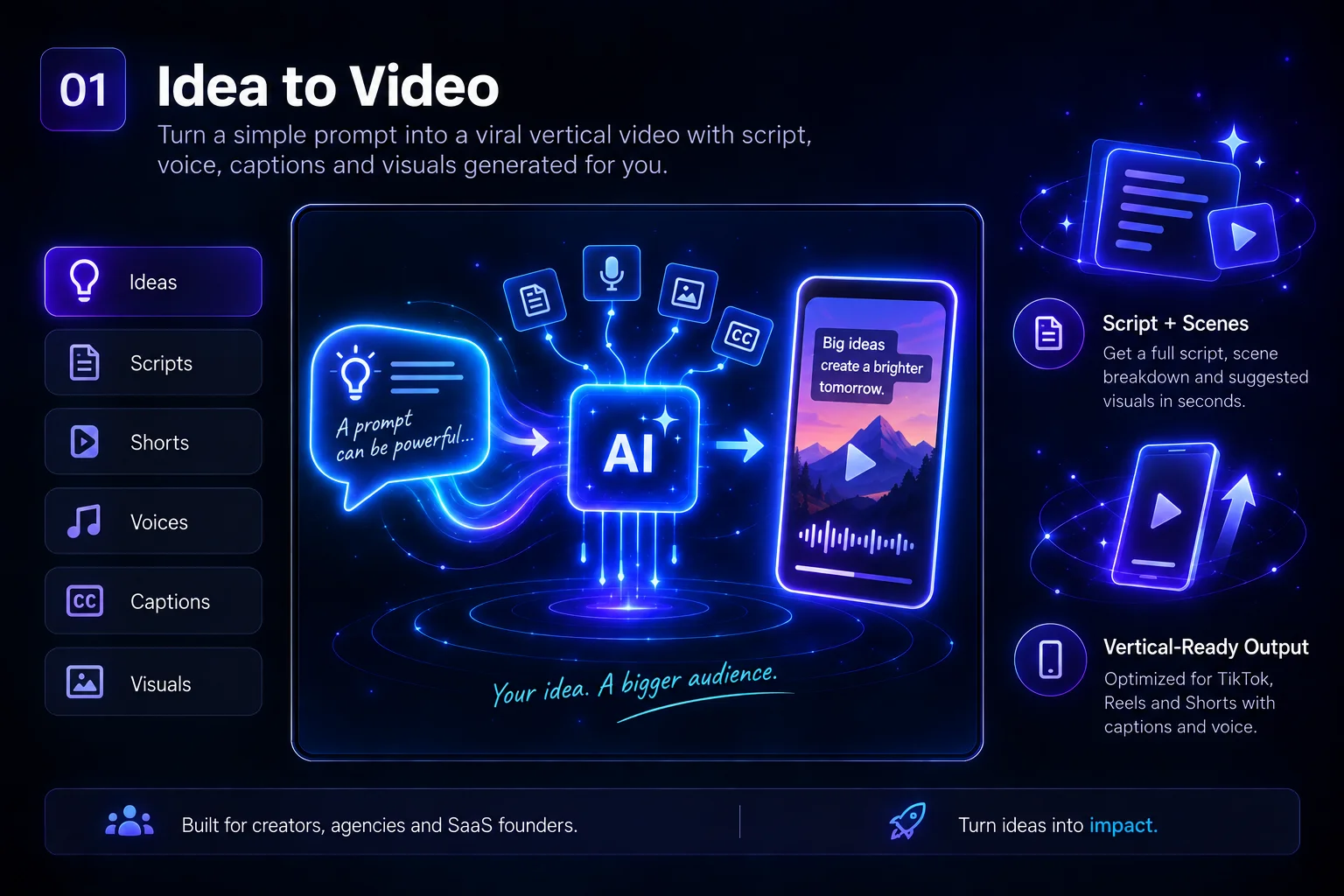
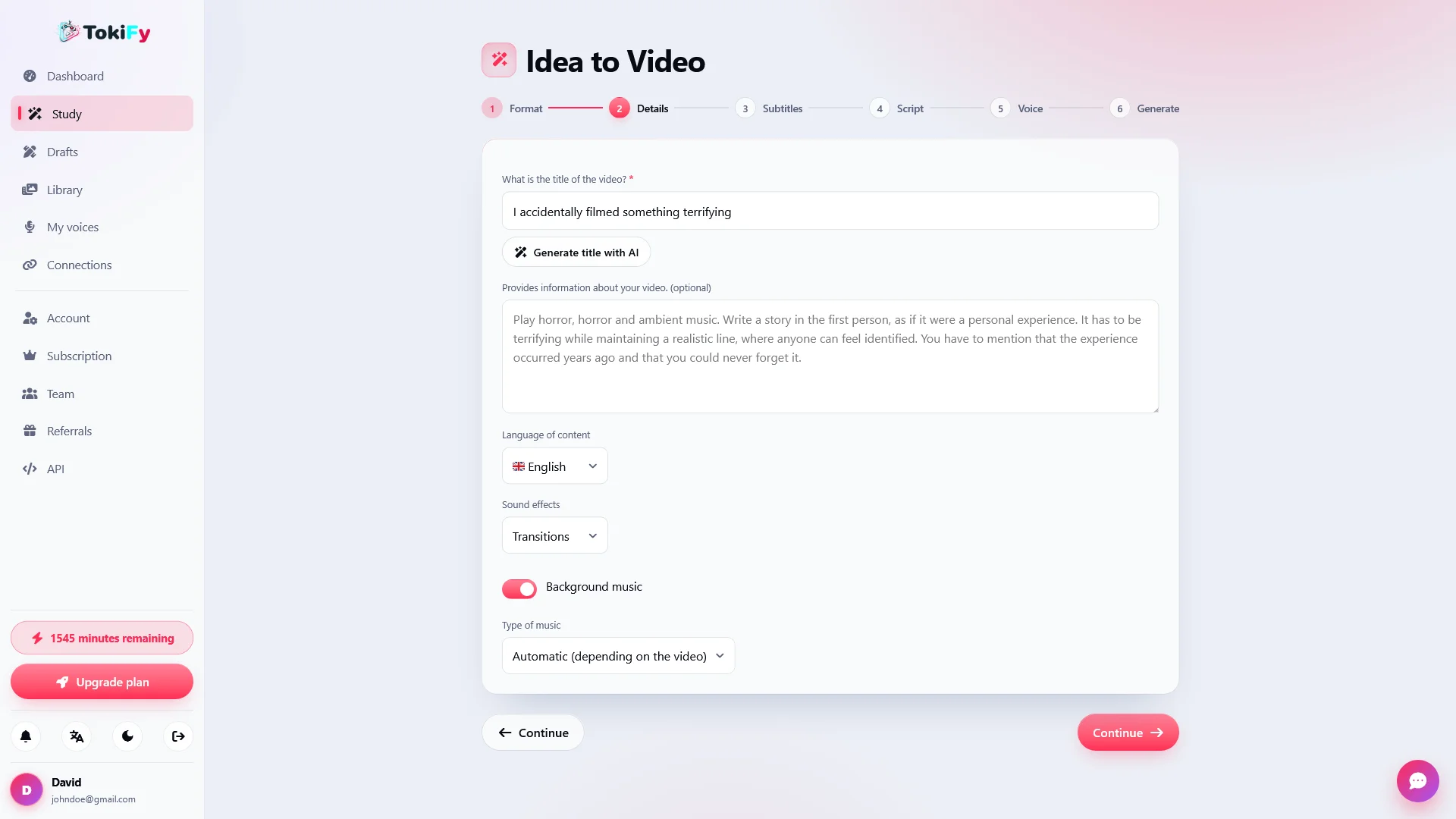
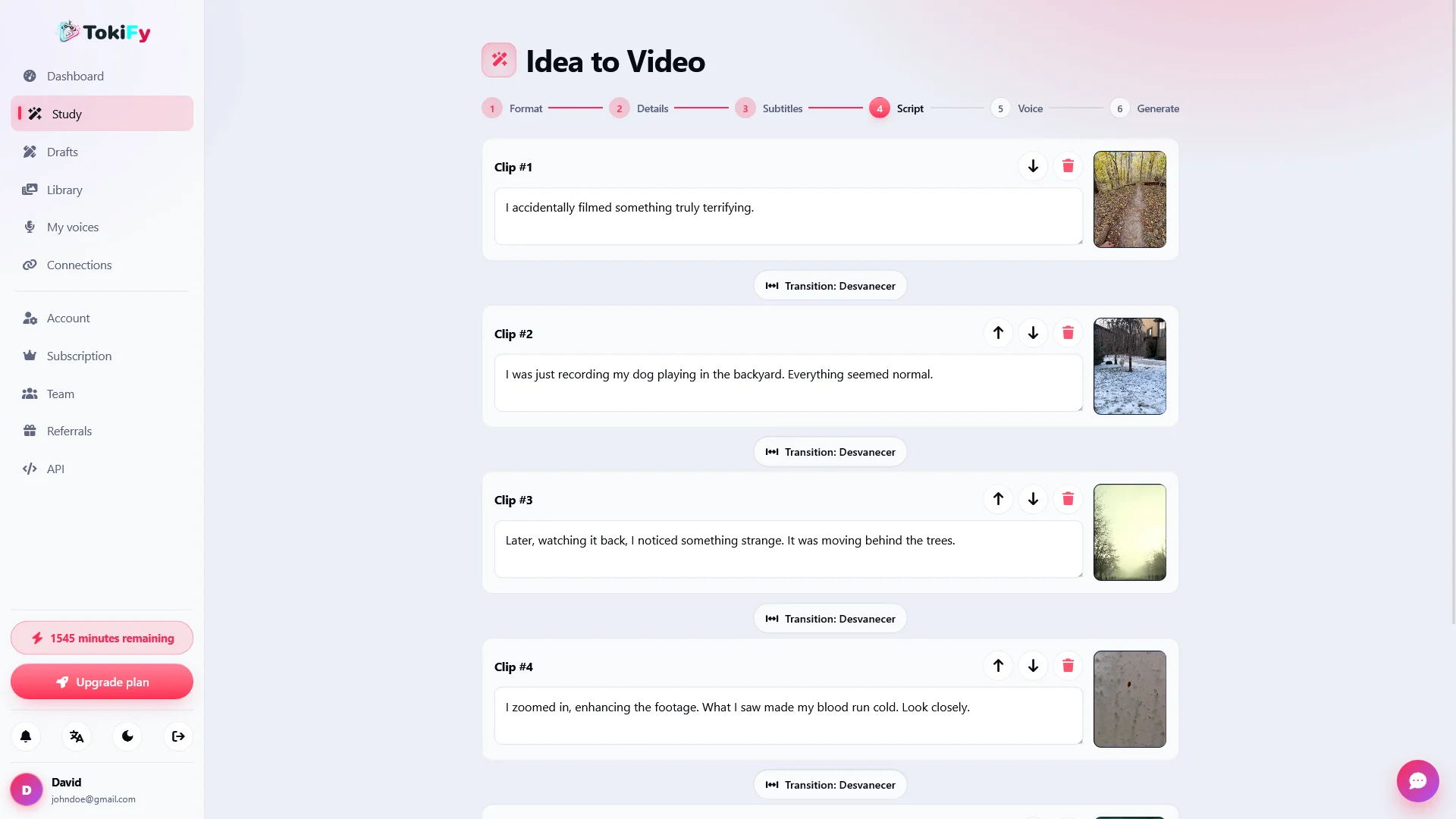
  • Idea → Video: Write an idea and automatically generate the script, narration, background clips, subtitles, and final video.
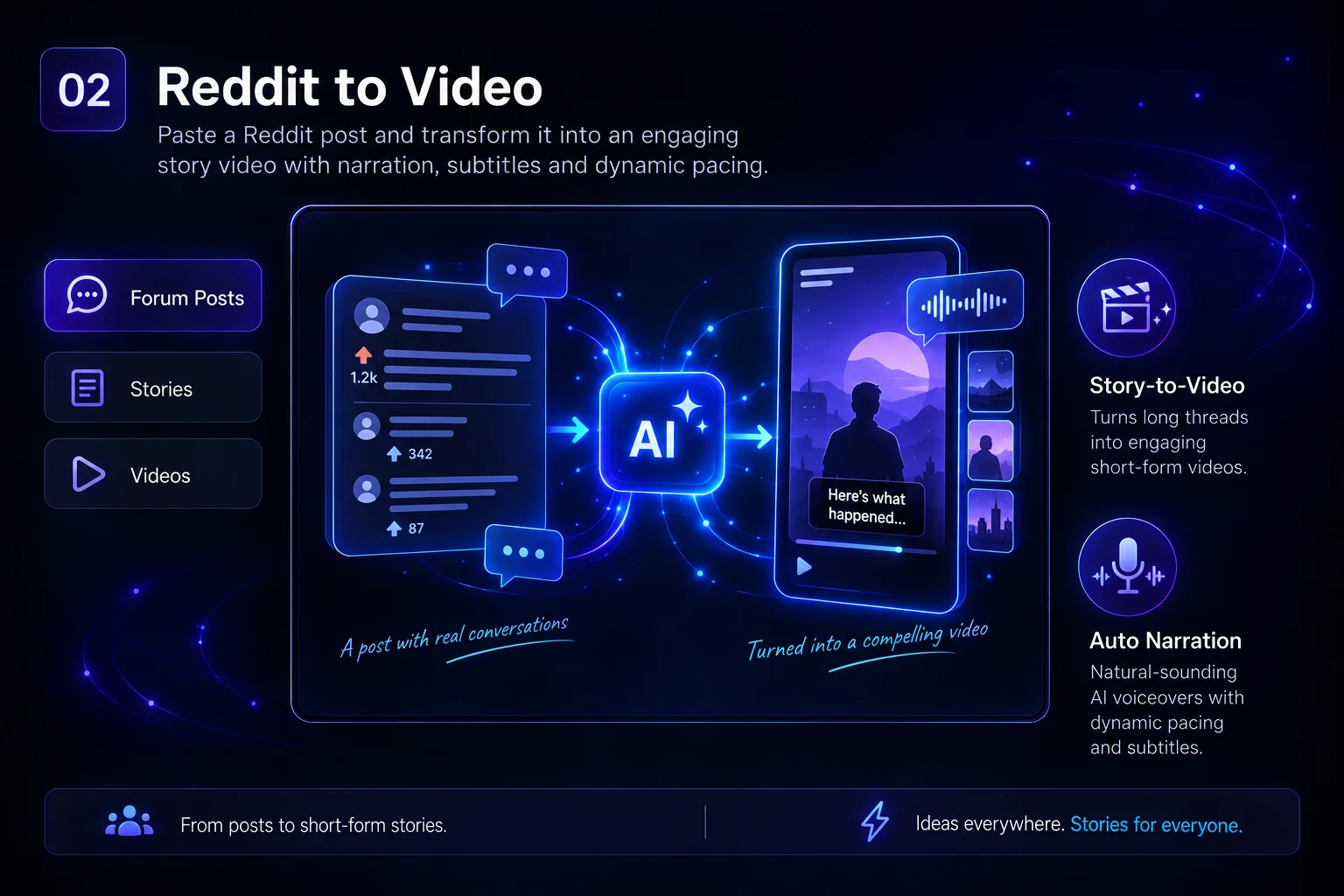
  • Reddit → Video: Paste the URL of a Reddit post or question and turn it into a narrated and subtitled video.
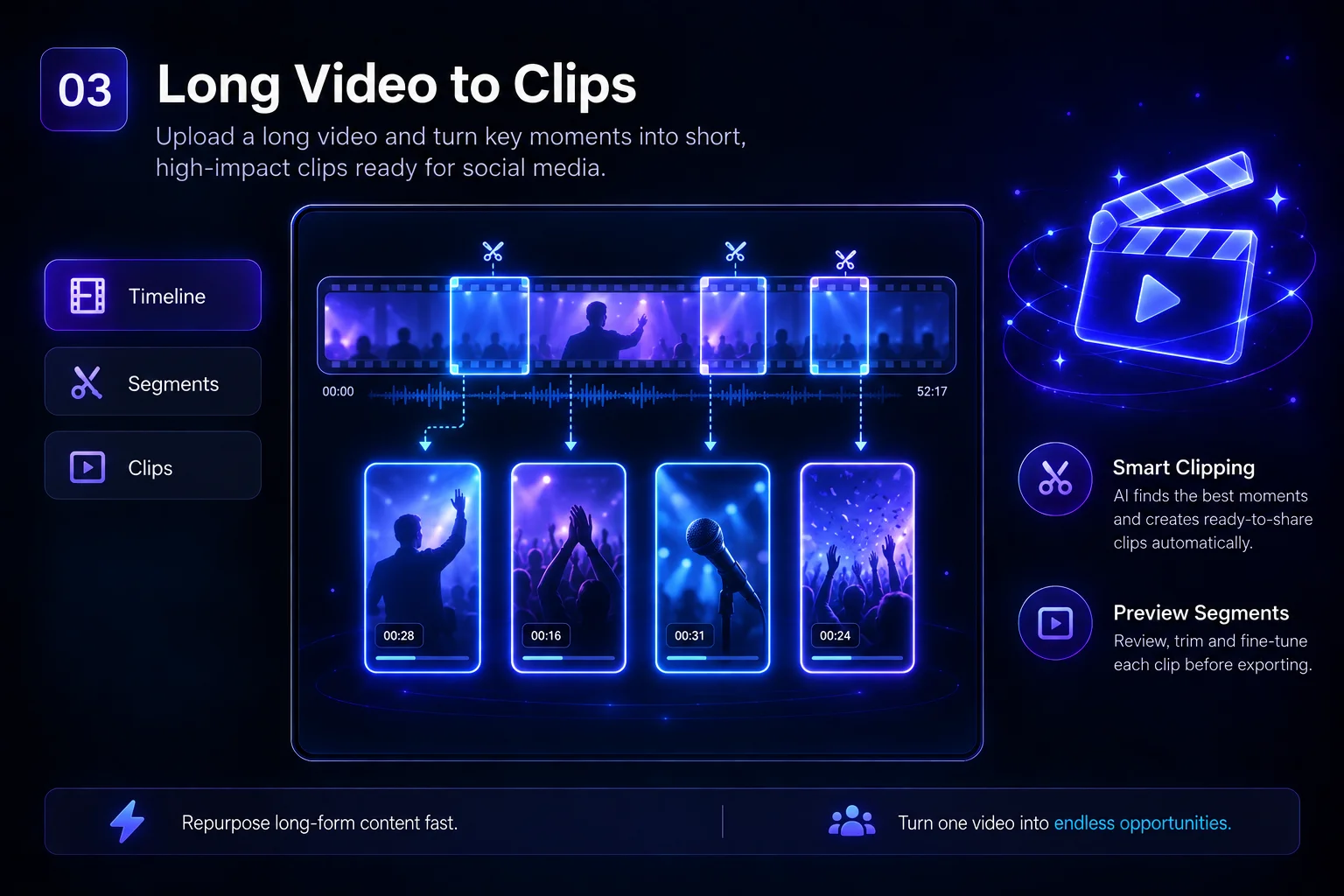
  • Clips: Upload a long video and turn it into short clips ready for social media.
  • Animate: transform a photograph into a video using artificial intelligence.
  • Narration / AI Voice: turns any text into a speech with artificial voices.
  • Subtitles: Generate and add subtitles directly onto any video.
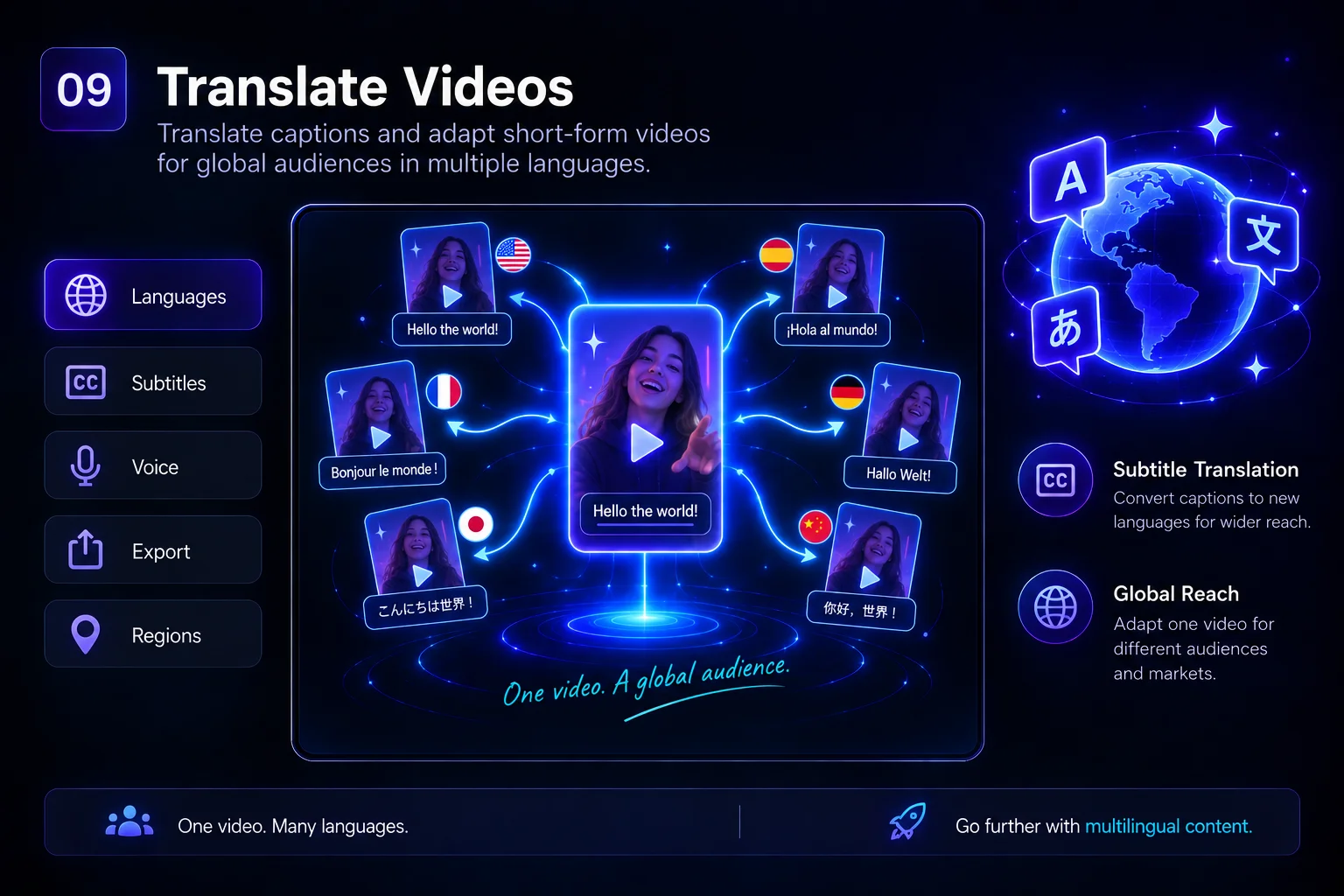
  • Translate: adapts videos and subtitles to other languages.
  • Avatar editor: create videos with virtual presenters who speak your script.
  • Re-subtitle: regenerates the subtitles of an already created video.

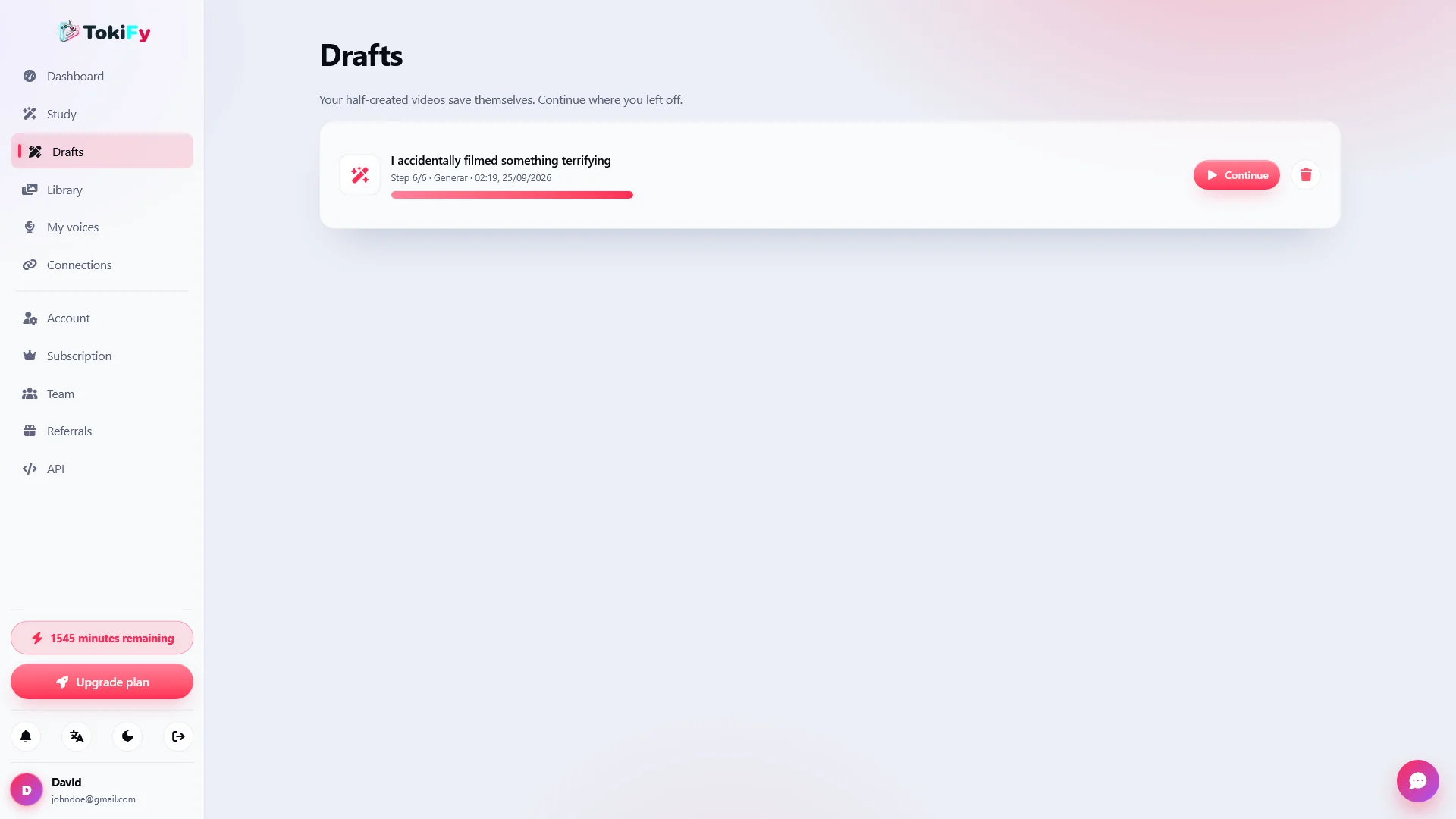
All the tools use the same step-by-step wizard , automatically save the progress as a draft, and store the result in the user's library.

✍️ Subtitles designed for viral content

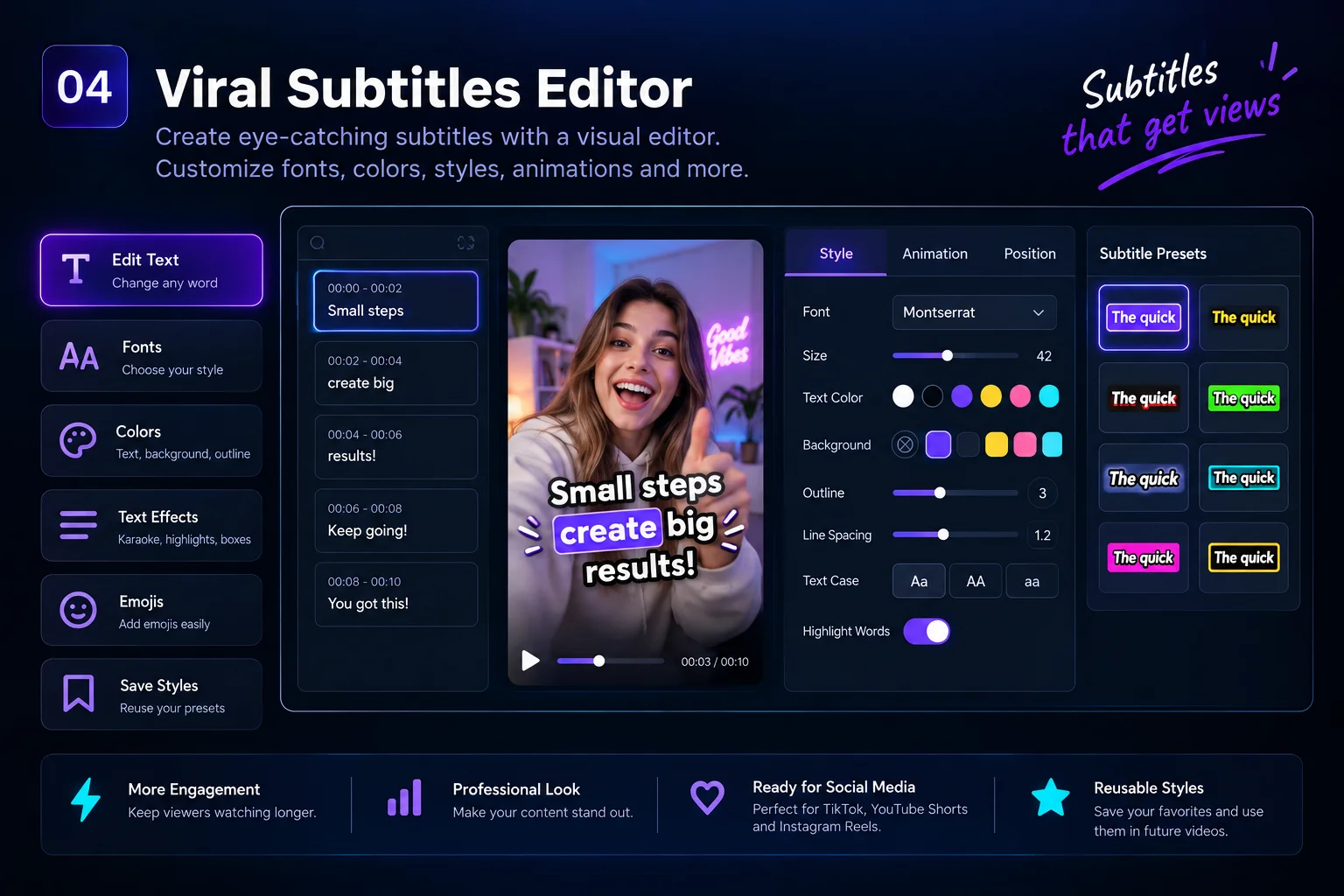
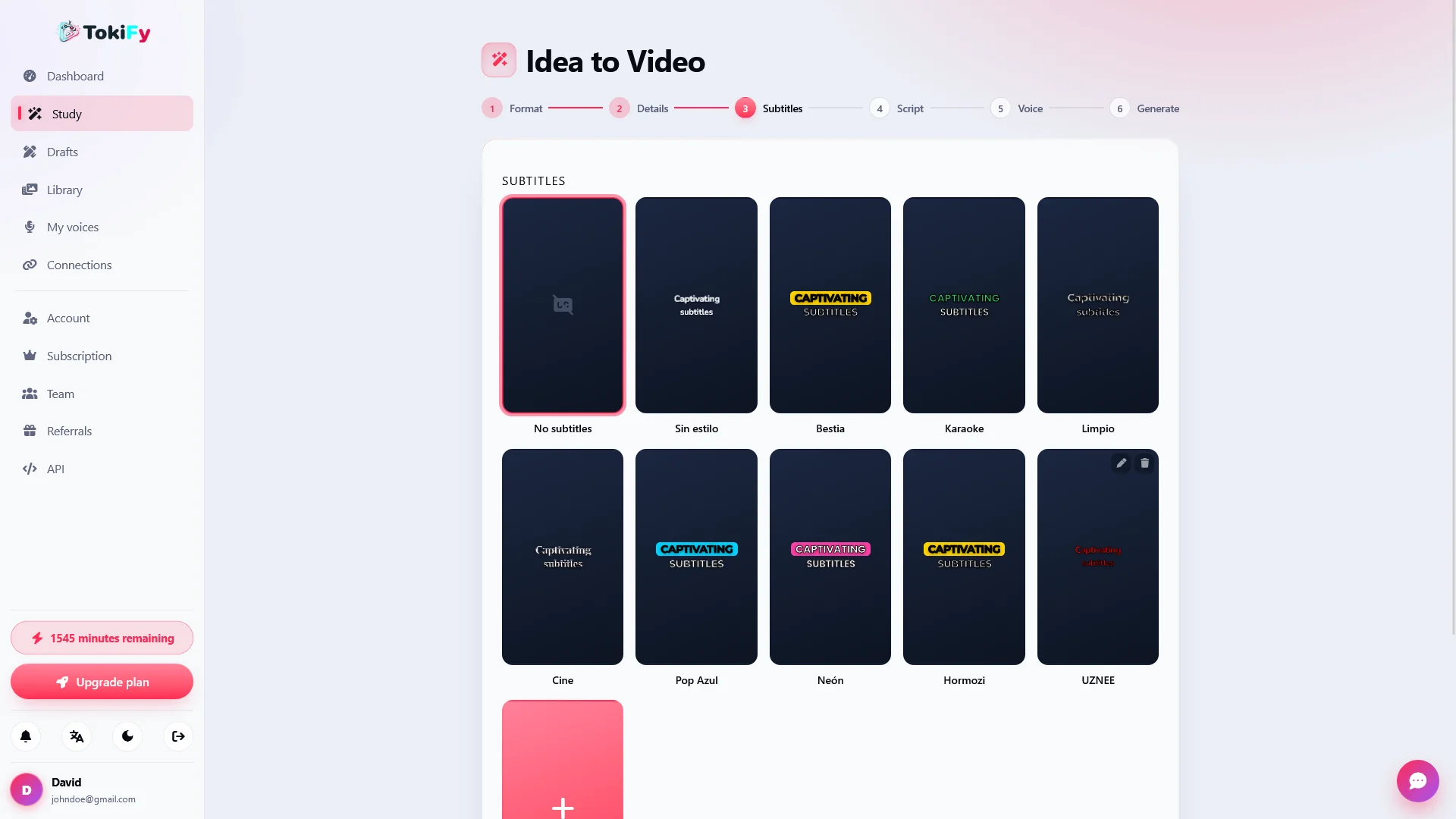
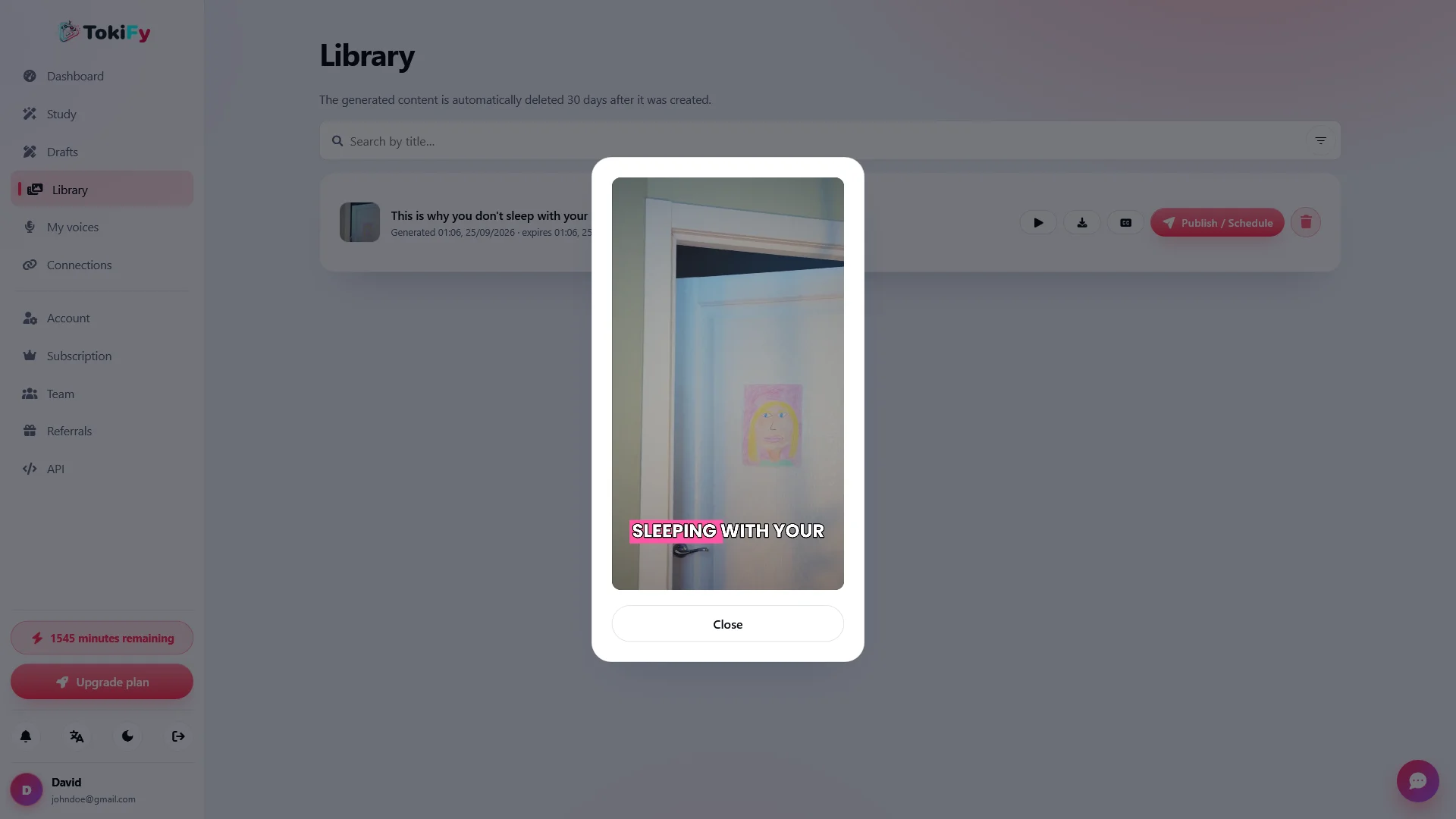
Subtitles are a fundamental part of short videos, and Tokify includes a visual editor designed to customize them before rendering the video.

The editor is WYSIWYG : what the user sees while editing is what will appear in the final downloaded video.

  • Typography control
  • Text size
  • Custom colors
  • Edges and contours
  • Line breaks
  • Emojis
  • Word-by-word highlighting
  • Karaoke-type styles
  • Highlight boxes
  • Reusable subtitles

It also includes five visual editing treatments: Impact, Cinematic, Paper, Pulse, and Animated .

Users can save their favorite styles and reuse them in future videos.

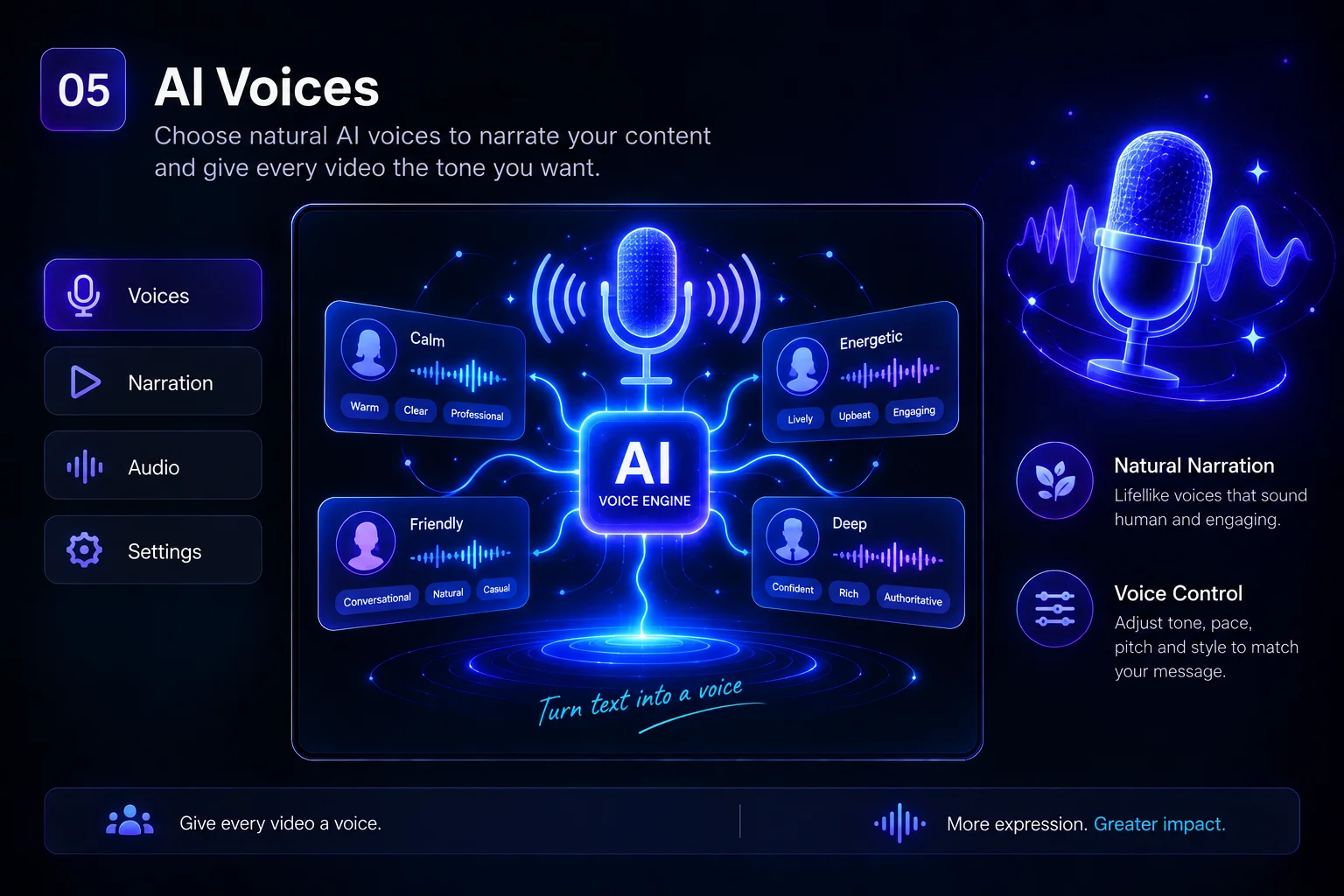
🗣️ Choose the voice you want

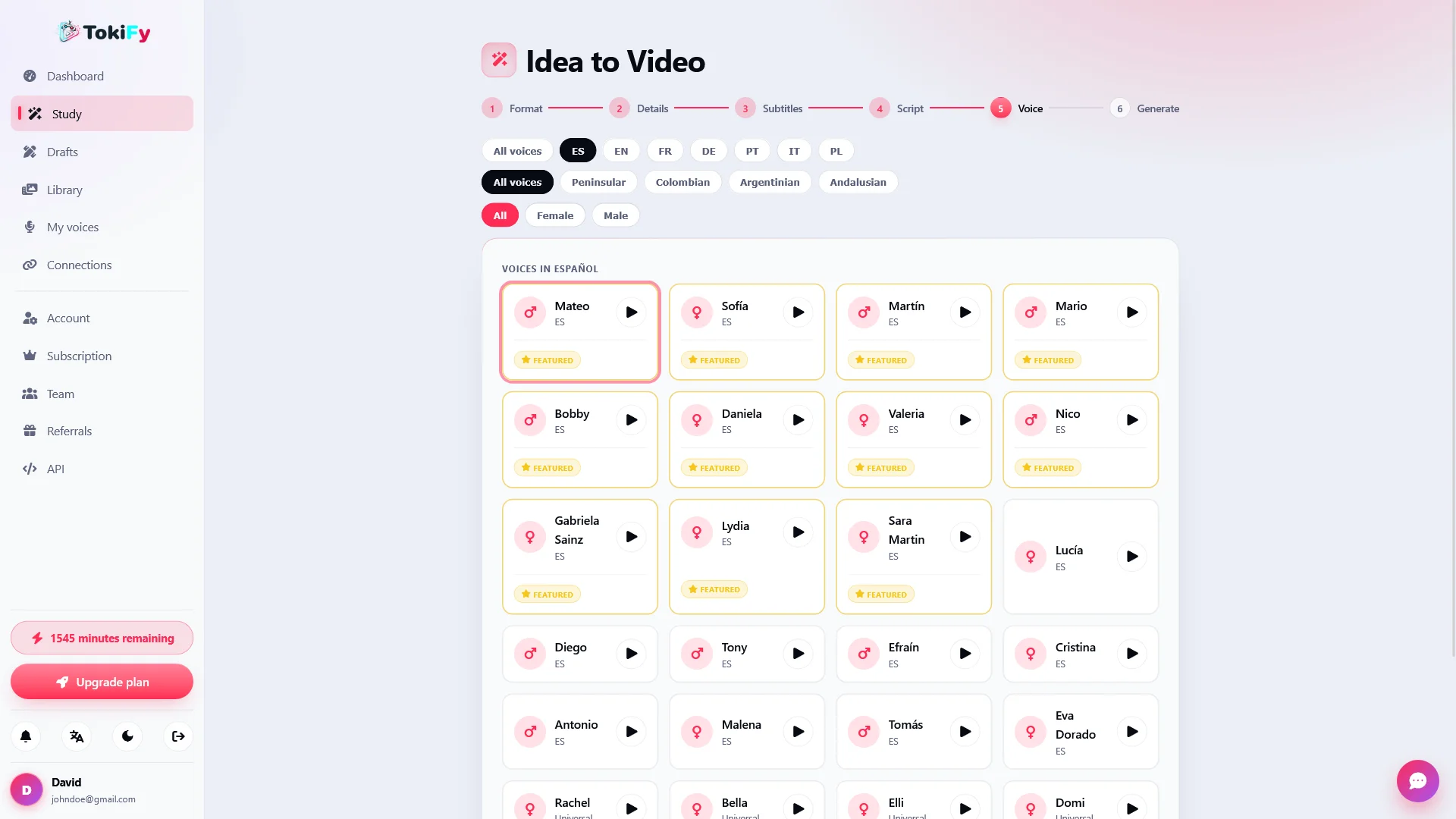
Tokify allows you to add narration using artificial intelligence to turn texts, stories, scripts and posts into complete videos.

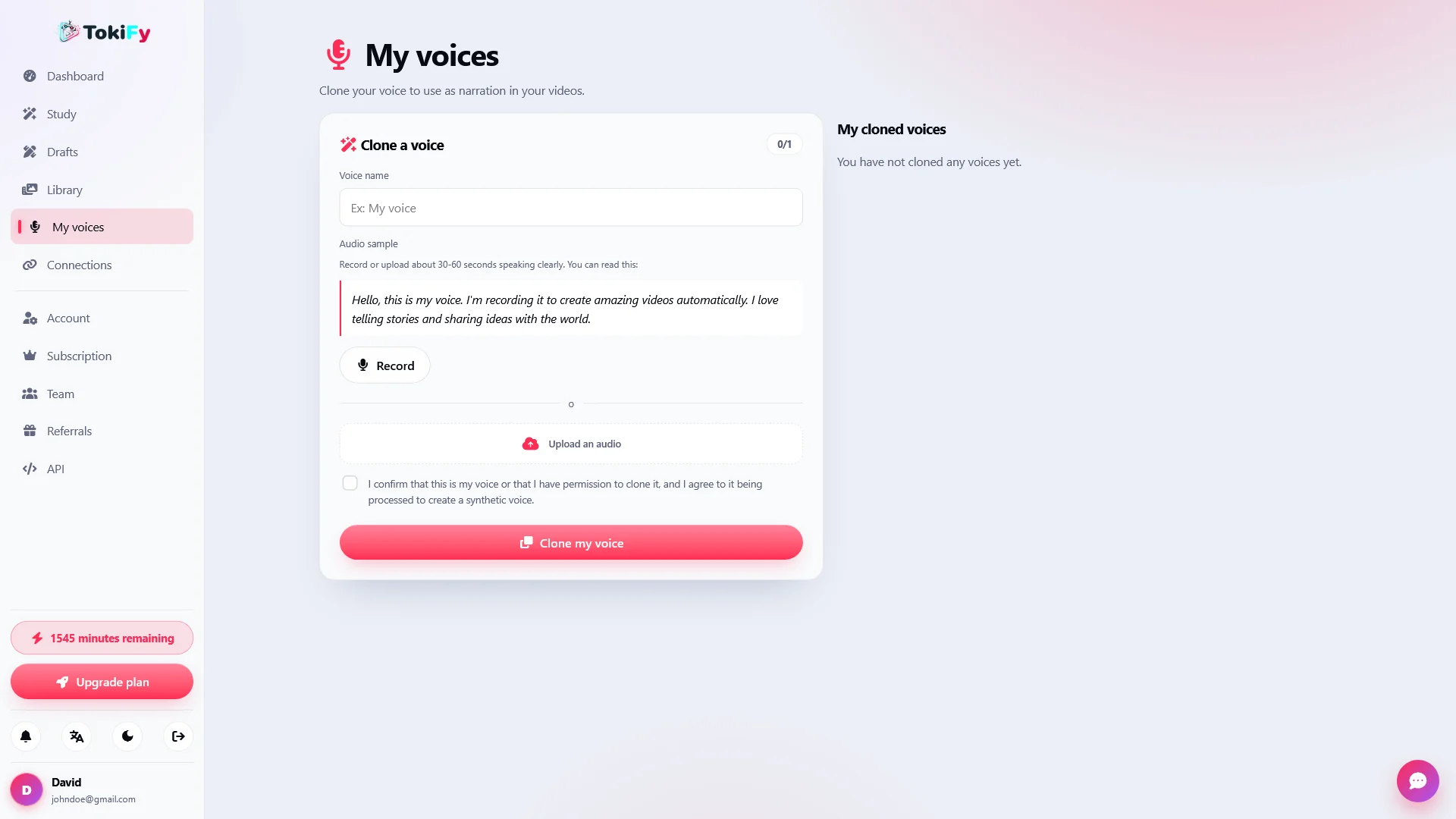
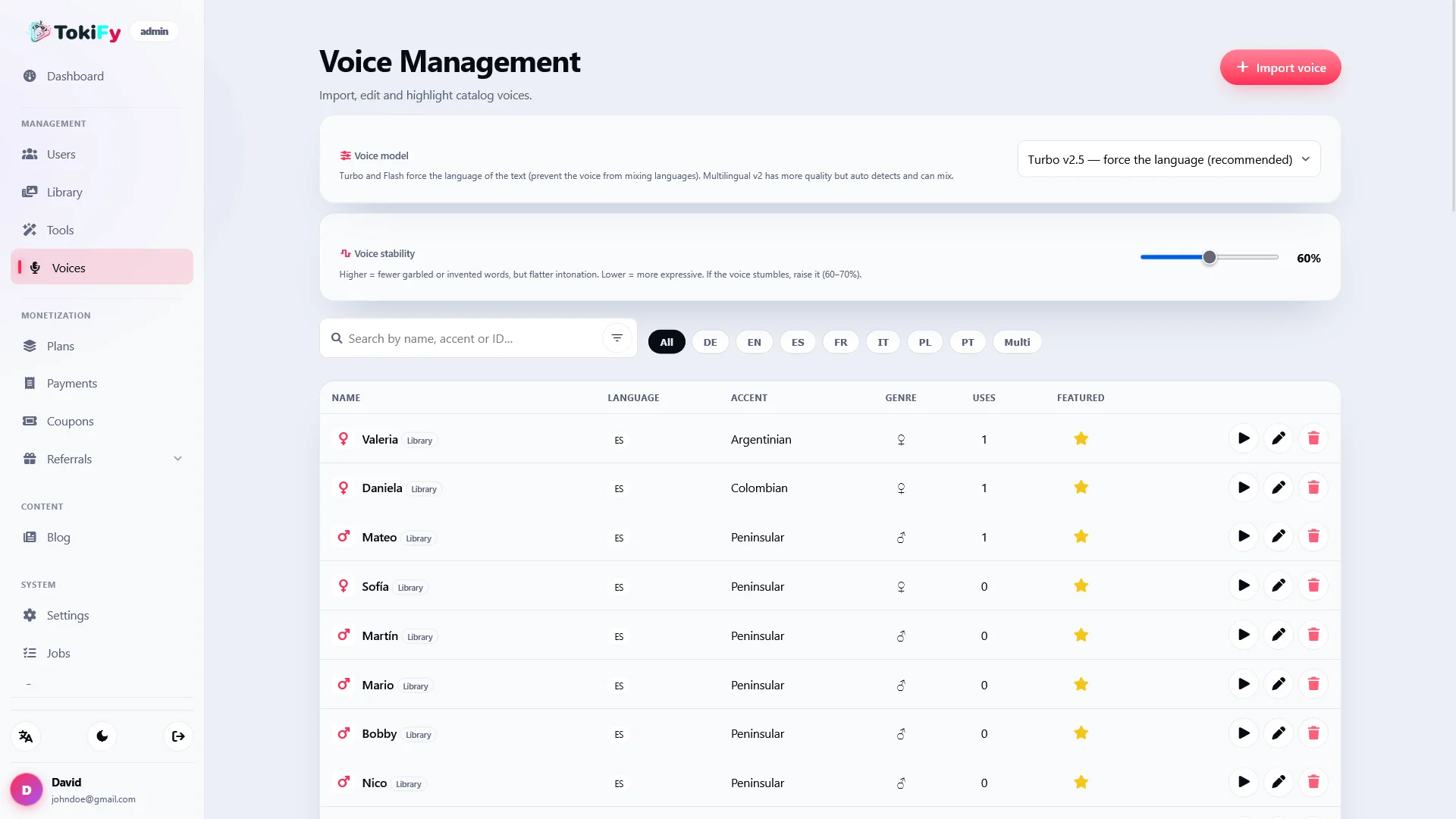
Integration with ElevenLabs allows you to work with different voices, select featured voices, and adjust parameters such as stability.

  • Catalog of voices
  • Prominent Voices
  • Use and cloning of compatible voices
  • Stability control
  • Automatic conversion of numbers to words
  • Narrative integrated into the creative flow

In this way, each video can have a different personality and storytelling style.

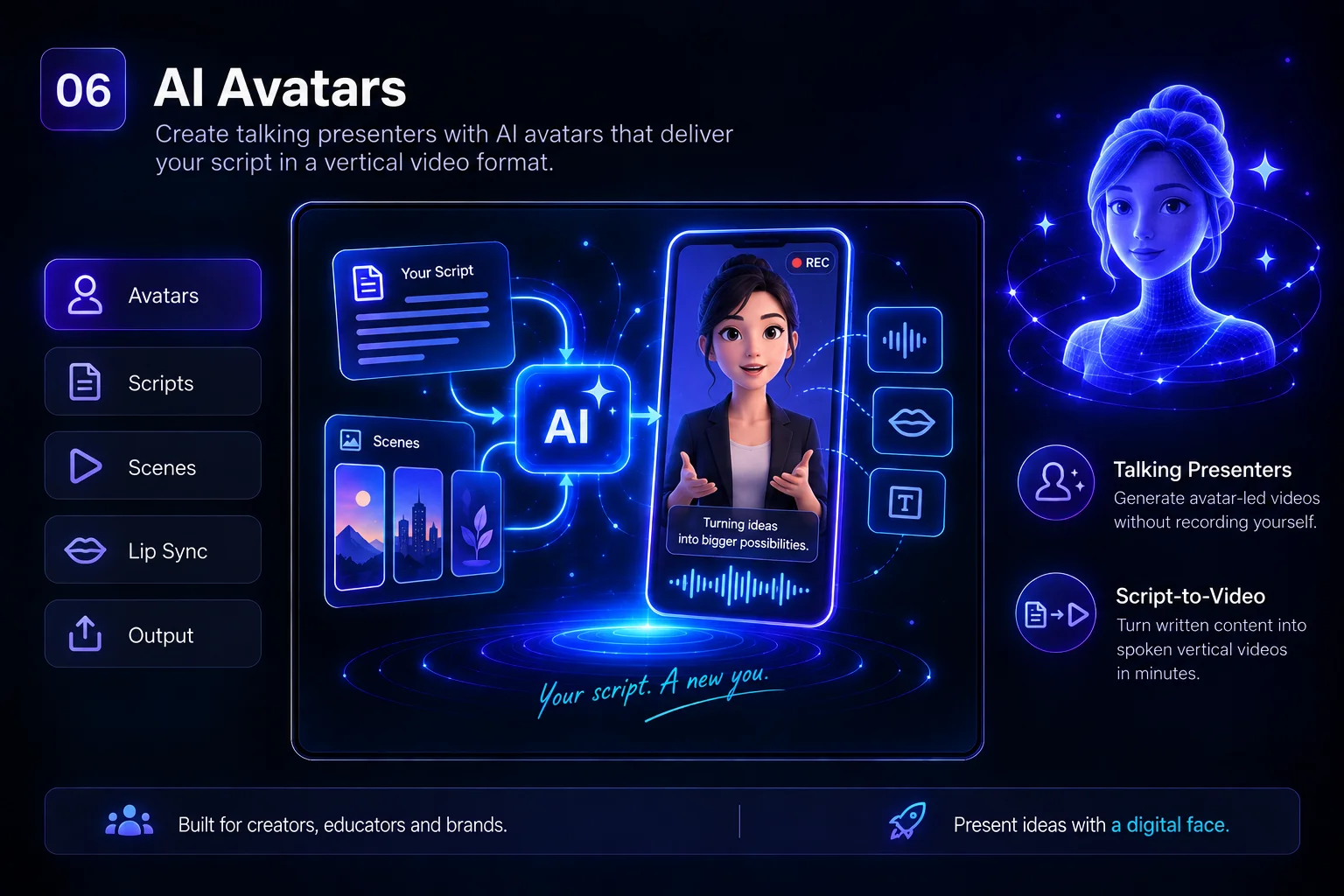
🤖 Avatars with artificial intelligence

Create videos with virtual presenters who speak directly the text or script generated by the user.

Tokify includes integration with:

  • HeyGen
  • D-ID

Avatars can be used to create educational, explanatory, promotional, informative or social media content without the need to record yourself in front of a camera.

✨ Turn photos into videos

The animation tool allows you to transform a static image into a video using AI models.

By integrating with fal.ai , Tokify can use providers like PixVerse and Kling to apply motion and different effects to a photograph.

The user can select presets and effects to generate visual content directly from an image.

🎙️ Local transcription with Whisper.cpp

Tokify can perform transcriptions directly on your own server using Whisper.cpp .

This allows for the processing of audio and video without necessarily relying on an external transcription service with a per-minute charge.

From the administration panel you can check if Whisper.cpp is correctly installed and ready for use.

🎥 Turn long videos into short clips

Upload long-form content and repurpose it to create vertical clips for social media.

The clip tool allows you to:

  • Upload your own videos
  • Use stock video
  • Select segments
  • Modify the cropping later.
  • Transcribe the content
  • Preview each segment
  • Generate stand-alone clips

Ideal for repurposing podcasts, interviews, tutorials, YouTube videos, and any other long-form content.

📹 Integrated stock video

Tokify includes integration with Pexels to find stock videos without leaving the creation process.

Users can search for visual resources, load more results, and use them directly as backgrounds for their videos.

🧠 AI-powered script generation

You don't always need to start with a prepared script.

Tokify can use artificial intelligence to generate text, titles, and content ideas through providers such as:

  • OpenAI / GPT
  • Anthropic / Claude

It also includes automatic title generation to further speed up the creation process.

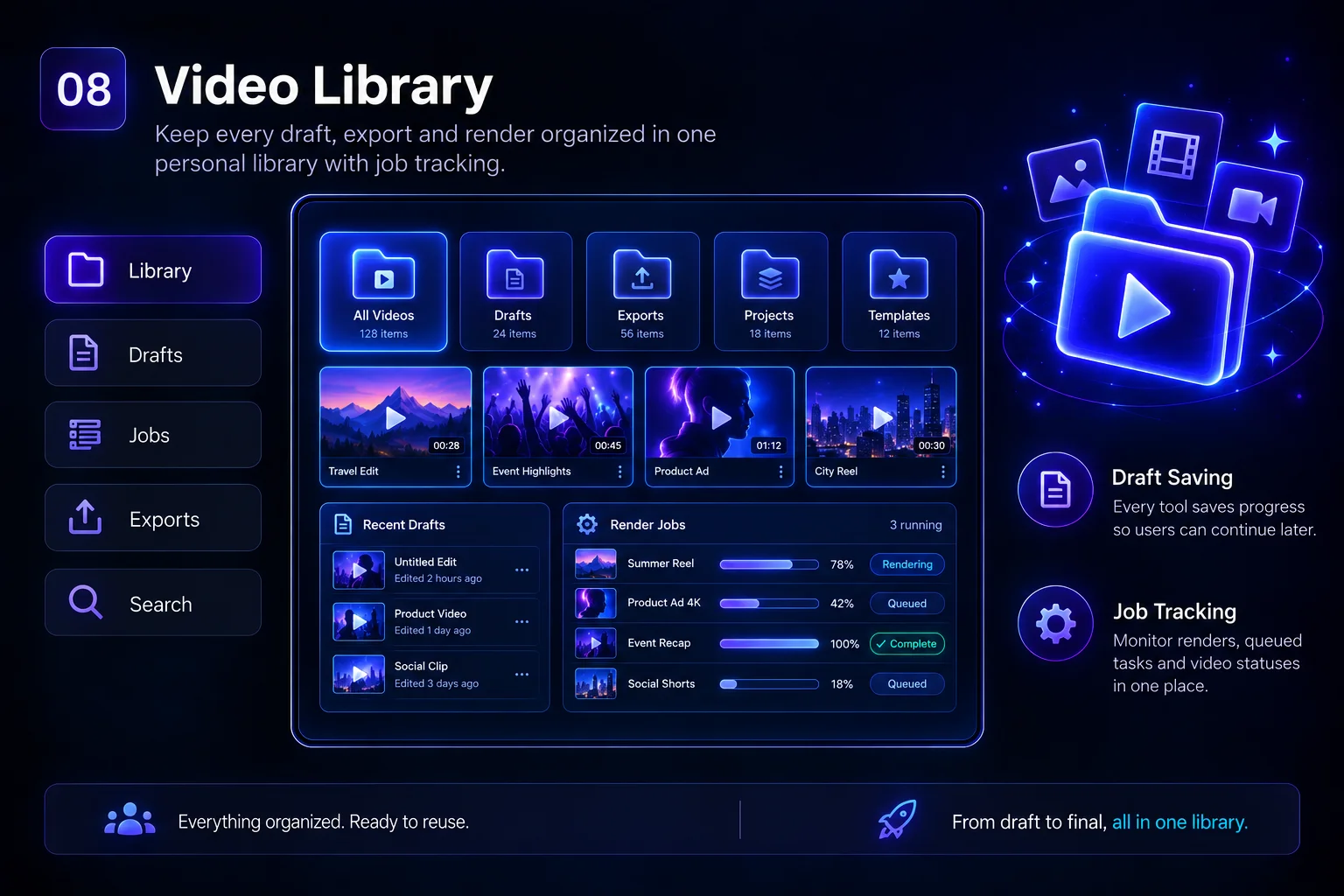
📚 Video Library

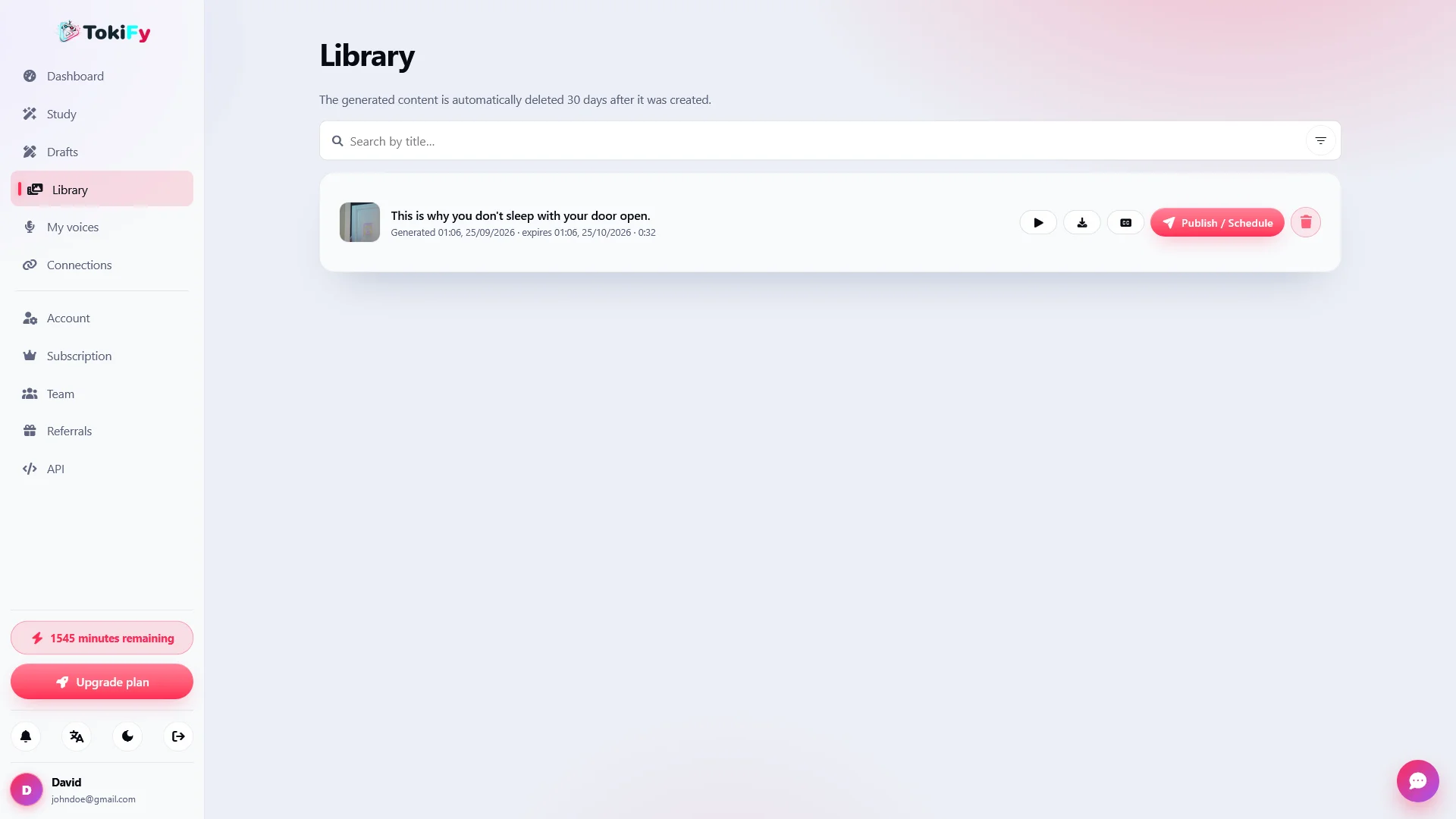
All videos and generated content are organized within each user's personal library.

From there they can view their creations, review works in progress, and access previously generated results.

  • Personal library
  • Job queue
  • States of progress
  • Automatic drafts
  • Results history

⚙️ Job Processing and Queuing

Video generation uses a job queue to process the necessary tasks without blocking the user experience.

Tokify can execute pending tasks using:

  • Chronograph triggered by visits
  • Worker CLI

The system can work even on hosting services where the buyer does not have direct access to the server's cron.

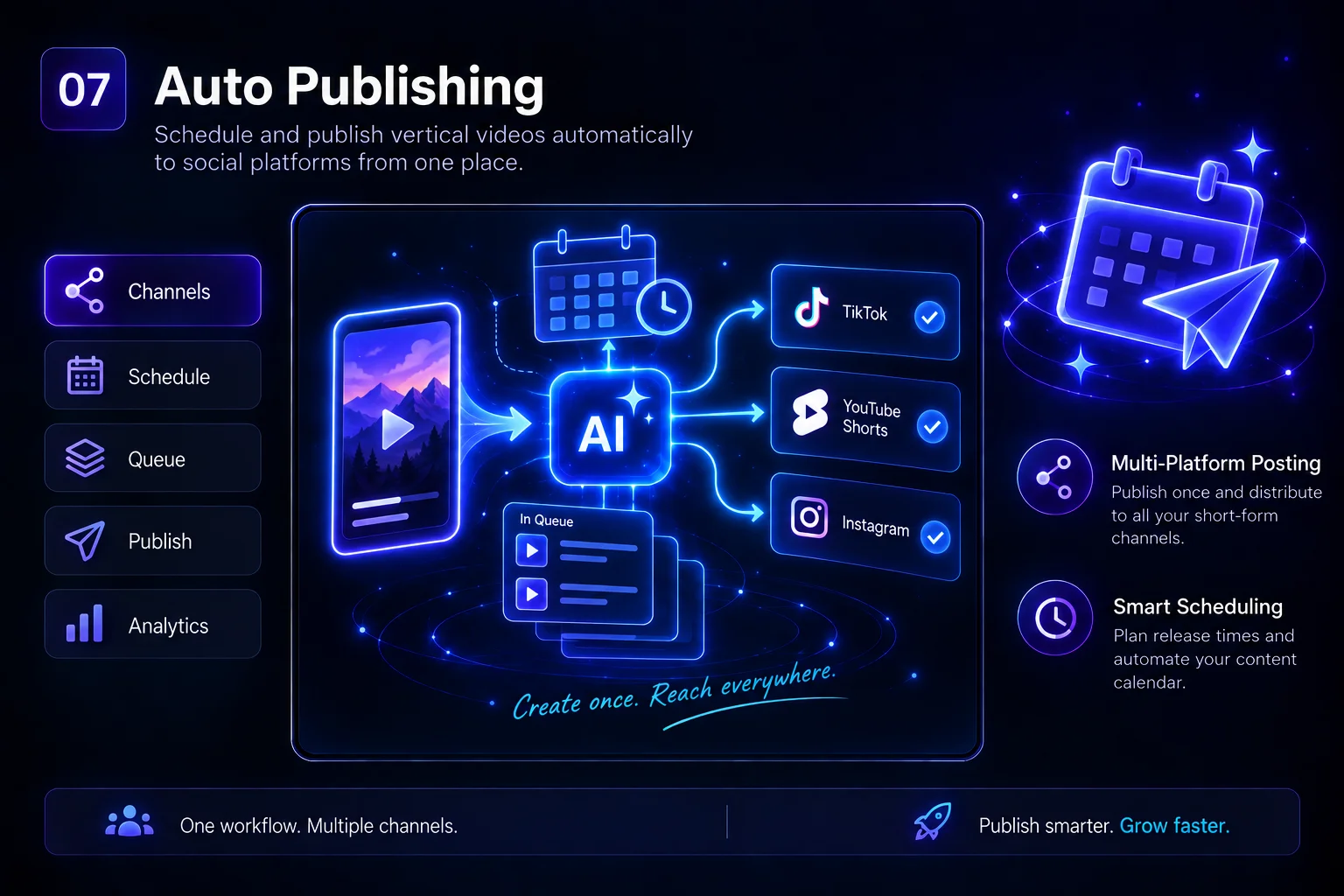
📲 Automatically post to your social media

Creating the video is only one part of the process.

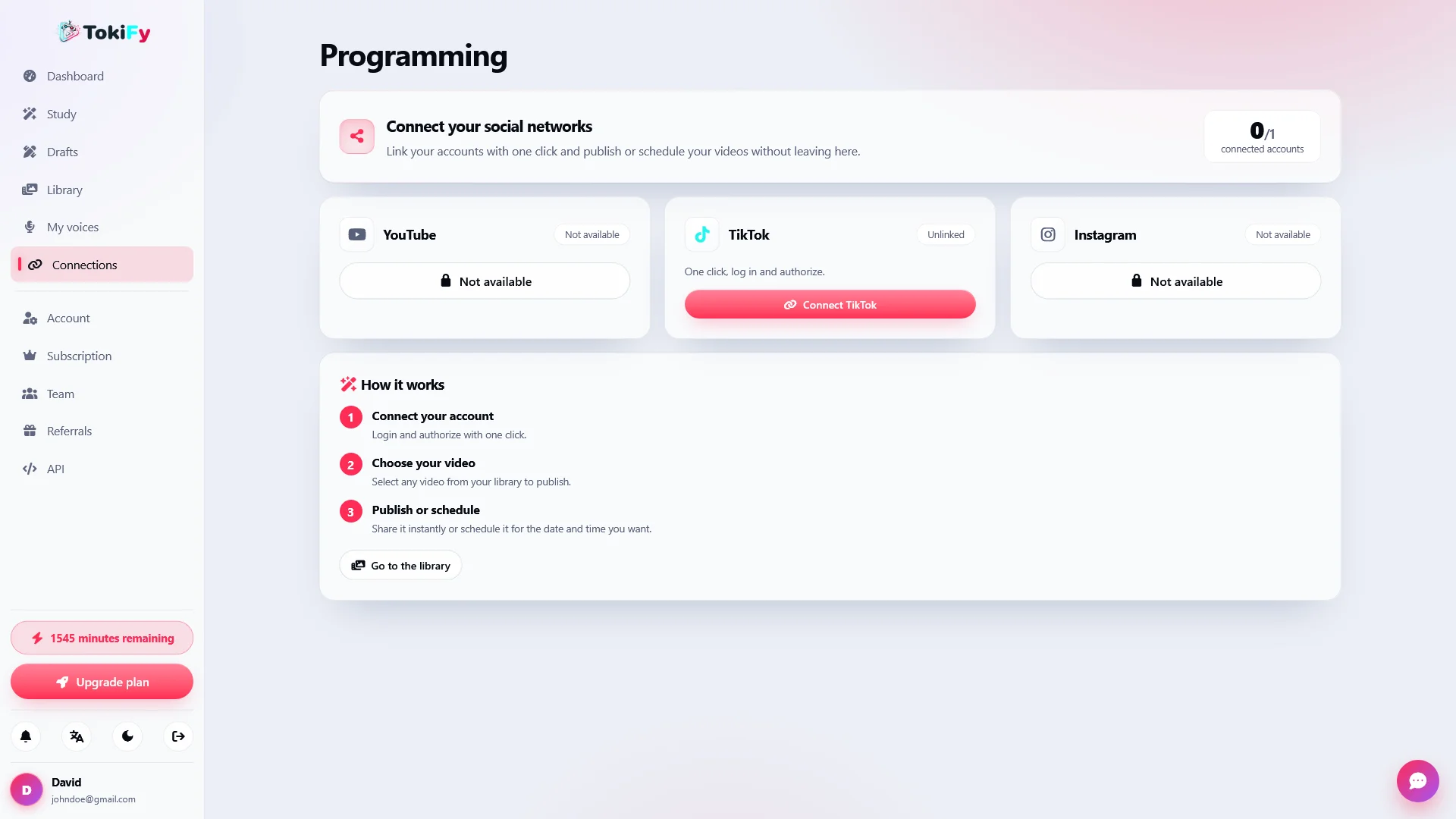
Tokify allows you to connect social media accounts via OAuth and publish or schedule content directly from the platform.

Compatible with:

  • YouTube
  • TikTok
  • Instagram

The built-in planner allows you to prepare videos in advance and decide when they should be published.

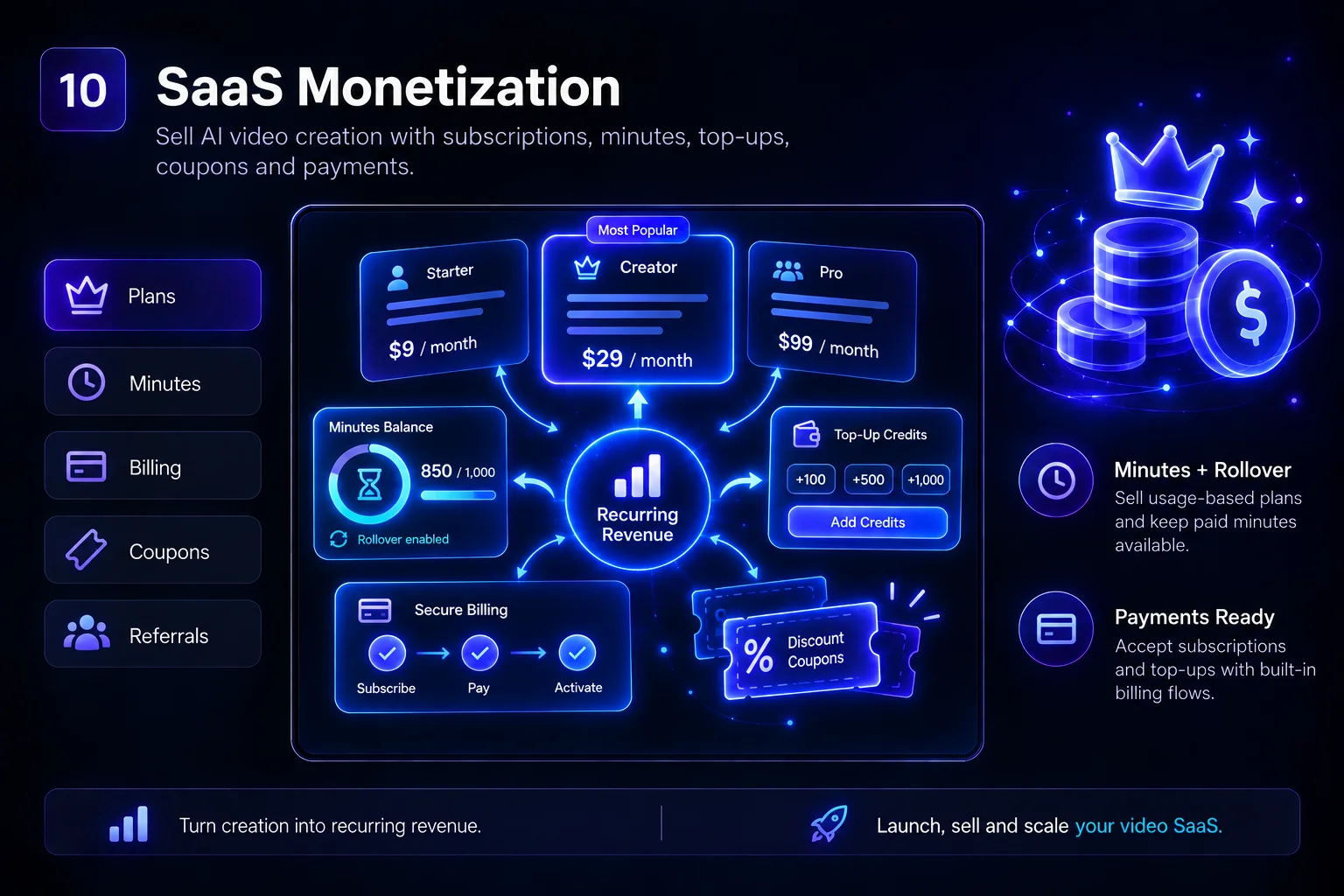
💳 Turn Tokify into your own SaaS business

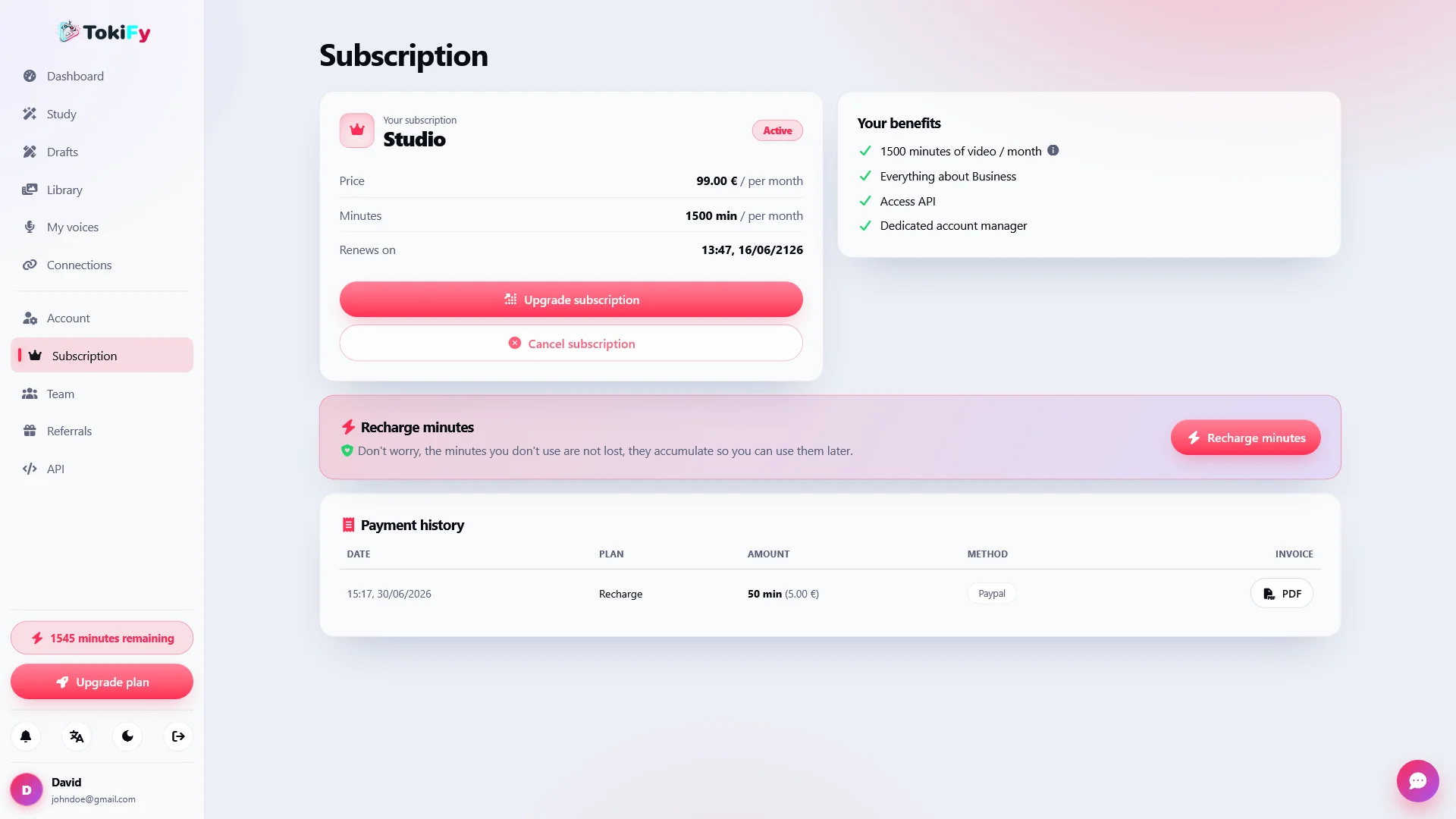
Tokify includes all the necessary tools to offer the platform to your own customers through paid plans.

Each plan may include a certain number of video minutes that users consume when using the different tools.

  • Subscriptions
  • Configurable plans
  • Minutes per cycle
  • Rollover of minutes
  • Minute top-ups
  • Coupons and discounts
  • Multi-currency
  • Guest checkout

The minutes purchased can be maintained through the rollover system, preventing the paid balance from automatically disappearing at the end of a cycle.

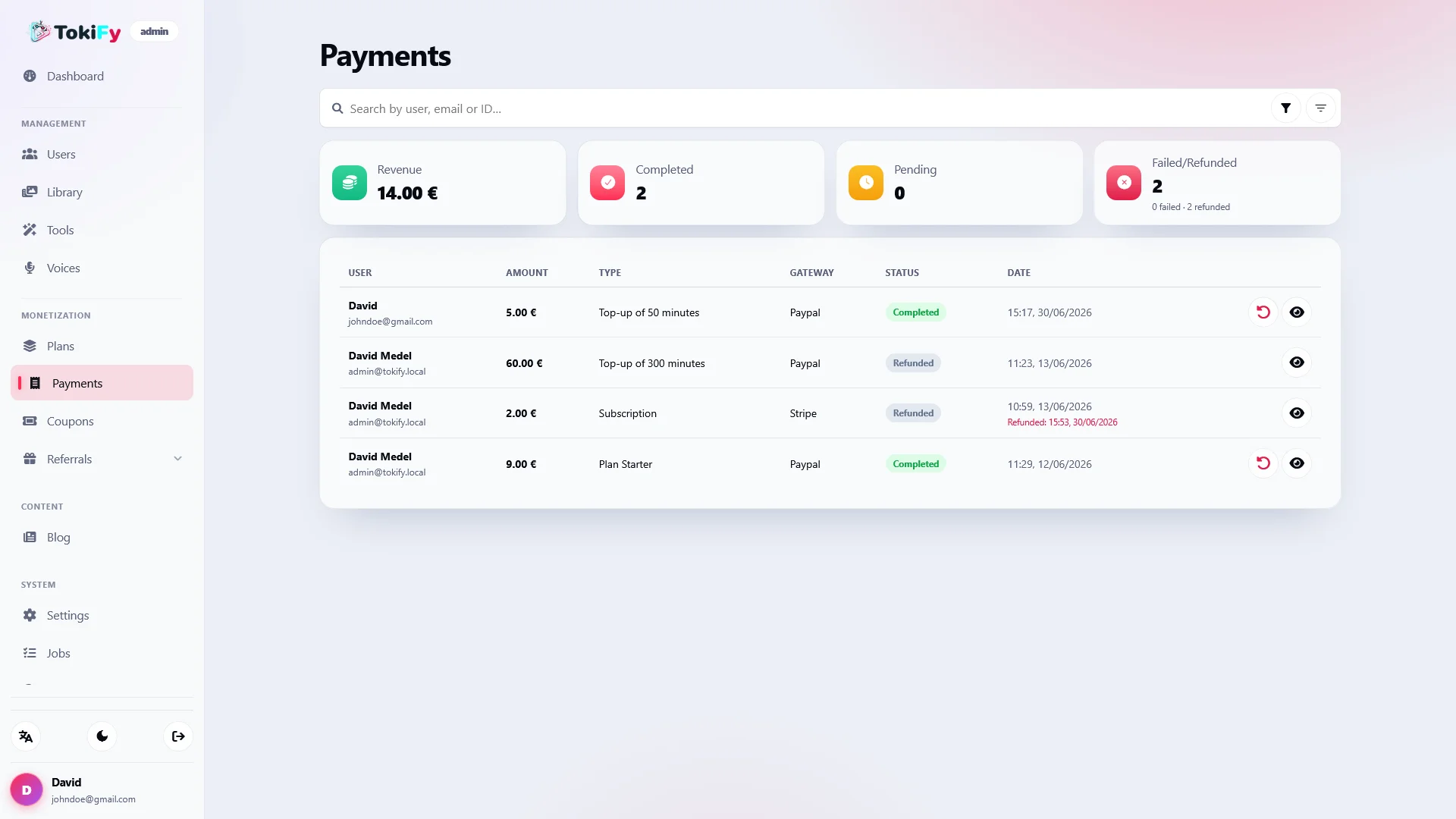
💰 Stripe and PayPal integrated

Collect payments from your customers using two of the most popular payment gateways.

  • Stripe
  • PayPal
  • Subscriptions
  • One-time payments
  • Renewals via webhook
  • Top-ups
  • Coupons
  • Guest checkout

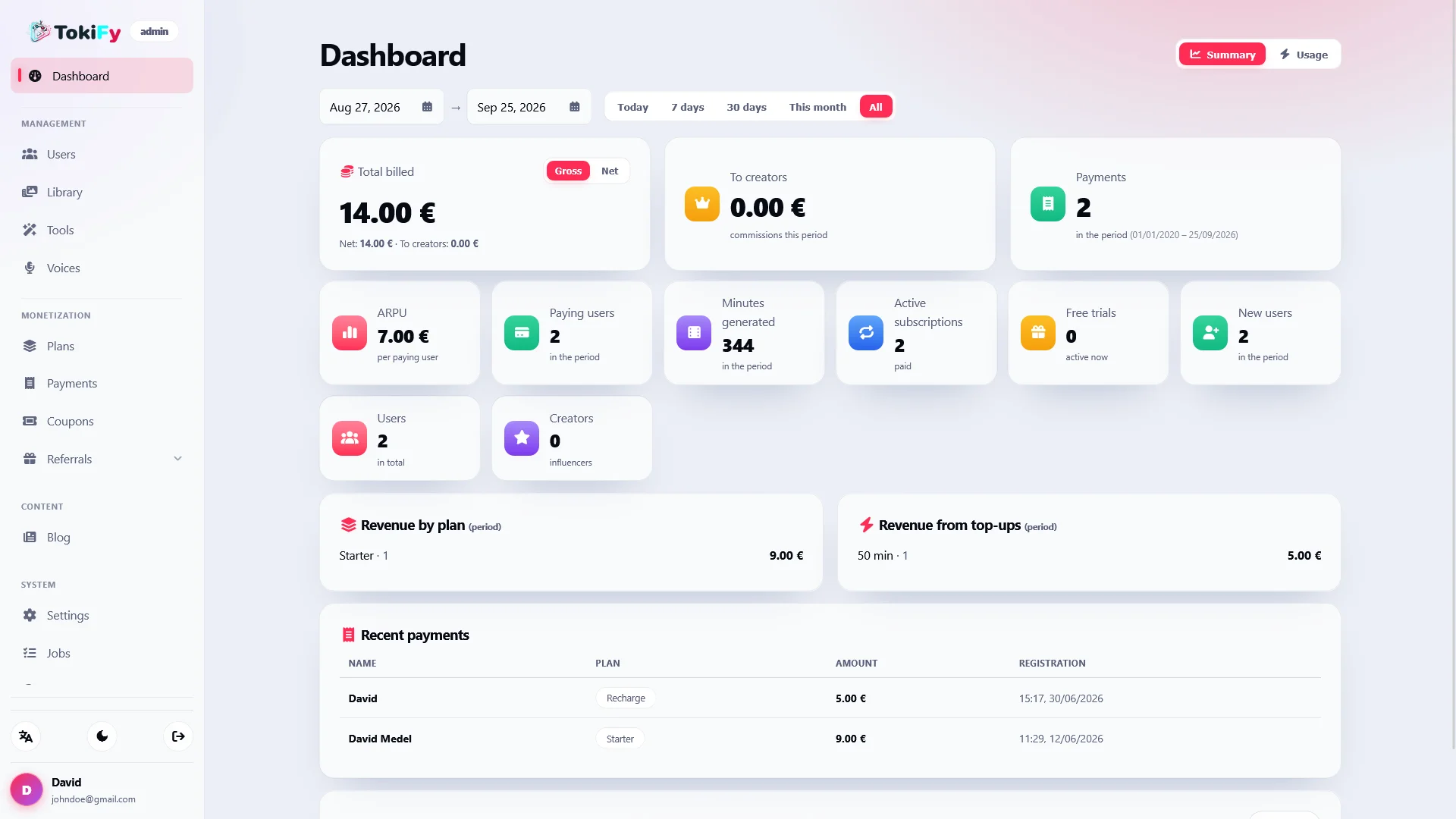
The administrative panel allows you to view payments and KPIs and execute actual refunds through the corresponding gateway .

When processing a refund, the system may revoke the minutes, plan, and associated fees where applicable.

🌍 Multi-currency system

Displays prices adapted to the visitor's currency through daily currency conversion.

The user can view the converted price while the actual charge continues to be made in the base currency configured by the administrator.

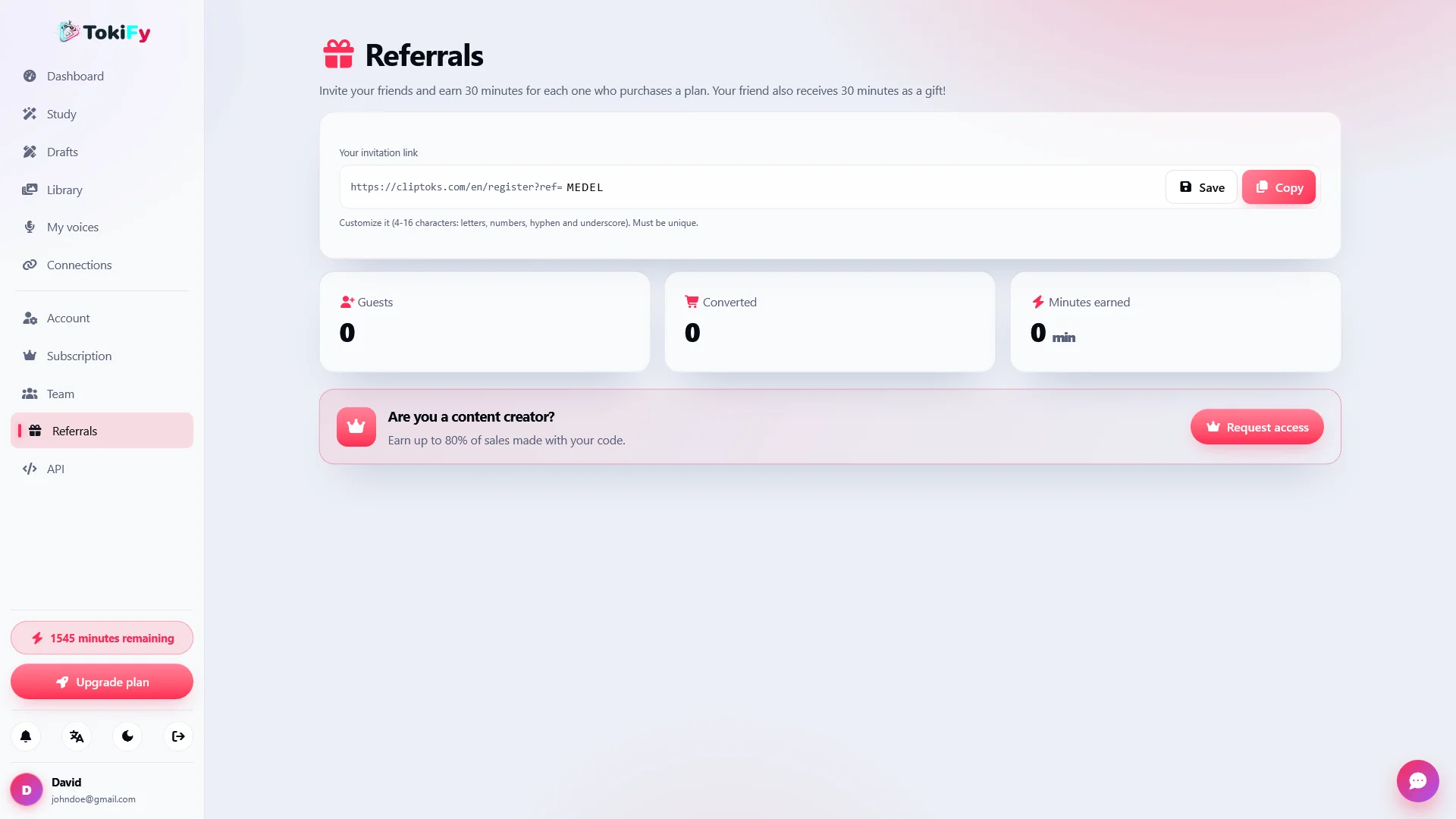
🤝 Referral and Creator Program

Grow your SaaS using an integrated referral program.

Users can recommend the platform and receive commissions, including the option to set up recurring commissions for creators.

The system incorporates protections to prevent abusive flows related to balance and free commissions.

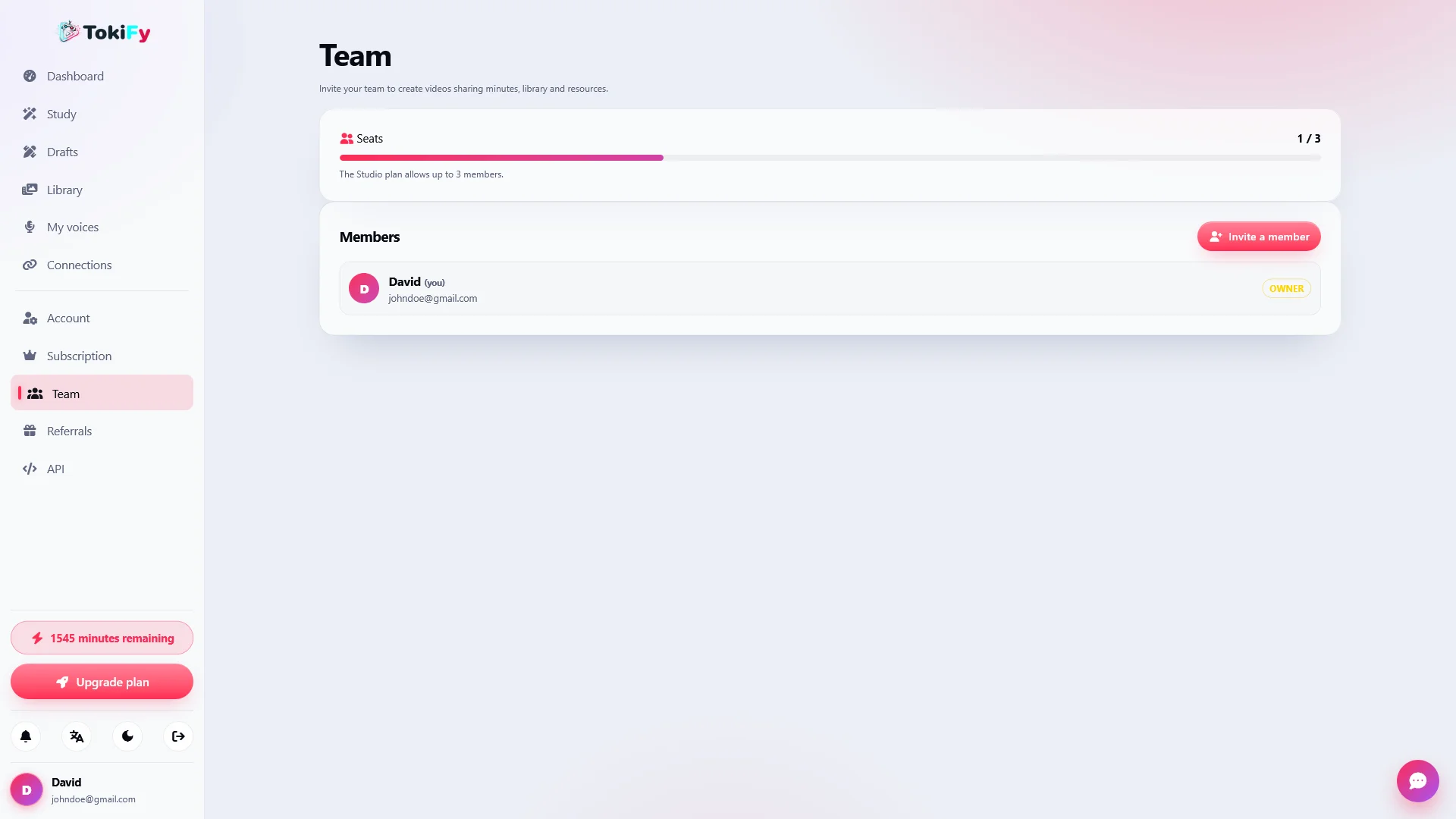
👥 Teams and Workspaces

Tokify allows you to create workspaces where several people can collaborate using the same pool of minutes.

  • Multi-user workspaces
  • Shared minutes
  • Email invitations
  • Control of spaces according to the plan
  • Owner Role
  • Admin Role
  • Editor Role
  • Viewer Role

A solution designed for agencies, content teams, creators, and businesses that need to work collaboratively.

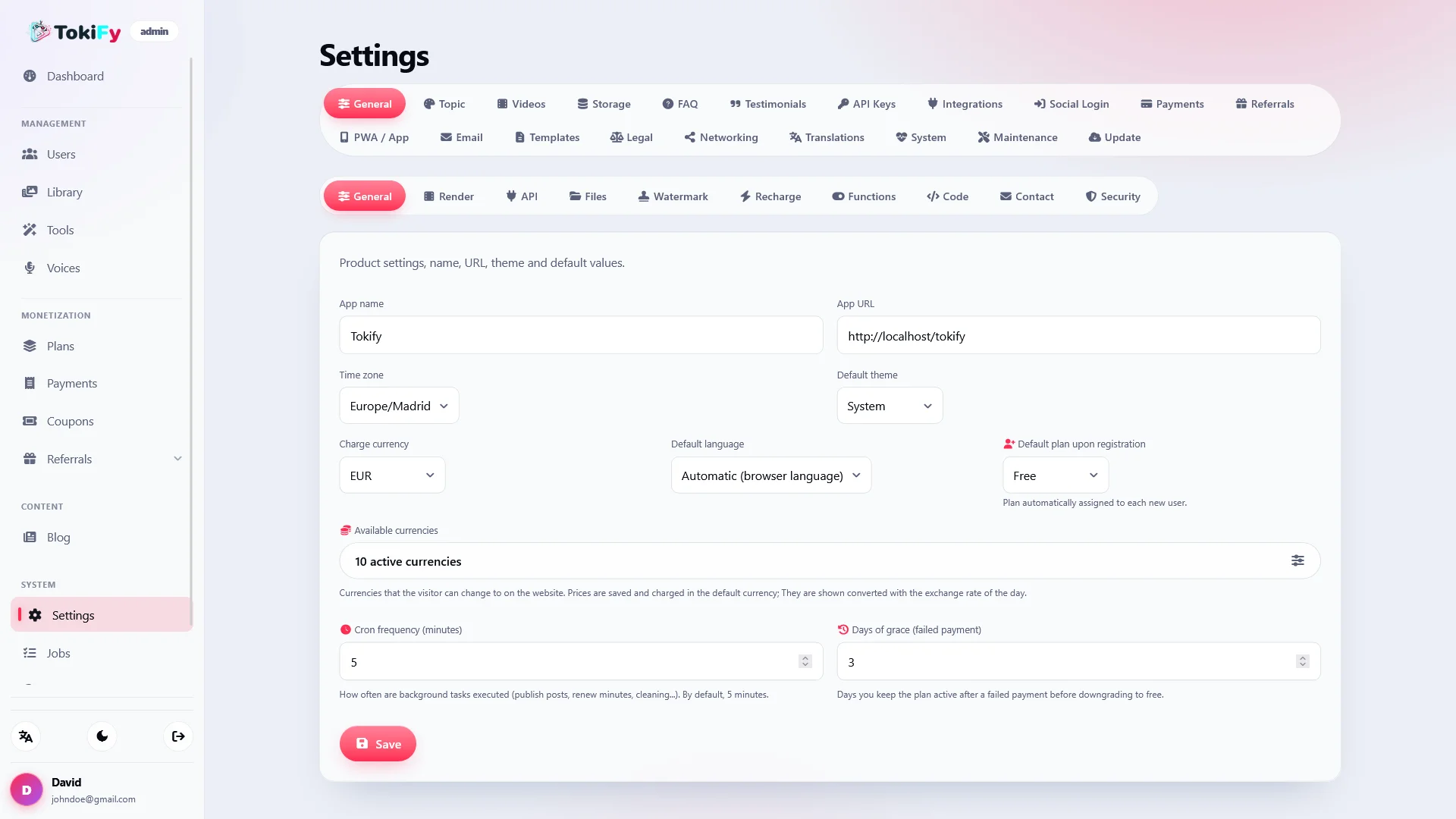
🛠️ Complete administration panel

Manage the entire platform from a single administrative panel.

Includes settings for:

  • General
  • Theme and branding
  • Storage
  • Payments
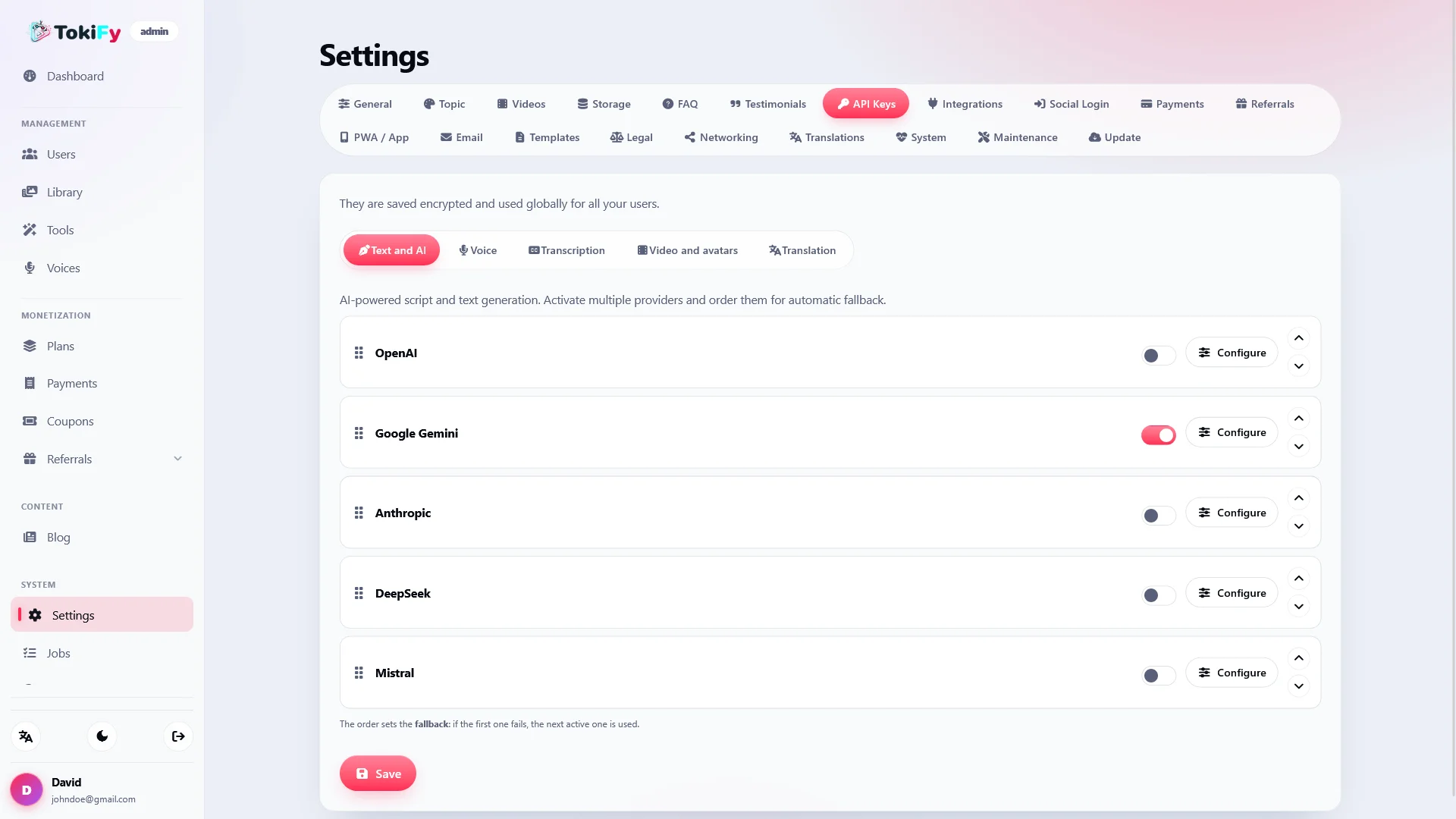
  • AI integrations and keys
  • API keys
  • Email and SMTP
  • Social login
  • Social networks
  • Referrals
  • Testimonials
  • FAQ
  • Legal pages
  • Email templates
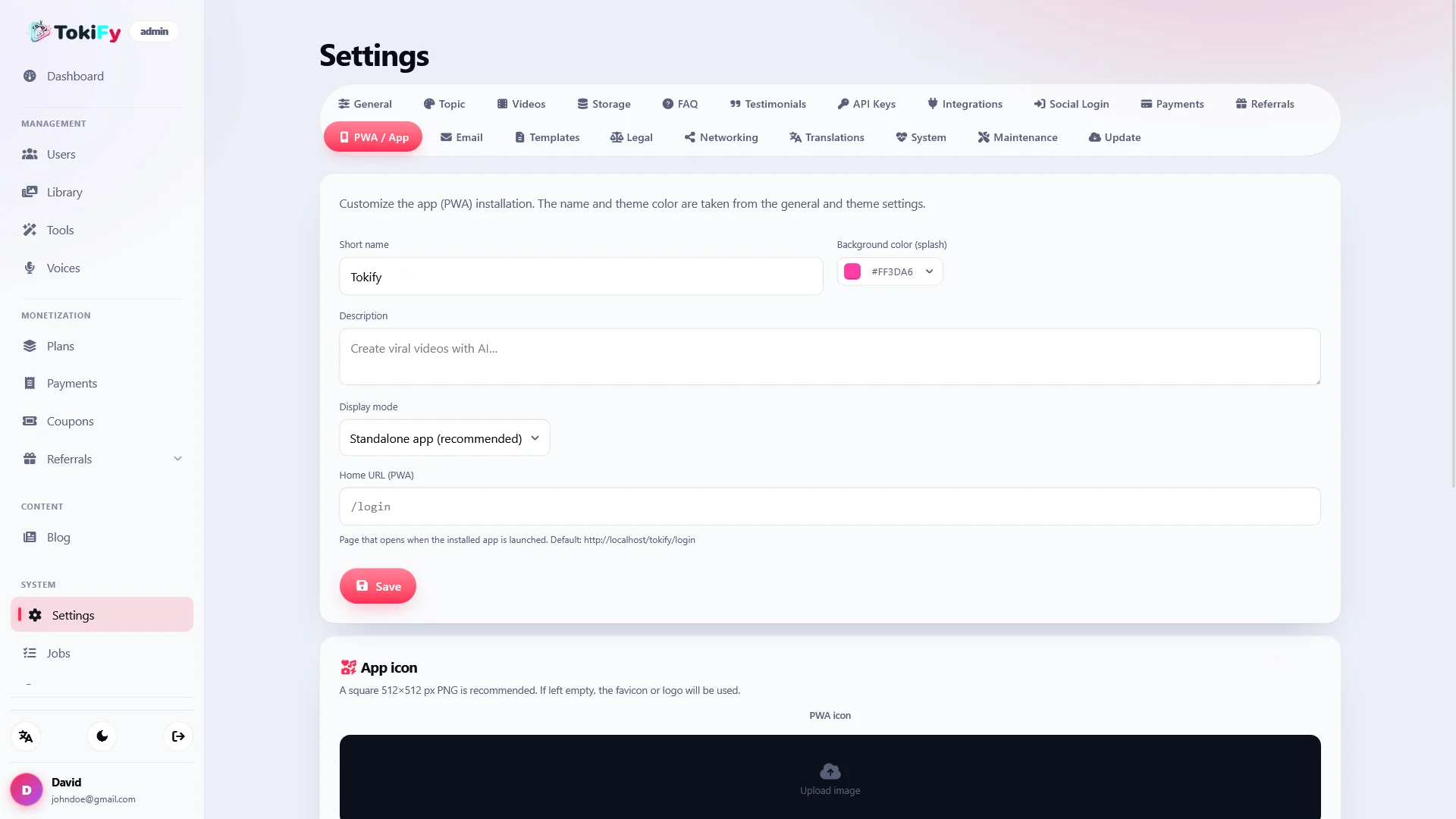
  • PWA
  • Cover videos
  • Translations
  • Maintenance
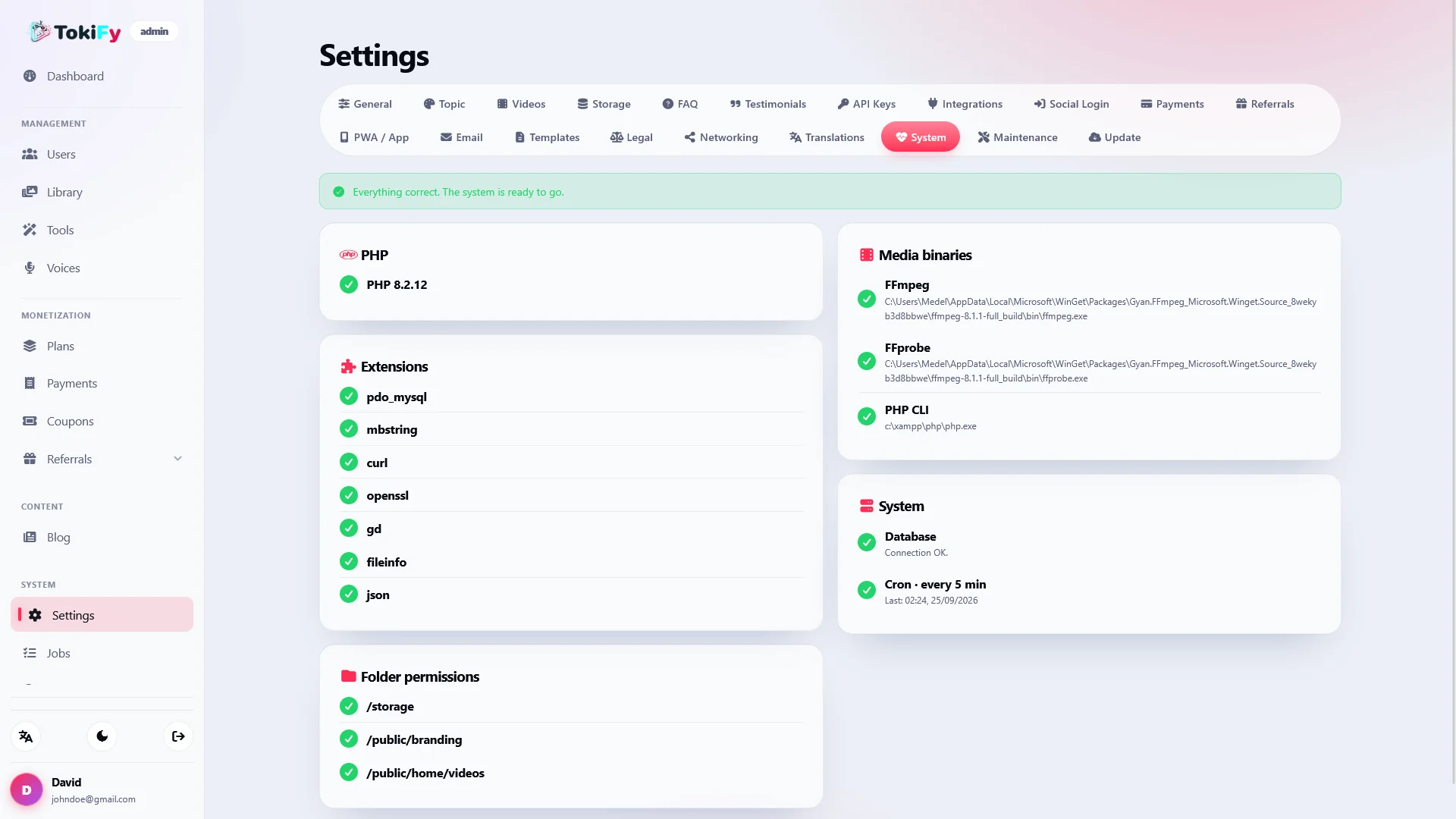
  • System health
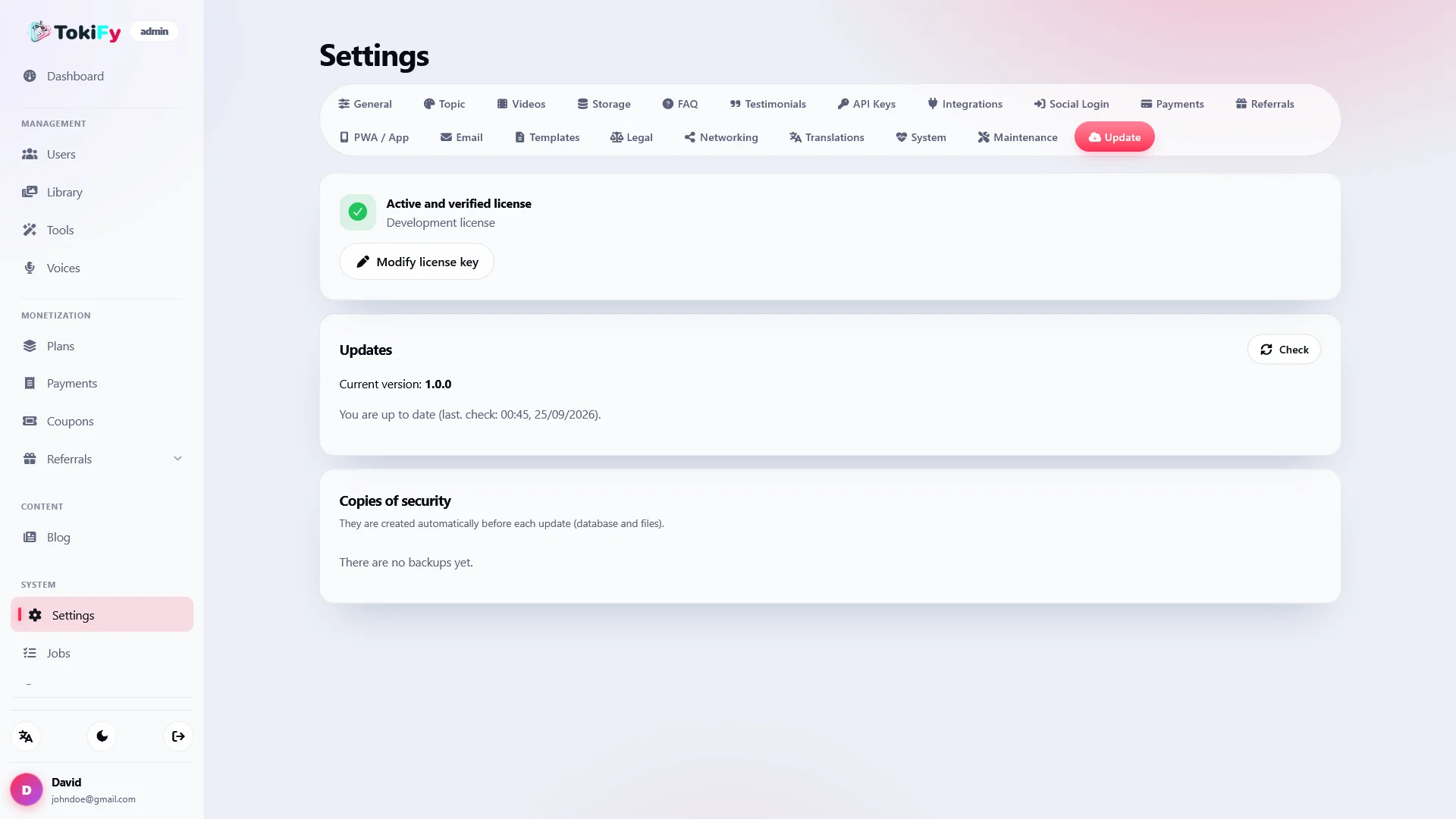
  • Updates

It also includes user management, plans, blog, and global library.

🔎 Integrated SEO

Tokify not only allows you to sell a video SaaS, but also includes tools to work on the positioning of the platform itself.

  • SEO configurable by route
  • Multilingual SEO
  • Integrated SEO Audit
  • Canonical URLs
  • Hreflang
  • x-default
  • Automatic sitemap
  • robots.txt
  • OG dynamic images
  • Integrated blog
  • Categories
  • Metadata by language
  • Public landing pages for tools
  • Public FAQ
  • Contact page

The tools may have public pages from which a visitor begins the process and subsequently registers to continue.

🌍 Multilingual platform

Tokify includes an interface designed to operate internationally.

It initially includes:

  • Spanish
  • English
  • German
  • French
  • Portuguese

It also features a translation engine, automatic browser detection, and a language selector.

🎨 Complete White-Label

Customize Tokify to make it your own platform.

  • Clear logo
  • Dark logo
  • Favicon
  • PWA Icon
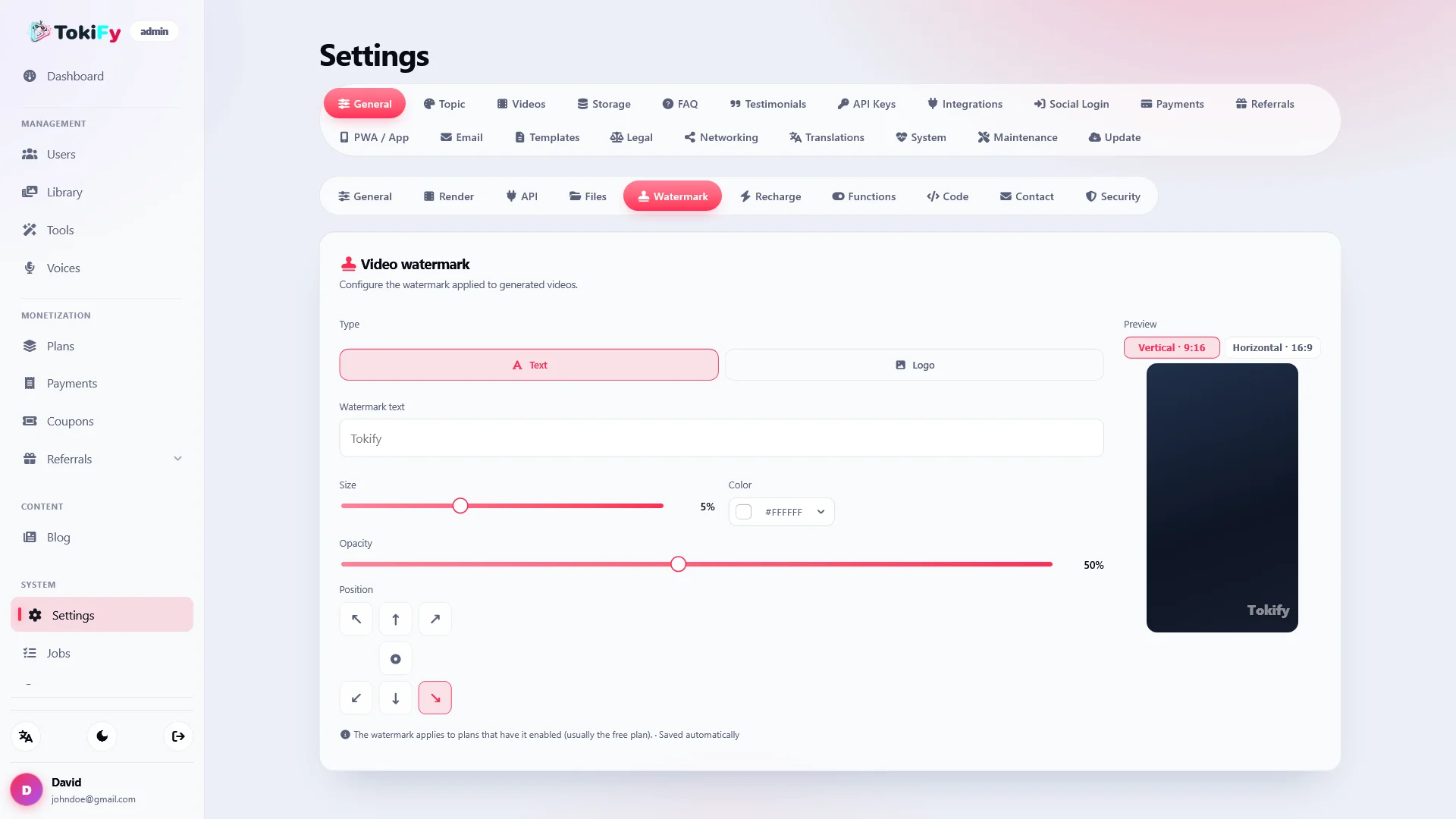
  • Custom watermark
  • Watermark using text or logo
  • Configurable position
  • Configurable size
  • Configurable opacity
  • Configuration according to video format

You can also customize the legal texts and use a light or dark theme.

📱 Installable PWA

The platform can be installed as a progressive web application using its manifest and configurable icons.

This allows us to offer an experience closer to an application without the need to develop separate mobile applications.

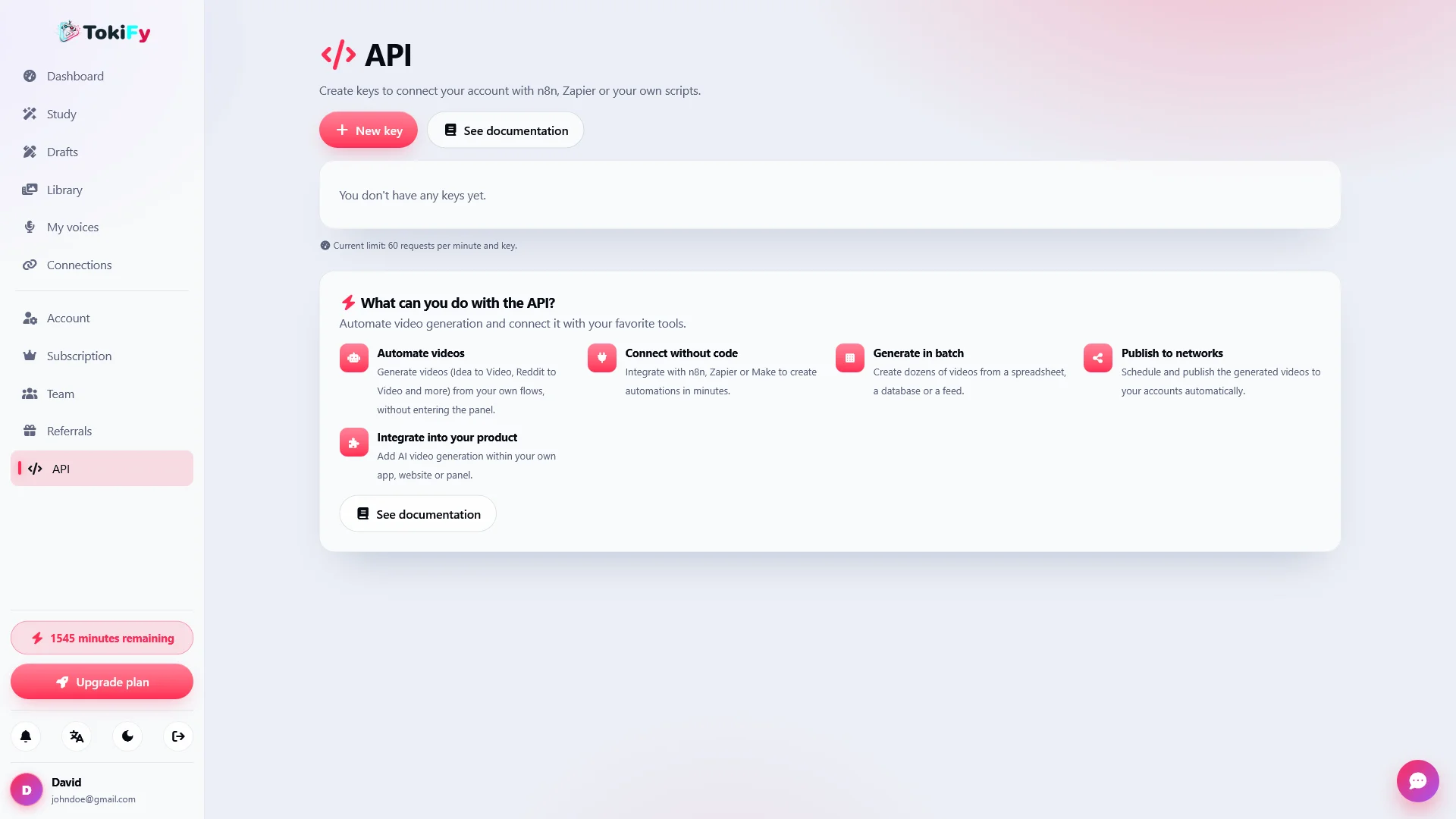
🔌 Public REST API

Tokify includes a REST API that allows the use of generation functions from external applications and services.

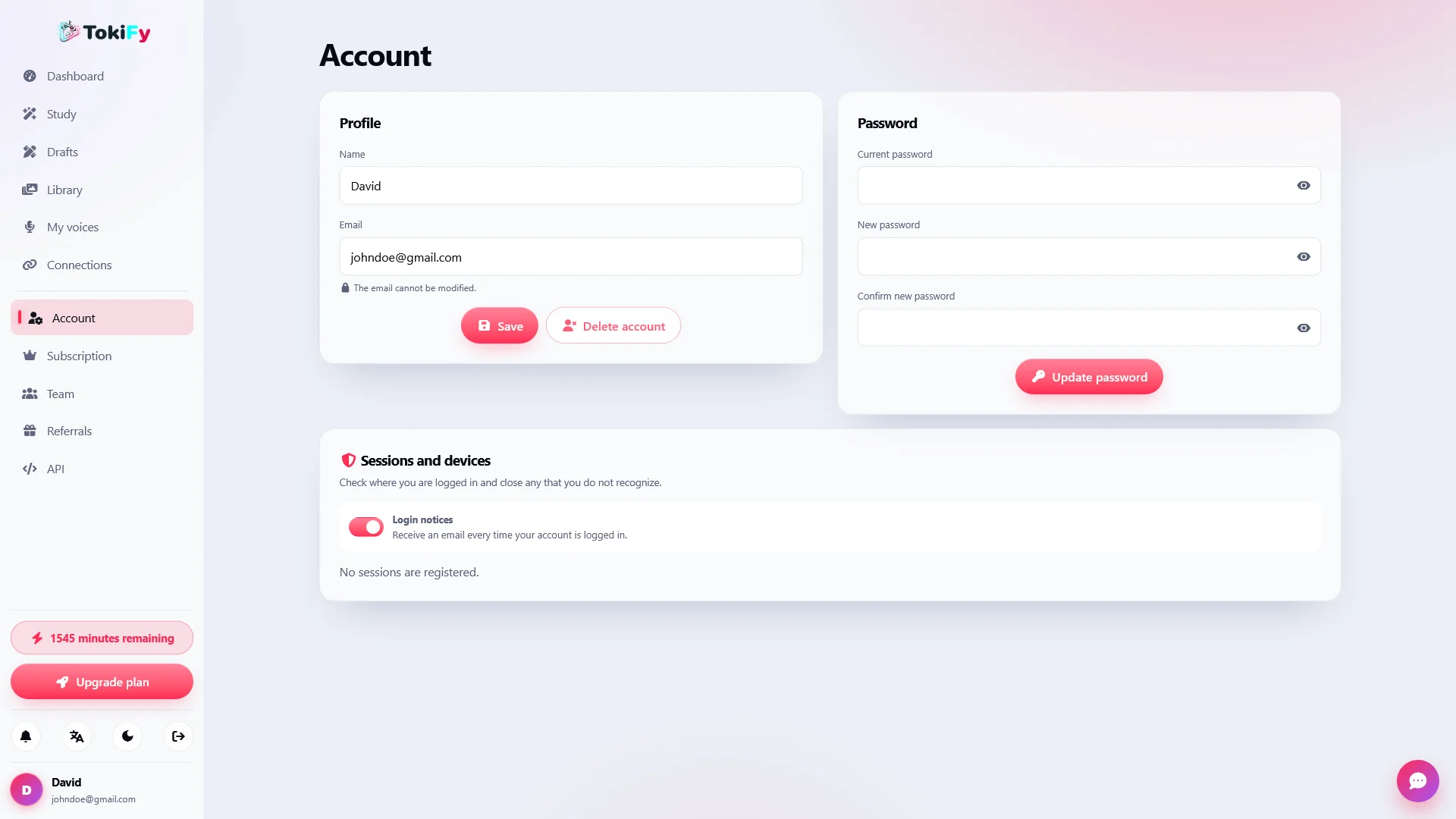
Each user can have their own API keys and generate videos programmatically.

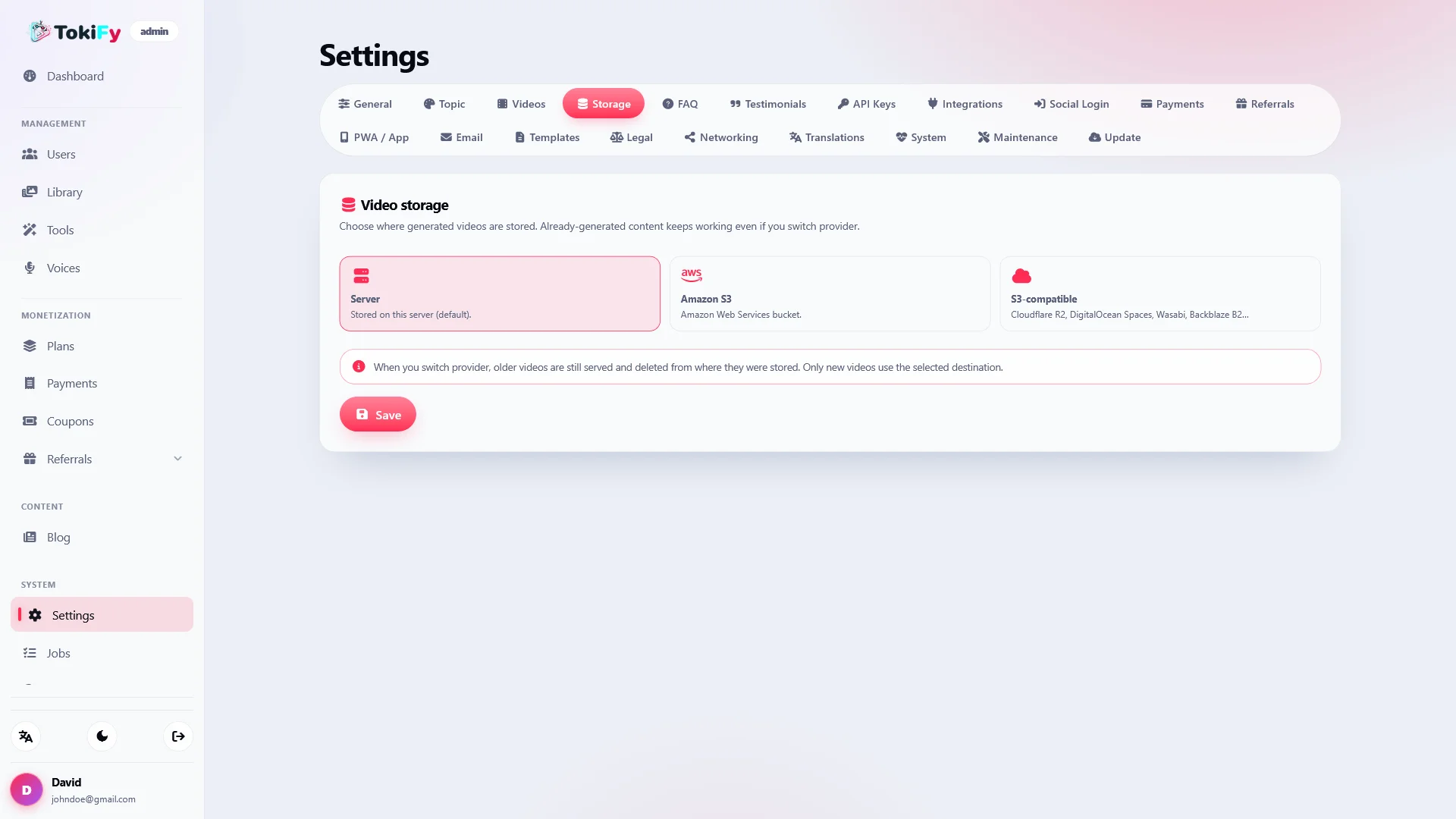
☁️ Flexible storage

Decide where you want to store the final videos generated by your users.

Tokify is compatible with:

  • Local server
  • Amazon S3
  • S3 compatible services

Temporary and working files are processed locally and served in a controlled manner through the asset system.

🔐 Integrated security

Tokify incorporates various measures designed to protect the application, payments, and video processing pipeline.

  • CSRF Protection
  • Prepared statements
  • Protection against SQL Injection
  • escapeshellarg in the FFmpeg pipeline
  • Protection against command injection
  • Anti-SSRF protection
  • Webhooks with verified signature
  • Webhooks fail-closed
  • Minute tracking linked to payments
  • Protection against double billing

🔑 Social Authentication and Login

Users can use the traditional authentication system or connect external providers via OAuth.

Optional social login with:

  • Google
  • Facebook
  • Apple

Tokify also uses persistent sessions through its own cookie.

🔄 Updates, backups and rollbacks

Keep the platform updated directly from the administration panel.

Before installing an update, Tokify can automatically back up:

  • Database
  • Application files

If the process fails, the system has a rollback mechanism.

The updates are designed to preserve custom elements such as logos, favicons, and files uploaded by the buyer.

🔐 Resilient licensing system

Tokify includes a license client with domain verification.

The system is designed so that a temporary failure of the license server does not render the buyer's installation unusable.

💻 Technology and performance

Tokify is developed in pure PHP 8.4 using its own MVC architecture, without depending on a heavyweight framework.

Main technologies:

  • PHP 8.4
  • MySQL / MariaDB
  • FFmpeg
  • libass
  • Whisper.cpp
  • FontAwesome self-hosted

FFmpeg is used for video processing and rendering, while libass handles subtitle rendering.

Whisper.cpp allows transcription to be performed directly on the server.

⚡ Web installer included

Tokify includes a web installer that makes it easy to get the platform up and running and to configure the initial database.

Main requirements:

  • PHP 8.4
  • MySQL 5.7+ or MariaDB
  • FFmpeg
  • PHP cURL extension

External service keys are only required for those functions that the administrator wants to activate.

Supported providers include ElevenLabs, HeyGen, D-ID, fal.ai, OpenAI, Anthropic, and Pexels.

🎯 Ideal for

  • SaaS Entrepreneurs
  • Content creators
  • Social media agencies
  • Marketing agencies
  • Community managers
  • YouTubers
  • TikTok creators
  • Instagram Reels creators
  • Content teams
  • Automation businesses
  • White-label platforms

🚀 Create, automate, and publish videos from a single platform

With Tokify you can launch your own AI-powered video creation service under your own brand.

Define your plans, sell minutes, connect your AI providers, configure your voices, customize subtitles, and allow your users to create videos for TikTok, YouTube Shorts, and Instagram Reels without having to use multiple different tools.

An all-in-one platform to turn ideas and existing content into vertical videos, add custom voices and subtitles, and publish them directly to social media.


Idea → Video

Turn any idea into a viral video

Write an idea and let Tokify generate the script, voice, scenes and subtitles to create a vertical video ready for TikTok, YouTube Shorts and Instagram Reels.

Reddit → Video

Transform Reddit stories into viral content

Turn Reddit posts and conversations into narrated videos with AI voice, subtitles, and a format designed to capture attention on social networks.

Smart Clips

Convert long videos into publish-ready clips

Reuse long videos by selecting the best fragments, preview each segment and convert them into short pieces ideal for vertical content.

Viral Subtitles

Create subtitles that keep attention

Customize text, fonts, colors, highlights, animations, emojis and karaoke styles with a WYSIWYG visual editor where what you see is exactly what you get.

AI Voices

Give every video the perfect voice

Convert text into natural narration with AI voices and adapt the style of each video with different voices, tones and voiceover settings.

AI Avatars

Create virtual presenters without recording yourself

Turn your scripts into videos featuring talking avatars, perfect for educational, promotional, informational, and social content.

Automatic Publishing

Create once and publish on all your networks

Connect TikTok, YouTube and Instagram, schedule your videos and let Tokify manage publishing from a single workflow.

Video Library

All your content organized in one place

Save videos, drafts and generated results, see the progress of your work and continue your projects exactly where you left them.

Multilanguage Videos

Bring your videos to a global audience

Translate subtitles and adapt your videos to different languages ​​to reuse the same content and reach new audiences and markets.

SaaS Monetization

Turn Tokify into your own SaaS business

Create subscription plans, sell minutes and recharges, offer coupons and charge your customers with Stripe and PayPal from a platform ready to generate recurring income.

What you get

When you purchase Tokify, you receive the complete source code and all the necessary features to run your own AI viral video creation and automation SaaS platform. No additional modules or paid add-ons required.

💻 Complete source code

  • 🐘 Complete PHP application source code
  • 🗄️ Complete database structure and required SQL files
  • ⚙️ Integrated installation wizard
  • 🔄 One-click auto updater
  • 📚 Complete documentation included in the /docs
  • folder

🚀 All features included

Your purchase includes the complete Tokify platform with all available features. No additional modules, paid extensions or feature purchases required.

  • 🎬 Idea → Video with automatic generation of script, voice, clips and subtitles
  • 🤖 Reddit → Video to convert posts into narrated content
  • ✂️ Converting long videos into short clips for social networks
  • 🖼️ AI image animation
  • 🗣️ AI Voices and Storytelling with ElevenLabs
  • ✍️ WYSIWYG visual editor for subtitles and animations
  • 🎨 Subtitle styles, karaoke, highlights, emojis and reusable presets
  • 👤 AI Avatars with HeyGen and D-ID
  • 🎙️ Local transcription with Whisper.cpp
  • 📹 Pexels integration for stock videos
  • 🧠 Script and title generation with OpenAI and Anthropic
  • 📚 Personal library of videos, drafts and works
  • ⚙️ Job queue with progress status
  • 📲 Publishing and programming on YouTube, TikTok and Instagram
  • 💎 Complete SaaS Subscription System
  • ⏱️ Bag of minutes per cycle with rollover
  • ➕ Minute recharges and top-ups
  • 🎟️ Coupon and discount system
  • 💳 Stripe and PayPal payment gateways
  • 🌍 Multi-currency system
  • 🤝 Referral and creator program with recurring commissions
  • 👥 Teams and Workspaces with shared minutes
  • 🔎 Advanced SEO system
  • 🌐 Multilanguage system
  • 🎨 Fully customizable White-Label System
  • 📱 PWA Compatibility
  • 🔌 Public REST API with per-user keys
  • ☁️ Local storage, Amazon S3 and S3 compatible
  • 👨‍💻 Complete administration panel
  • 🌙 Dark and light mode
  • 🛡️ Advanced security controls

🔄 Lifetime updates

Free lifetime updates are included with your purchase. You will receive future updates, improvements, bug fixes, and new features released for Tokify without having to purchase the product again.

🆘 Technical support

Technical support is included according to the license purchased. The Regular License includes 6 months of support, while extended licenses may include longer support periods depending on their respective terms.

Support covers assistance with installation, configuration, bug fixes, and technical questions related to the Tokify app.

📜 Flexible licenses

Tokify offers different licensing options depending on your needs. The number of installations and usage allowed depends on the license selected during purchase.

  • 🔑 Choose the license that best suits your project
  • 🌐 Install Tokify on the number of domains allowed by your license
  • 🏢 Suitable for personal projects, SaaS businesses and commercial use

💰 No additional purchases required

Everything is included. There are no mandatory payment modules, premium plugins or feature unlocks required after purchasing Tokify. Stripe, PayPal, AI voices, avatars, subtitles, social media posting, teams, referrals, REST API, multi-language system, admin panel and all other features are included in the package.

System requirements

Before installing Tokify, make sure your server meets the following minimum requirements.

🖥️ Server requirements

  • 🐘 PHP 8.4

  • 🗄️ MySQL 5.7+ or MariaDB

  • 🌐 Apache or Nginx

  • 🎬 FFmpeg installed and accessible from PHP for video processing and rendering

  • 🔤 libass for rendering subtitles on videos

  • 🎙️ Optional Whisper.cpp for local transcription at no cost per minute from third-party providers

  • 🔒 HTTPS recommended for production environments, payments and OAuth connections

🧩 Required PHP extensions

  • curl — Communication with AI APIs, social networks, payments and external services

  • pdo_mysql — Secure connection to MySQL / MariaDB databases

  • mbstring — Support for multibyte text strings and multilanguage content

  • openssl — Encryption and secure management of credentials and sensitive data

  • fileinfo — Detection and validation of videos, images, audio and uploaded files

  • json — Data processing and communication with APIs

💾 Storage requirements

  • Enough space for application files and their dependencies

  • Additional storage is recommended for uploaded videos, generated videos, audio, images, temporary files, renders and backups

  • FFmpeg may generate large temporary files during processing, so it is recommended that you have sufficient free space

  • The space required can vary considerably depending on the number of users, the length of the videos and the volume of content generated

  • Tokify allows you to store the final videos on local server, Amazon S3 or S3 compatible services

🌐 External services

To use certain Tokify features you will need your own credentials or API keys for the services you decide to activate.

Available integrations include ElevenLabs for AI voices, HeyGen and D-ID for avatars, fal.ai for image animation, OpenAI and Anthropic for content generation, Pexels for stock video, Stripe and PayPal for payments, and YouTube, TikTok and Instagram for post on social networks.

You can also configure SMTP, Amazon S3 or compatible storage, social login and other optional integrations.

You don't need to configure all integrations to use Tokify. You can activate only the providers and tools you need.

⚡ Recommended performance

Tokify processes and renders videos directly on the server using FFmpeg, so it requires more resources than a conventional PHP application.

To obtain the best performance we recommend using a VPS or dedicated server with sufficient CPU, RAM and storage resources, especially if several users are going to generate videos at the same time.

🔐 Recommended environment

For best performance, security and compatibility, we recommend using a modern server with PHP 8.4, HTTPS enabled, FFmpeg correctly installed, libass available and a correctly configured MySQL/MariaDB database.

PHP version: 8.4
Database: MySQL 5.7+ / MariaDB
Video processing: FFmpeg
Subtitles: libass
Local transcription: Whisper.cpp optional
Web server: Apache or Nginx

Installation instructions

Before installing Tokify, make sure your server meets the following minimum requirements.

🖥️ Server requirements

  • 🐘 PHP 8.4

  • 🗄️ MySQL 5.7+ or MariaDB

  • 🌐 Apache or Nginx

  • 🎬 FFmpeg installed and accessible from PHP

  • 🔤 libass for rendering subtitles on videos

  • 🔒 HTTPS recommended for production environments, payments and OAuth connections

🧩 Required PHP extensions

  • curl — Communication with AI APIs, social networks, payments and other external services

  • pdo_mysql — Connection with MySQL / MariaDB databases

  • mbstring — Support for multilingual content and UTF-8 strings

  • openssl — Encryption and secure communication with external services

  • fileinfo — Detection and validation of uploaded videos, images and files

  • json — Data processing and communication with APIs

🎙️ Local transcription with Whisper.cpp

Tokify supports Whisper.cpp to perform transcriptions directly from your own server.

Whisper.cpp is not required to use the entire platform, but it will be necessary if you want to activate local transcription without cost per minute from external providers.

The administration panel includes a tool to check if Whisper.cpp is correctly installed and available.

💾 Storage requirements

  • Enough space for application files and their dependencies

  • Additional storage is recommended for uploaded videos, rendered videos, audio, images, temporary files, and backups

  • Video processing can generate large temporary files, so it is recommended that you have sufficient free space

  • The space needed will depend on the number of users, duration of the videos and volume of content generated

☁️ Video storage

Tokify allows you to store the final videos using different storage systems:

  • Local server

  • Amazon S3

  • S3 compatible services

Temporary and working files used during processing remain on the local server.

🌐 External services

To use certain Tokify tools you will need your own credentials or API keys for the services you decide to activate.

Available integrations include:

  • ElevenLabs — Voices and storytelling with AI

  • HeyGen / D-ID — AI avatars and presenters

  • fal.ai — Image animation with models like PixVerse and Kling

  • OpenAI / Anthropic — Generation of scripts, titles and content

  • Pexels — Stock videos

  • Stripe / PayPal — Subscriptions, payments and recharges

  • YouTube, TikTok and Instagram — Video publishing and scheduling

  • SMTP — Transactional emails and notifications

  • Amazon S3 or compatible — Optional external storage

You don't need to configure all integrations to use Tokify. You can activate only the tools and providers you need.

⚡ Recommended performance

Tokify processes and renders videos directly on the server using FFmpeg, so we recommend using a hosting with sufficient CPU, memory and storage resources.

For installations with multiple users or frequent video processing, a VPS or dedicated server is recommended instead of basic shared hosting.

🔐 Recommended environment

For best performance, security and compatibility, we recommend using a modern server with PHP 8.4, HTTPS enabled, FFmpeg properly installed and a well-configured MySQL/MariaDB database.

PHP version: 8.4
Database: MySQL 5.7+ / MariaDB
Video processing: FFmpeg
Subtitles: libass
Local transcription: Whisper.cpp optional
Web server: Apache or Nginx

23 Reviews Tokify AI - Automated TikTok & Shorts Video Generator SaaS

5.0
Based on 23 reviews
5 stars
100%
4 stars
0%
3 stars
0%
2 stars
0%
1 star
0%
by landingclip 25-09-2026

Also takes care of the public part

I didn't want a tool that only worked behind the login. The tool pages, blog, and SEO options help present the service and capture registrations with my brand.

by podcast_cuts 09-09-2026

Several clips come out of one episode

To reuse long interviews, the pick and trim flow makes sense. Being able to review each segment before releasing the final file seems important to me for an agency.

by shortfactory 05-09-2026

It doesn't stay from an idea to a video

I like that there are different paths: take clips, animate a photo, re-subtitle or translate. This allows you to offer more than one use case without purchasing another platform for each one.

by agencia_sin_camara 01-09-2026

More options without recording anyone

Between narration, avatars and stock clips I can prepare different formats for clients who do not want to appear on camera. That everything is in a common library helps to follow each work.
by voicecraft_dev 22-08-2026

The vocal part gives play

The connection with ElevenLabs allows us to offer different styles of storytelling. For explainer or product videos, choosing voice within the same flow saves quite a few clicks.

by minutosclaros 18-08-2026

The rollover is well thought out

If a customer purchases minutes and doesn't spend them all, I prefer to be able to keep that balance under the plan. Between rollover and recharges there is flexibility to propose reasonable prices.

by render_ninja 07-08-2026

I am interested in controlling the processing

That it uses FFmpeg and allows a worker to run on the server fits with my way of working. I prefer to know where the files are generated and how the queue is managed.

by social_queue 26-07-2026

Create and schedule without leaving the panel

Having the publication to YouTube, TikTok and Instagram next to the generator avoids moving files between tools. For campaigns with multiple videos, scheduling adds a lot.

by creator_ops 21-07-2026

The API allows you to automate more

My idea includes generating videos from other systems. Having a REST API and keys per user lets me connect that flow without forcing me to do it all from the frontend.

by guion_a_clip 19-07-2026

The flow from idea to video is well linked

To sell a short video service, it is good for me that the client can start with an idea and reach the subtitled clip in the same place. There are fewer steps to explain in onboarding.

by reels_de_nicho 14-07-2026

Used to test various offers

I can sell minutes, create plans for teams and activate referrals without redoing the project every time. That lets me test what type of client best fits the tool.

by avatar_forge 08-07-2026

Avatars expand the catalog

For some clients, a clip with narration is not enough. Being able to activate HeyGen or D-ID and offer videos with a virtual presenter opens another line of service within the same product.

by local_whisper 28-06-2026

Transcription on the server itself

Whisper.cpp was a detail that caught my attention. Not all audio tasks have to go through a payment API, and that matters when you calculate the cost of each minute sold.

by mesa_social 24-06-2026

Workspaces help

We have accounts for several clients and I didn't want to mix up their videos or minutes. Roles and workspaces make it easier to organize editors and project managers.

by s3_runner 22-06-2026

Being able to choose storage

For a video platform, the space is growing fast. It is good for me to decide whether to save the results on the server or in S3, depending on the size of the project.

by php_video 18-06-2026

A base that I can host

The installer helps, although you have to prepare PHP, FFmpeg and the rest of the server well. Once you have that environment, I appreciate being able to handle the code and integrations on my own.

by clipstacker 15-06-2026

A video SaaS that I can sell by the minute

The idea was to launch a clips tool with my brand, not depend on third-party accounts for each client. Per-minute plans and recharges allow me to package the service clearly.

by marcaenvideo 10-06-2026

Enough options to put my brand

Logo, favicon and configurable watermark: just what I needed to sell my own tool. Clients see my service, not a demo under another name.

by nodo_media 05-06-2026

Clips and subtitles, in one place

It makes sense for an agency to be able to take clips from a long video and adjust the subtitles before rendering. I also like that the works remain in a library and that each team shares their minutes. These are useful details when you have multiple accounts.

by visuales360 04-06-2026

Integrated stock comes in handy

Searching for backgrounds on Pexels during creation seems like a minor detail until you prepare a lot of videos. This way you don't have to download, sort and re-upload each resource.

by vertical_lab 24-05-2026

Subtitles can be left to your liking

I've tried several editors for vertical video and here I like being able to see the style before rendering. The word highlights and presets give room to offer different results depending on the client.

by minuto_y_medio 04-05-2026

The minutes are easy to understand

I like to be able to plan plans based on minutes of video and offer recharges. It's a pretty neat way to charge per use without inventing a weird credit system.

by pixelbox_dev 03-05-2026

Well thought out to sell video by the minute

What I was looking for was to set up the service with my brand and charge for use, not just generate clips. Minute plans fit well with that idea. Having script, voice and subtitles in the same flow also saves a lot of work.

v1.4.6
  • Fix minors