Start Products Weapon 3 AltisControl - Advanced Altis Life Admin Panel & RCON Manager

If you need to adapt this panel to another server or make any modifications, we can customize it to your needs. Contact us for more information.

Weapon 3 5.0 (27 reviews) 27 Sep, 2026

AltisControl - Advanced Altis Life Admin Panel & RCON Manager

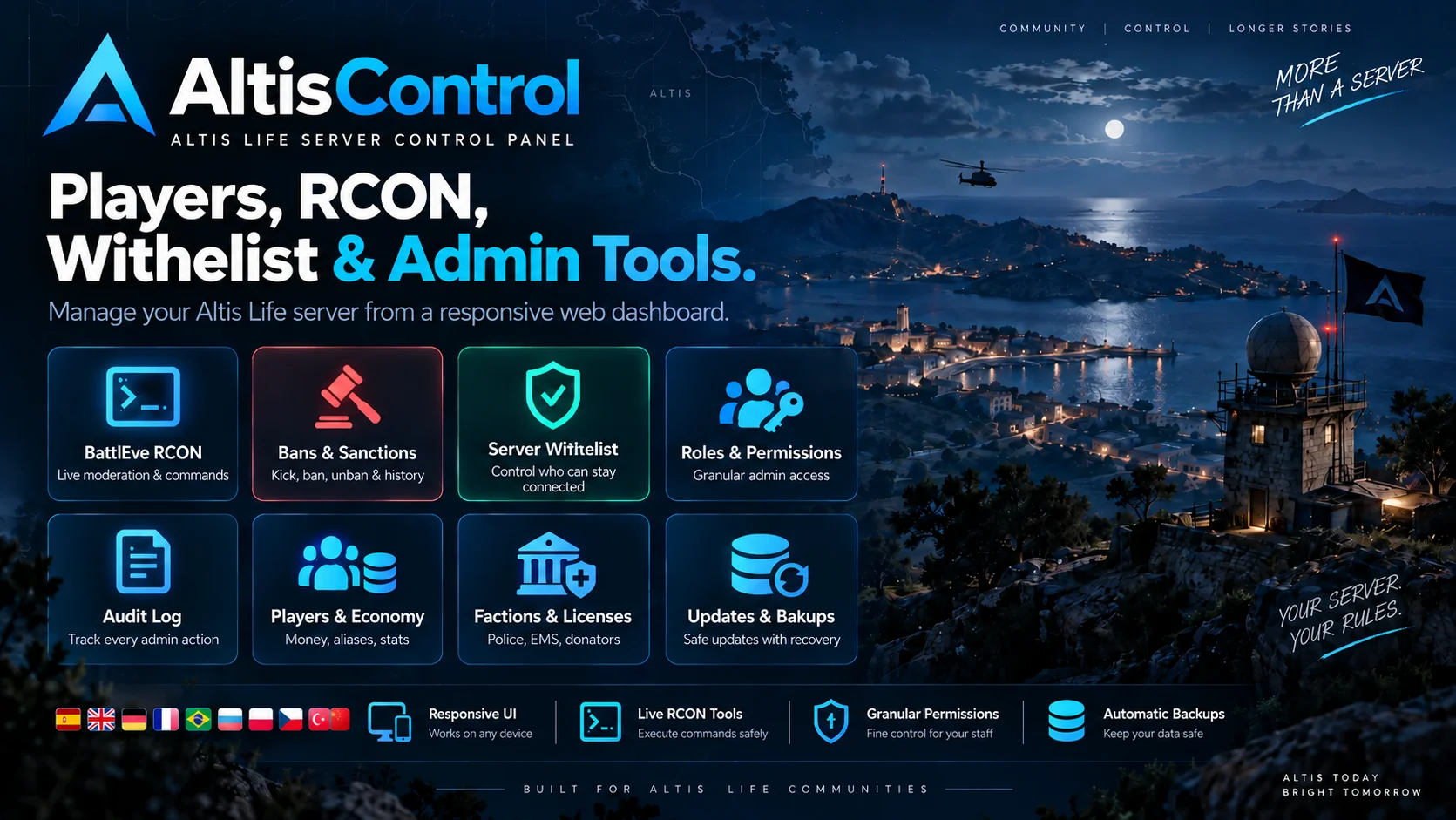
Web panel for managing Altis Life servers. It brings together the management of players, factions, vehicles, properties, gangs, wanted persons and sanctions, along with BattlEye RCON tools, a server access list, role-based permissions and action logging.

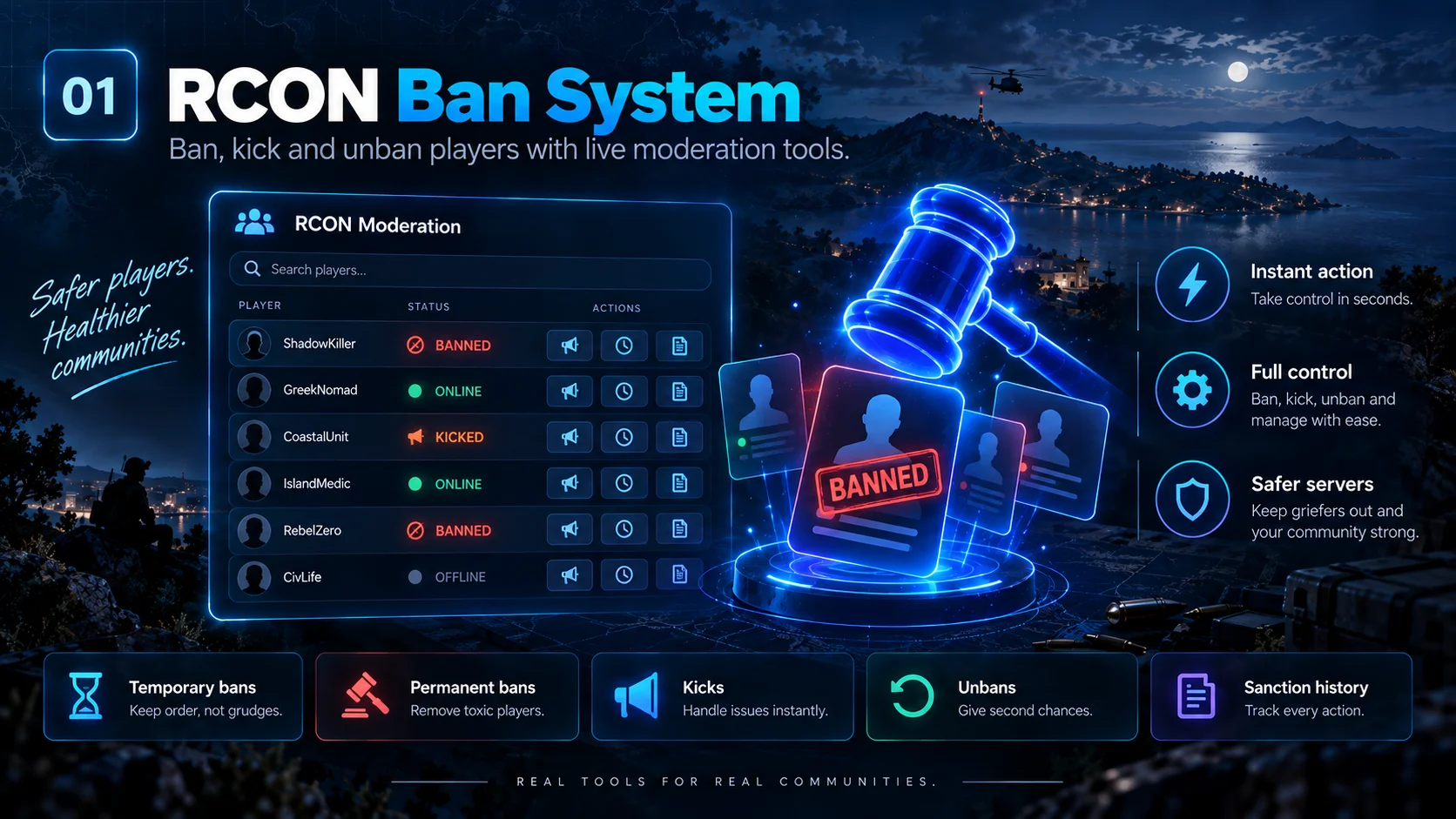
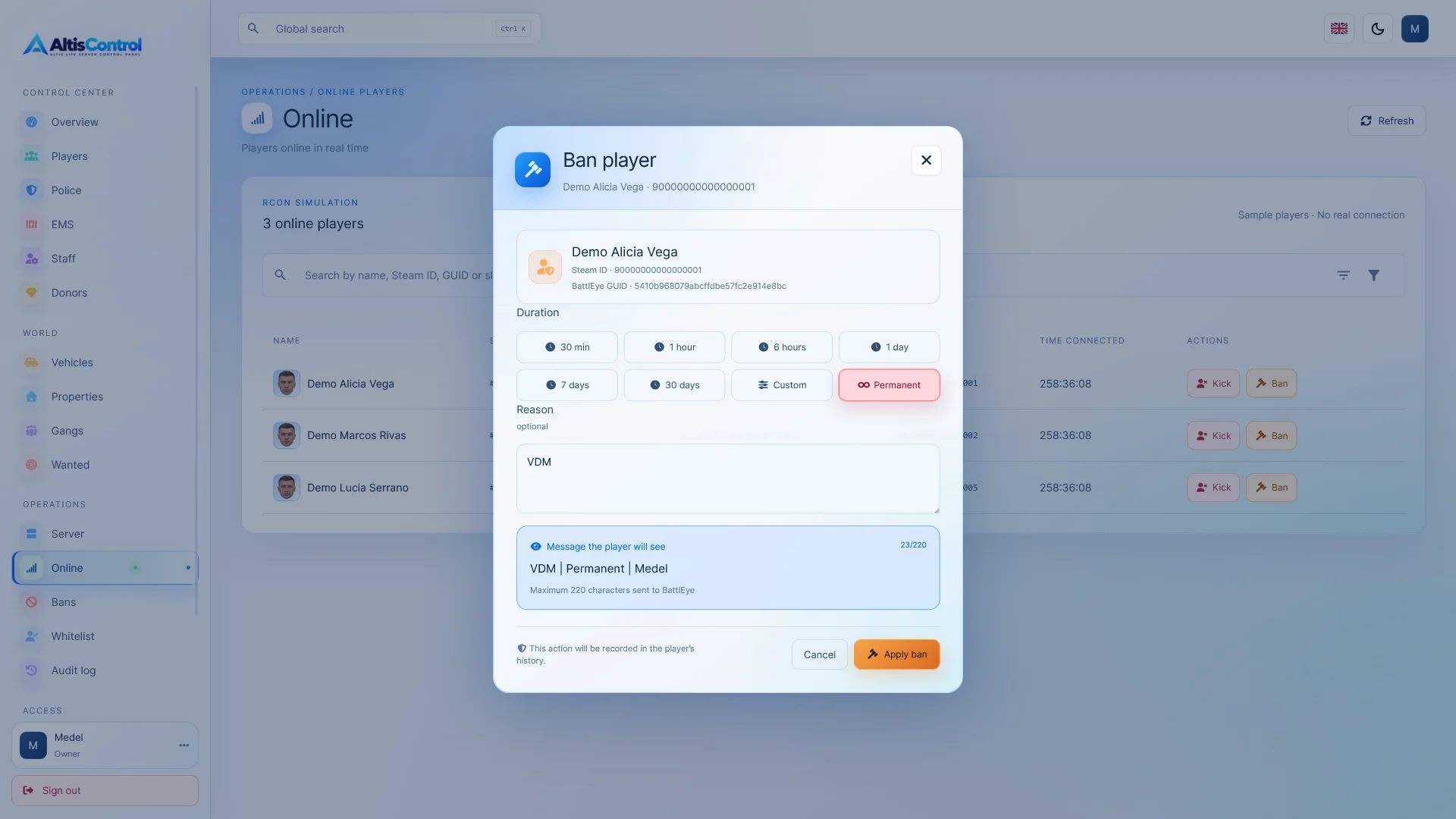
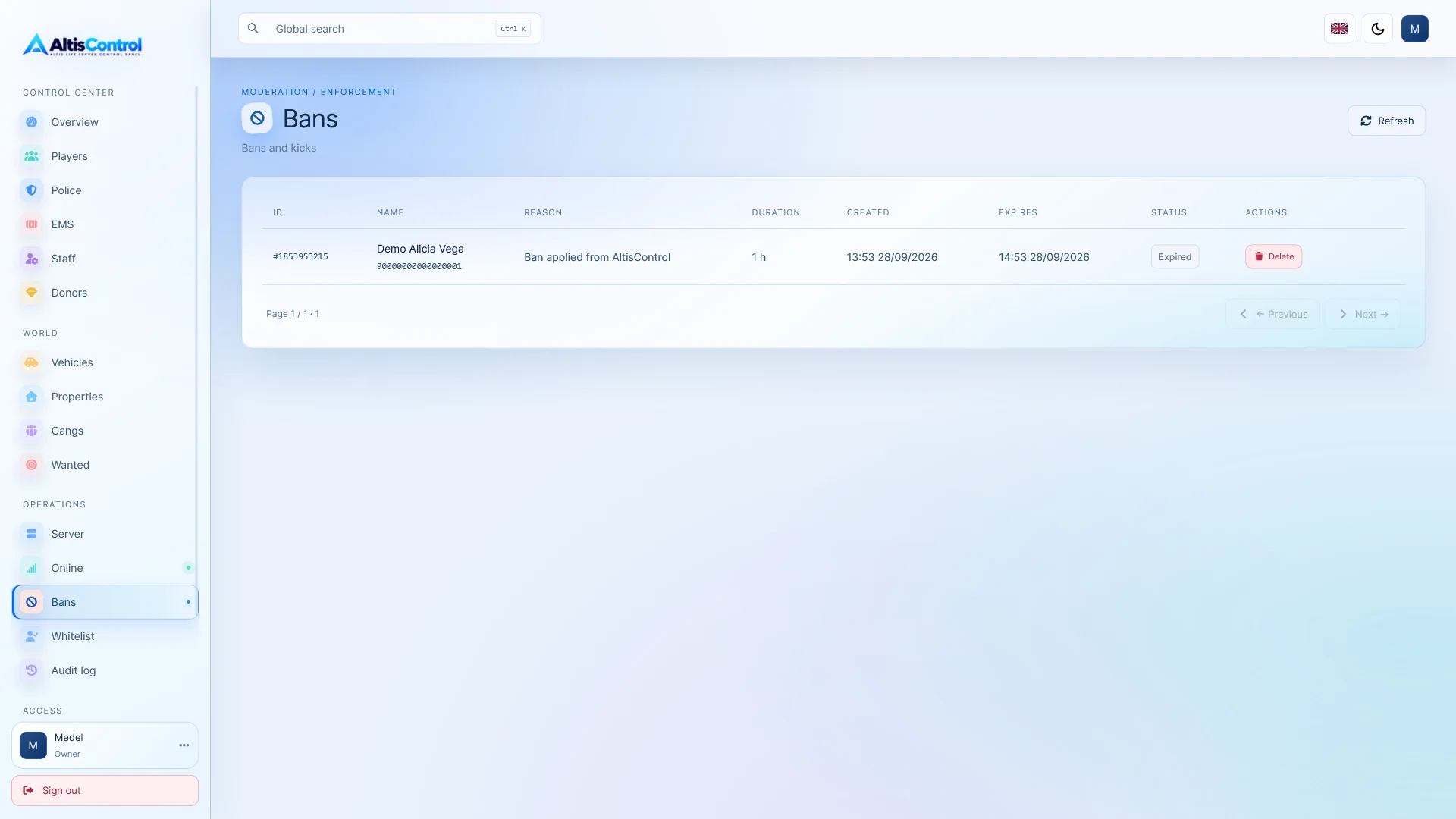
  • Banning system with RCON
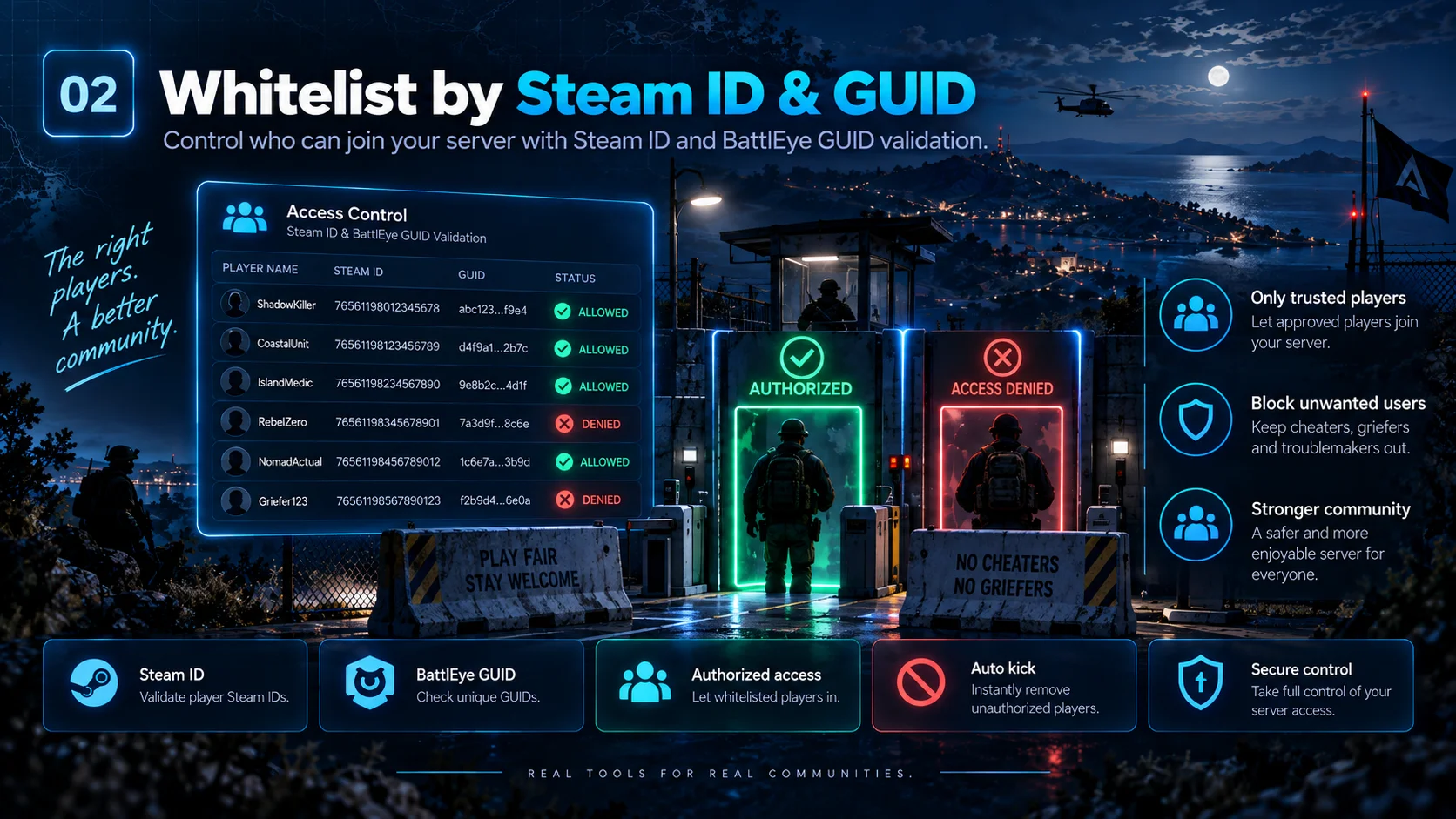
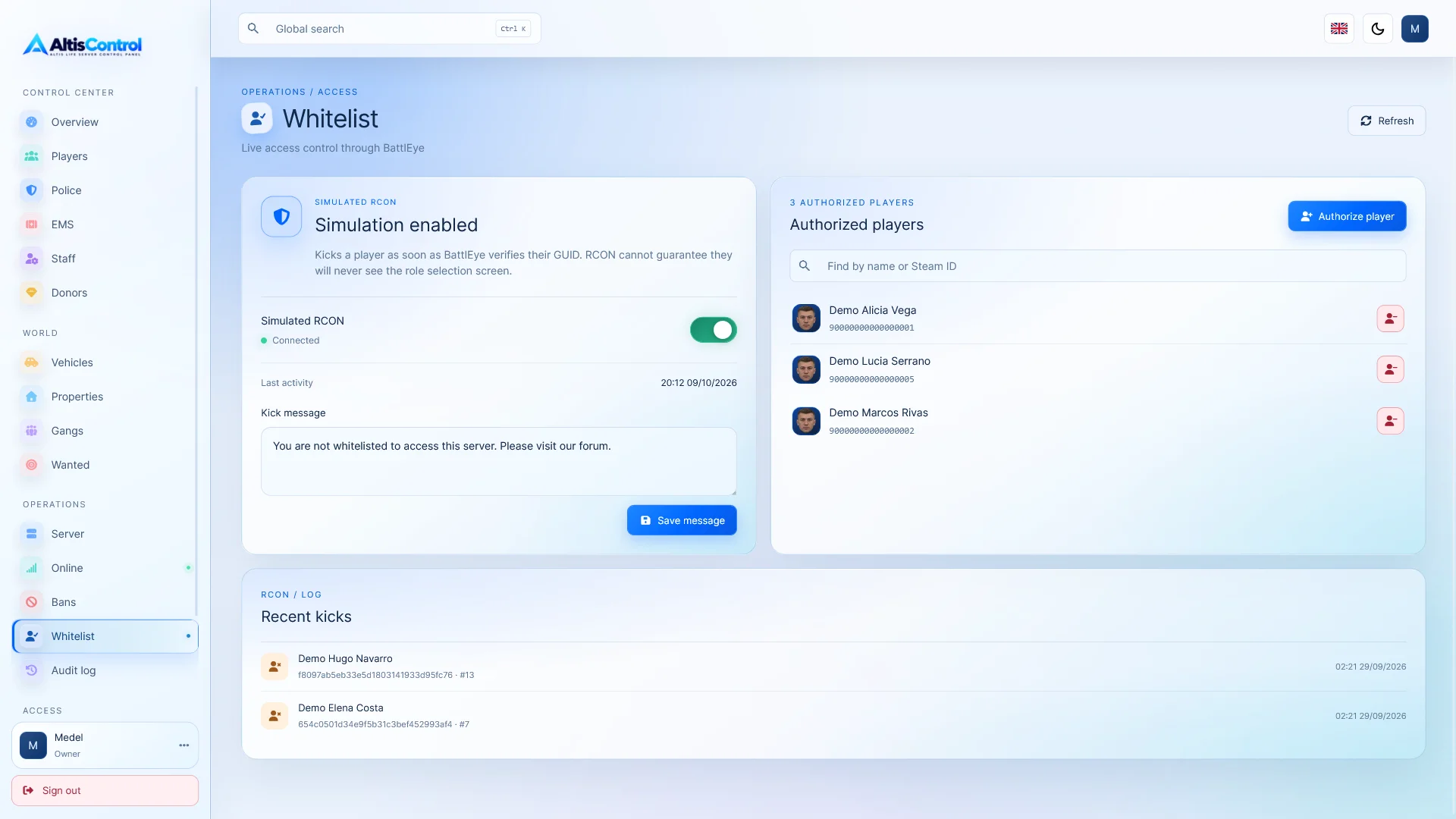
  • Whitelist by Steam ID and GUID
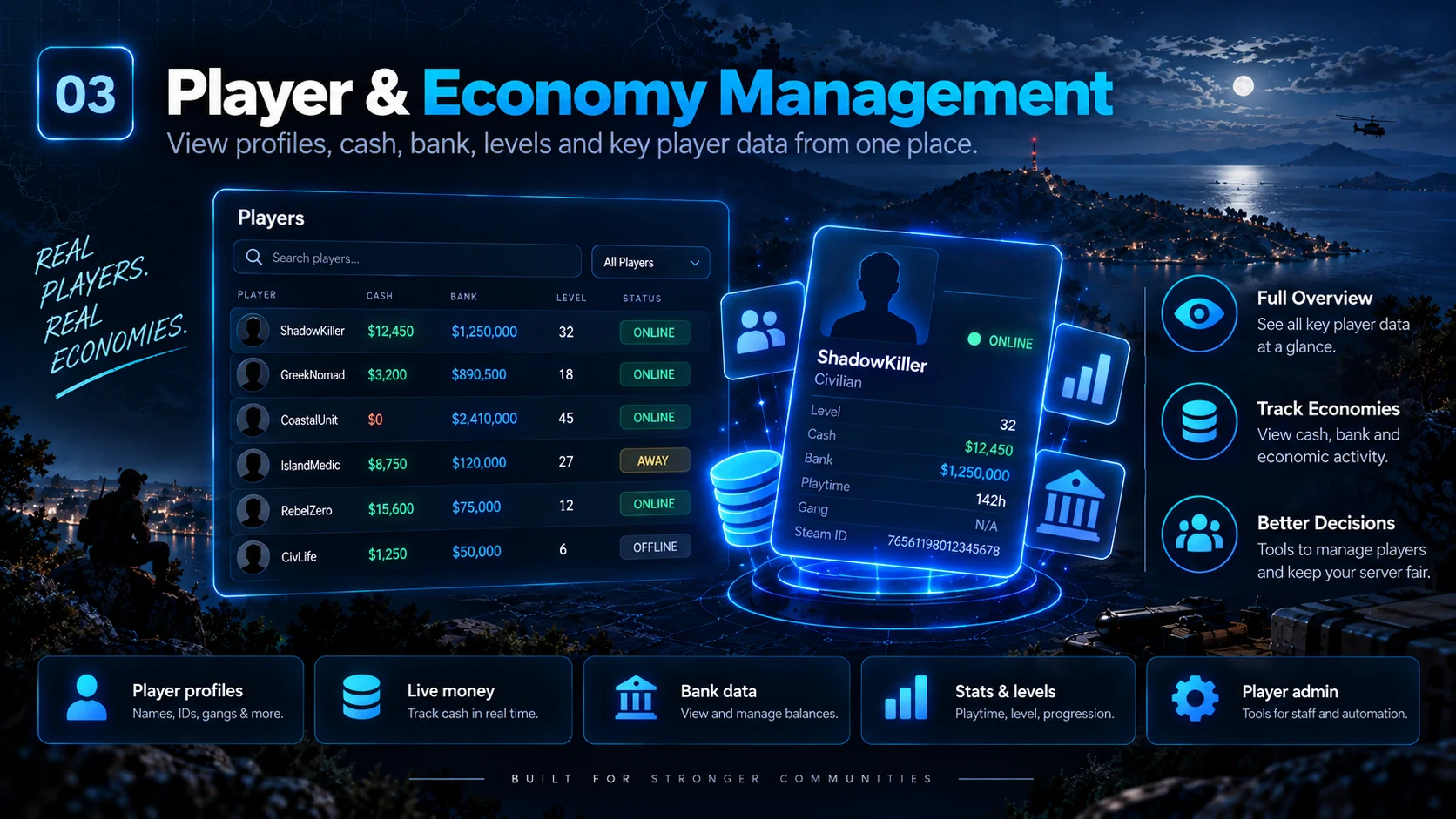
  • Player management and economy
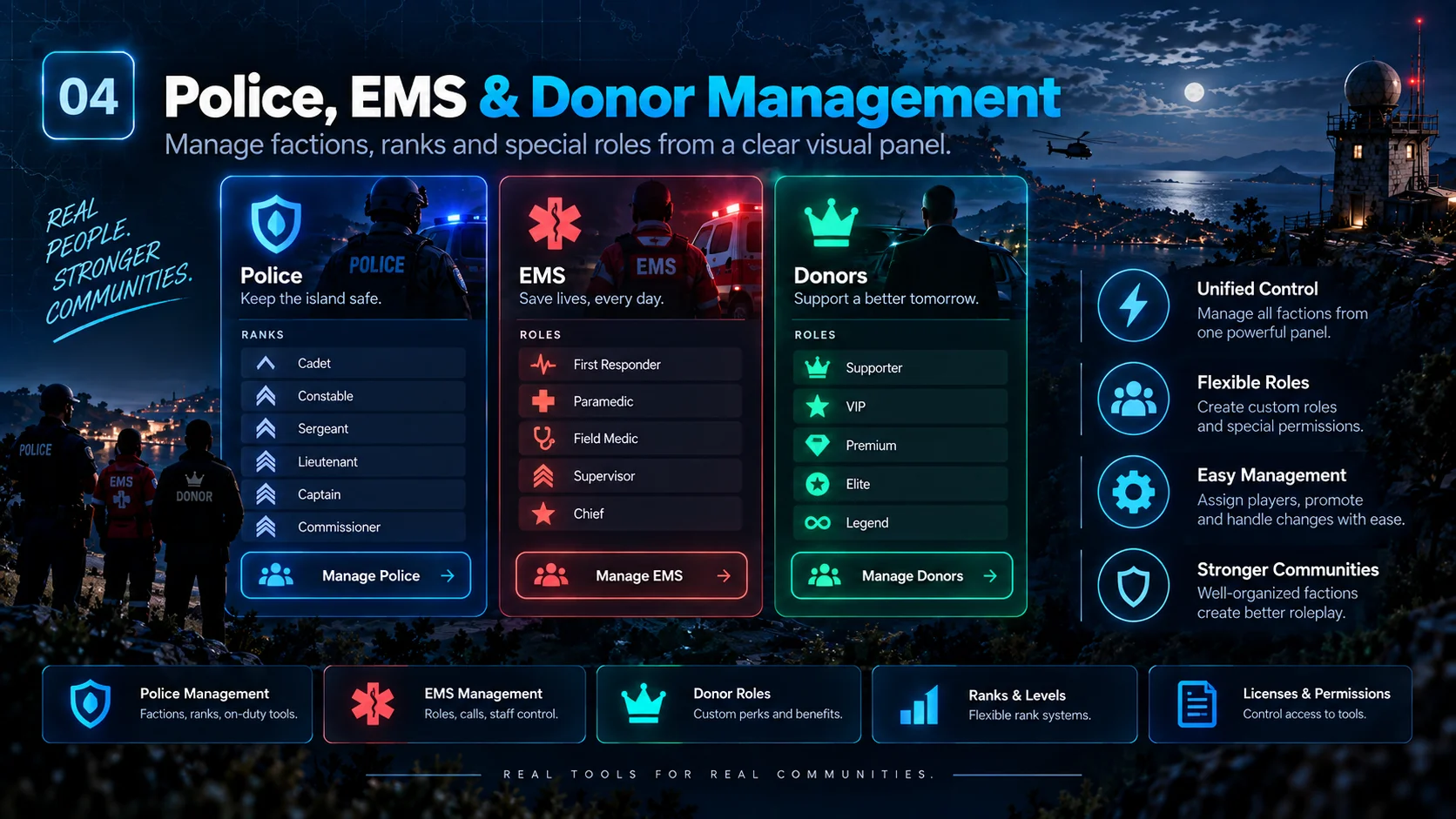
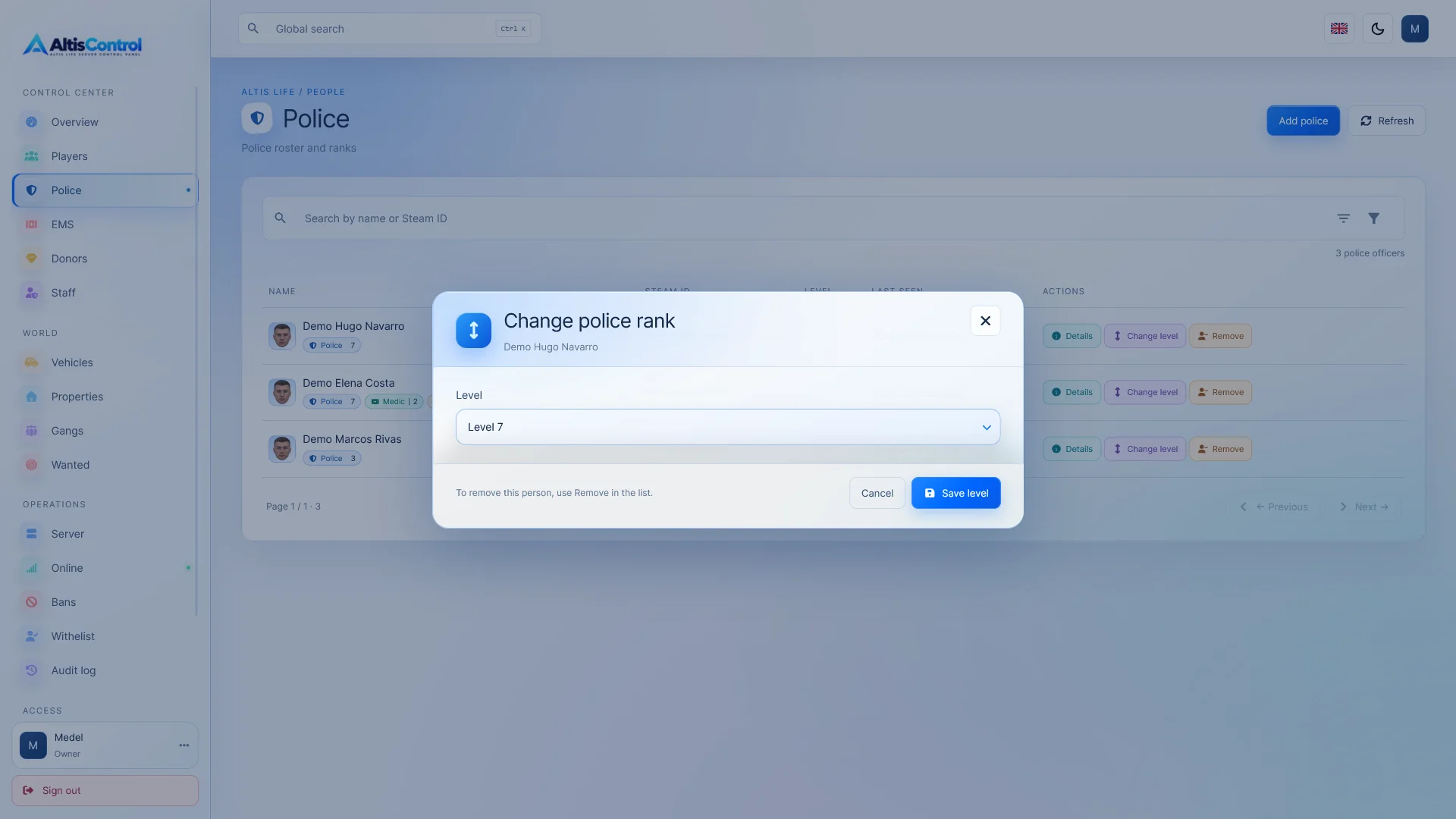
  • Police, EMS and donor management
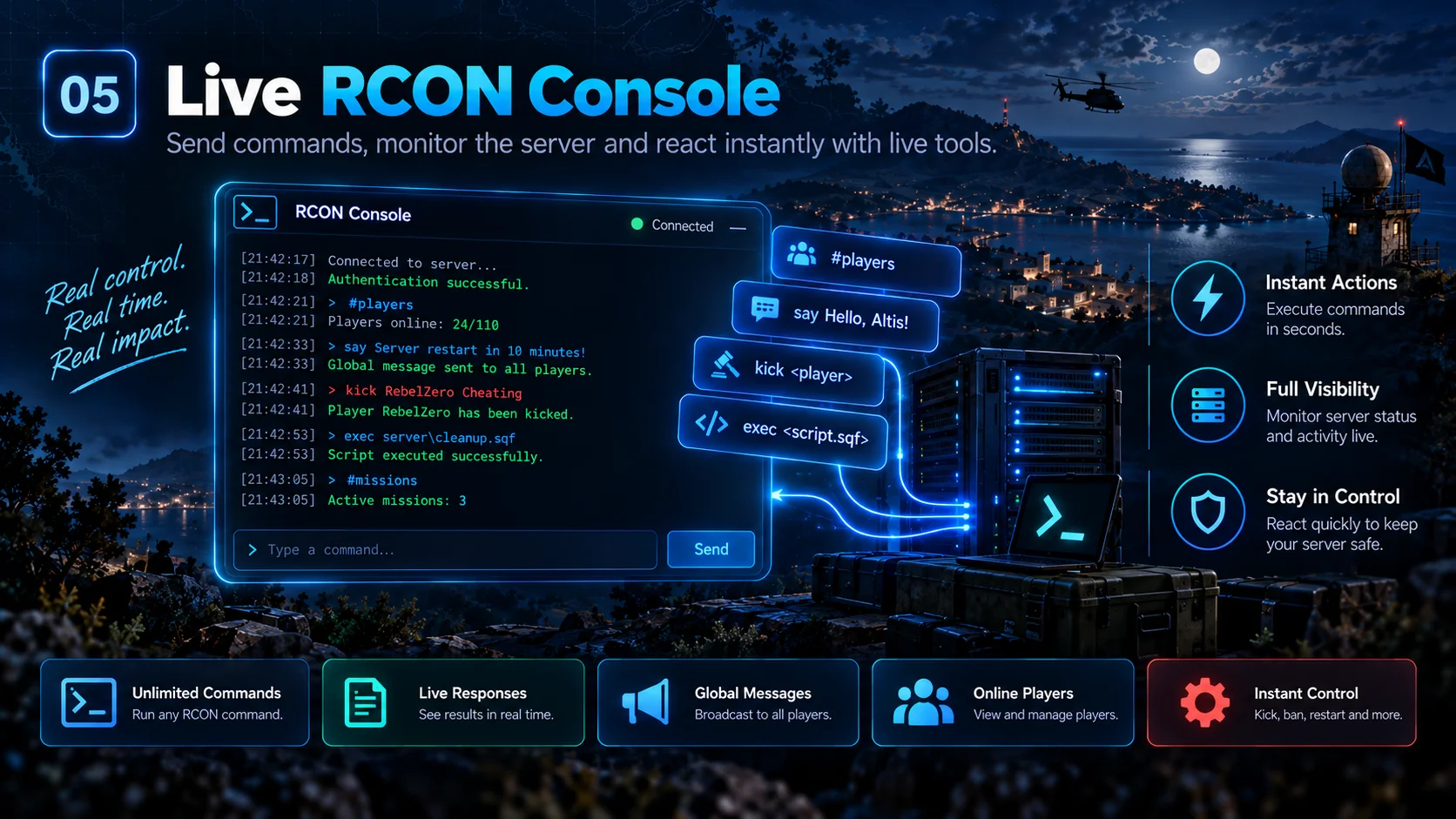
  • RCON real-time console
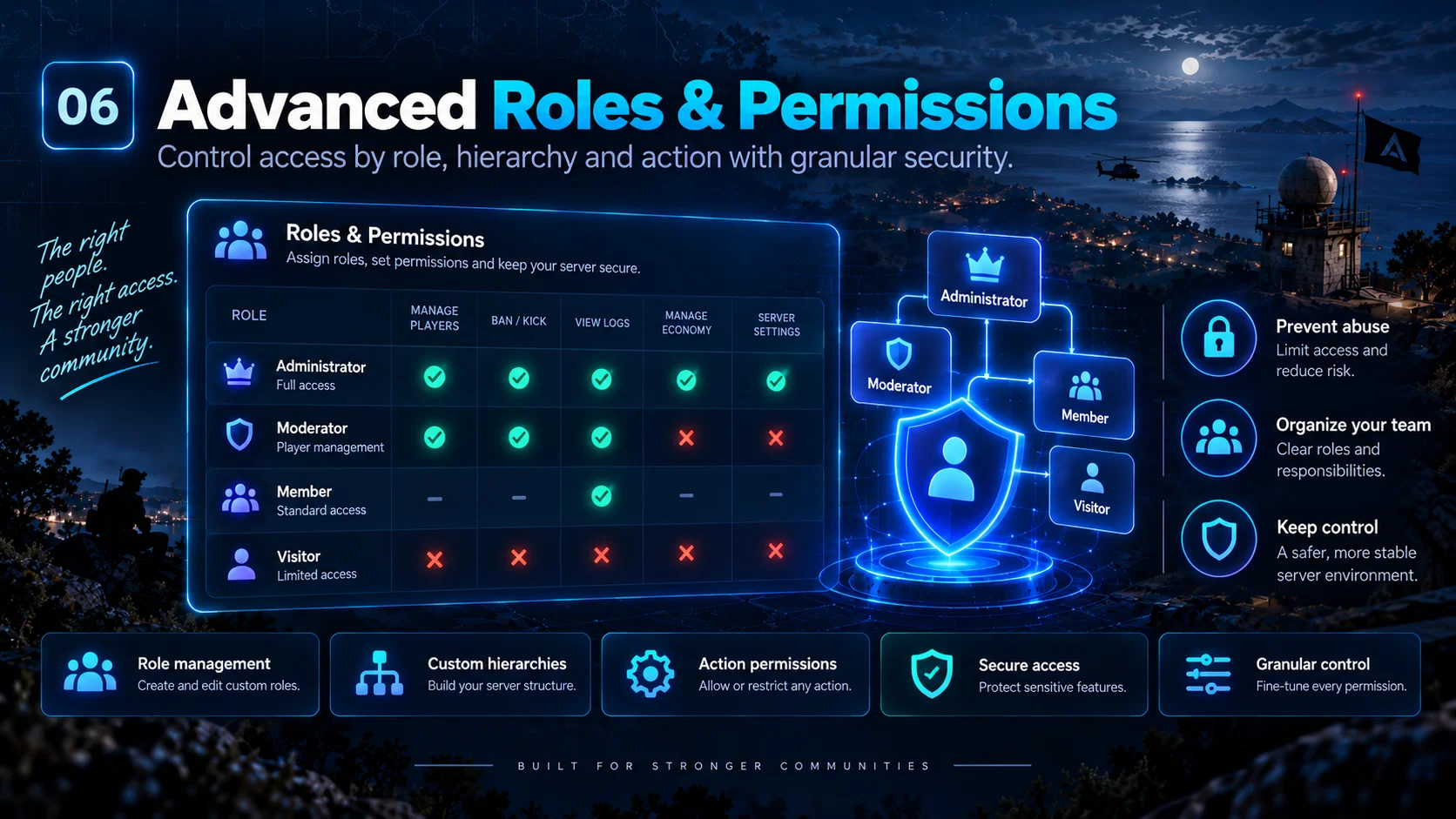
  • Advanced roles and permissions
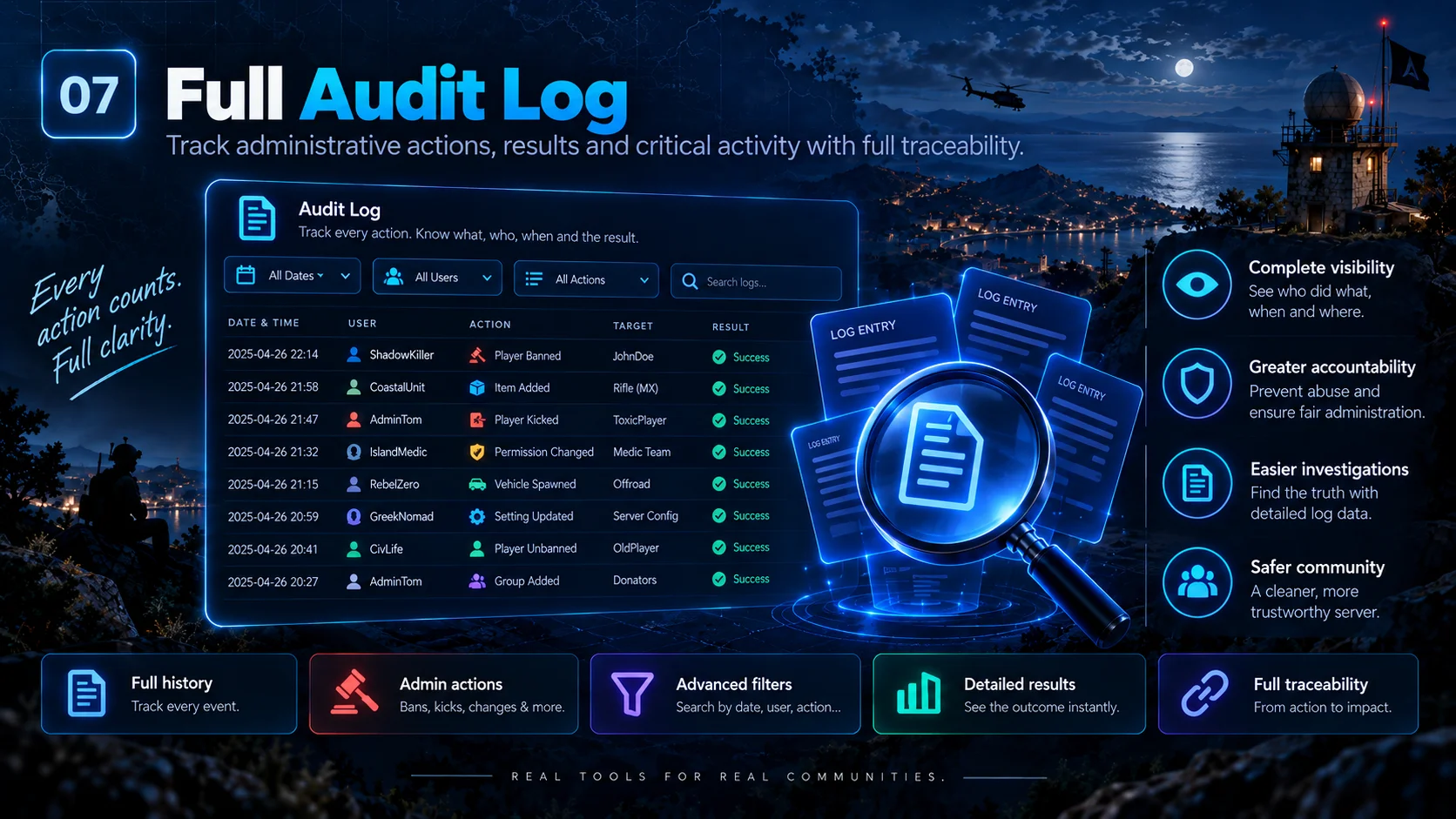
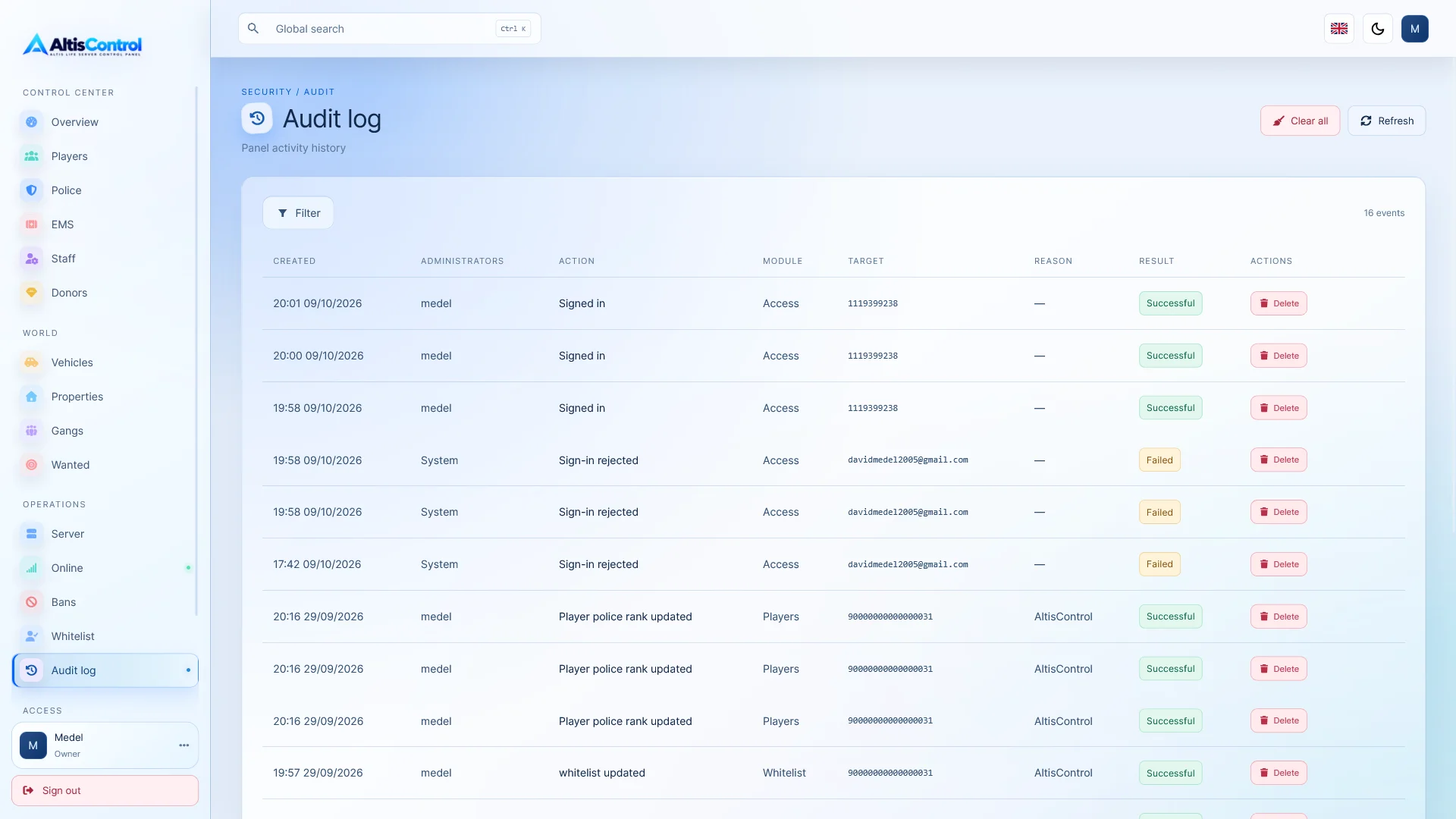
  • Complete audit trail
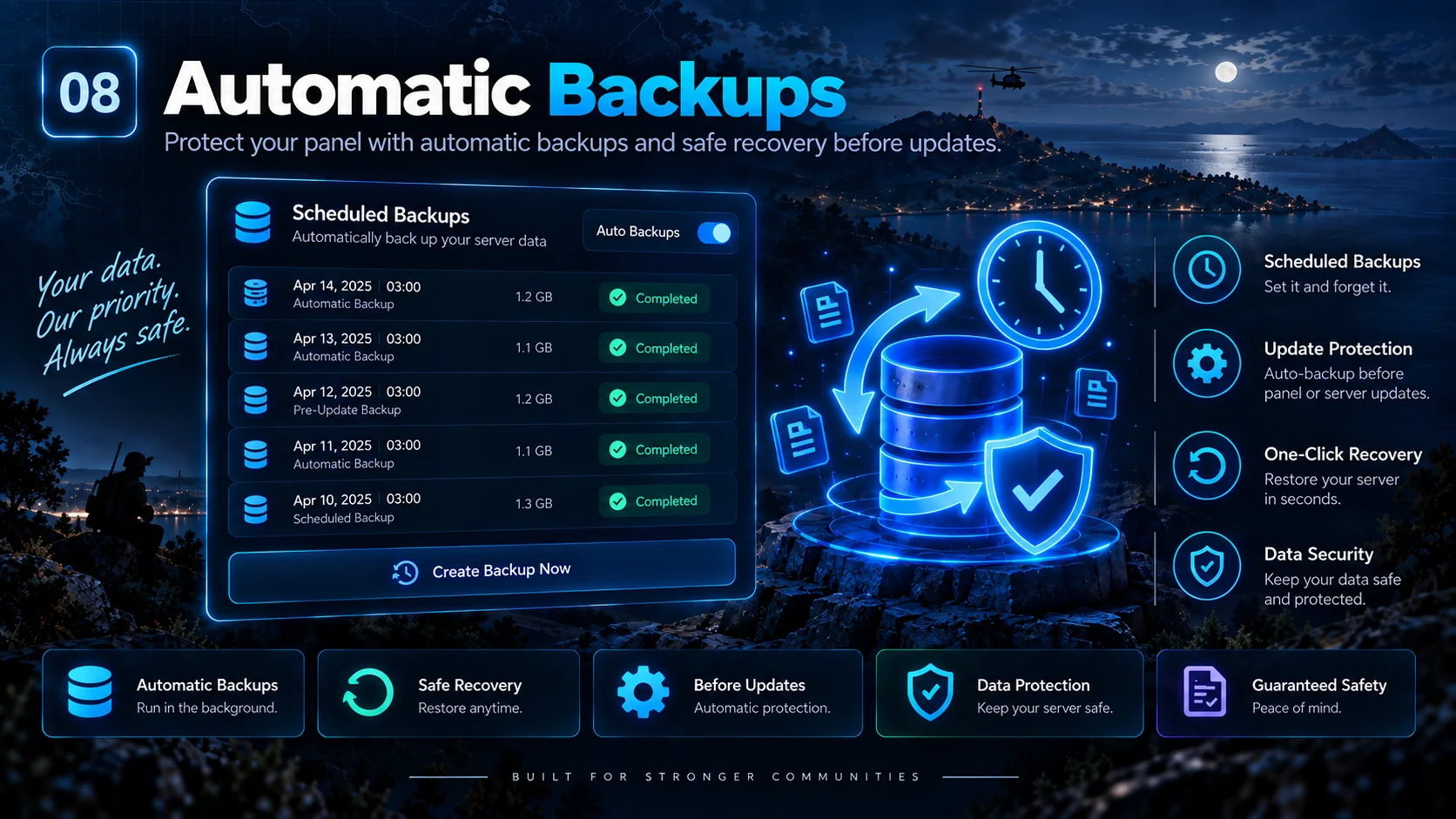
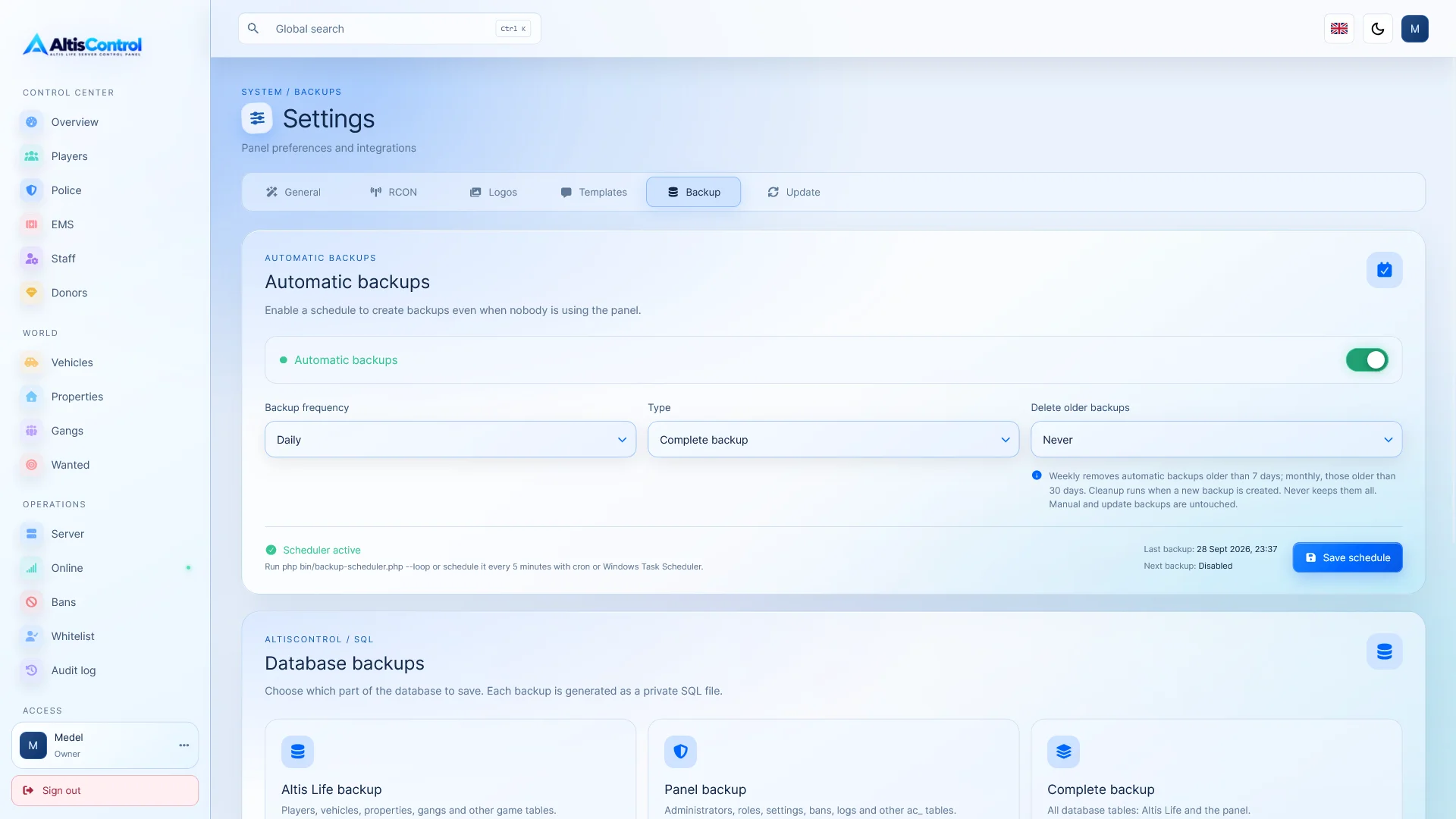
  • Automatic backups
From 24,99 € 34,99 €

If you need to adapt this panel to another server or make any modifications, we can customize it to your needs. Contact us for more information.

About this product

AltisControl is a complete web panel designed to manage Altis Life servers from a modern, fast interface that adapts to desktop, tablet and mobile.

It centralizes the management of players, economy, factions, licenses, vehicles, properties, gangs, wanted persons, sanctions, and administrators , along with BattlEye RCON tools, server access control, auditing, permissions system, updates, and much more.

All from a single panel designed to facilitate the daily work of your server's administrative team.

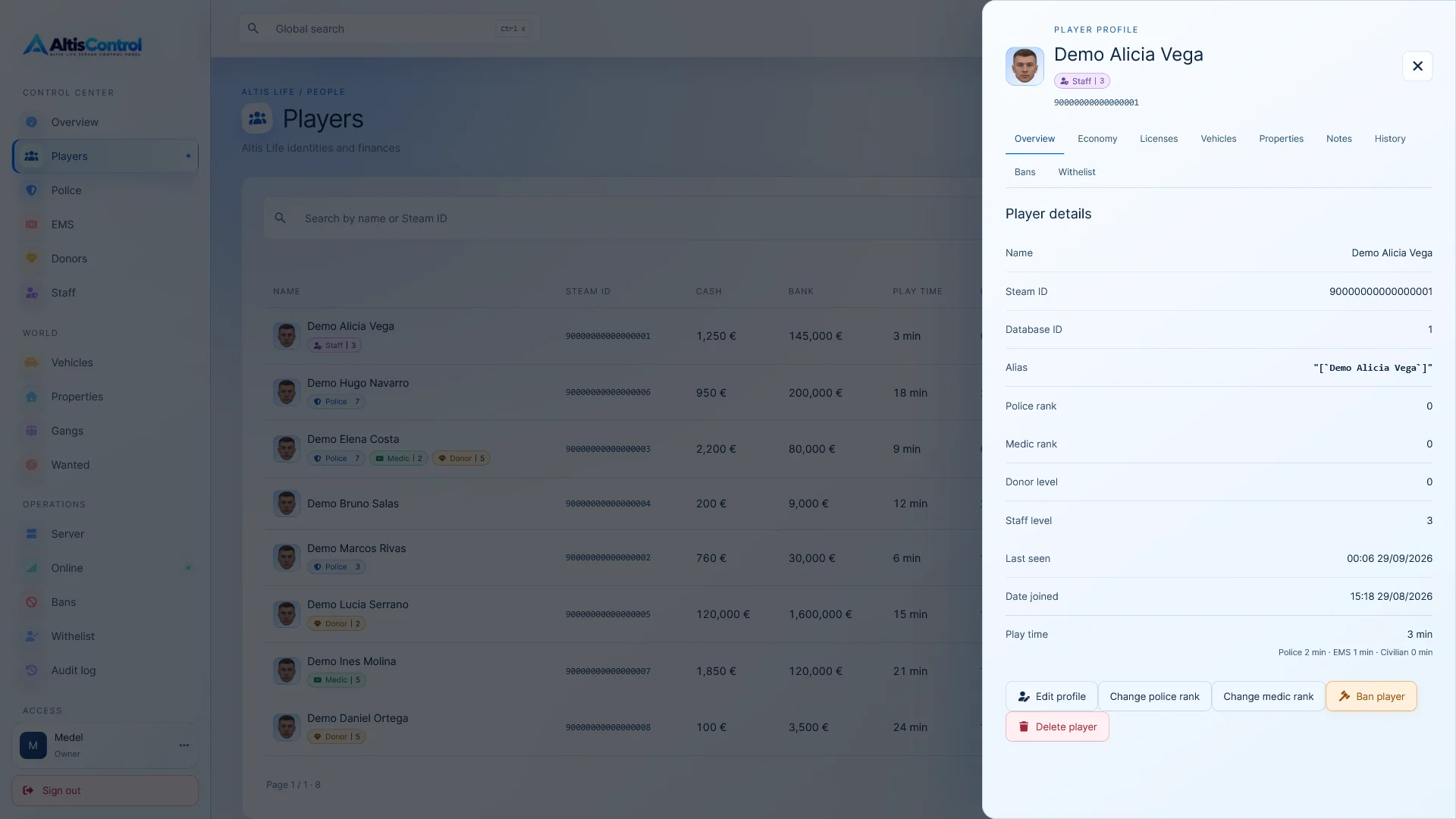
👤 Complete player management

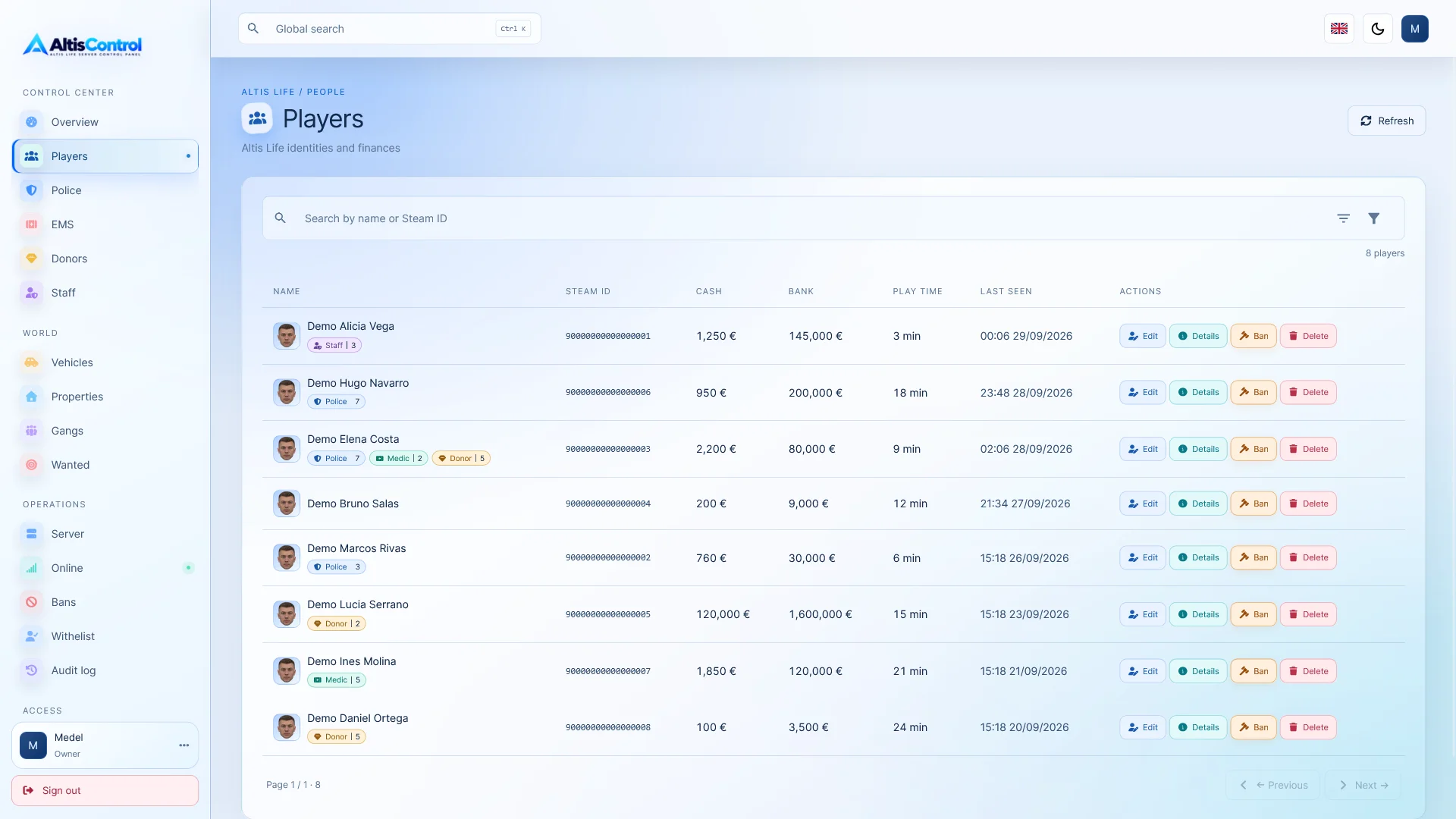
View and manage the players registered in your Altis Life database from a clear and organized interface.

  • 🔎 Search by name or Steam ID.
  • 📄 Pagination, sorting and advanced filters.
  • 👮 Filter by police.
  • 🚑 Filter by doctors.
  • ⭐ Filter by donors.
  • 🚫 Filter for banned players.
  • 🏷️ Visual badges for police, doctor, donor and banned.

Each player has a detailed profile with all the relevant information about their account.

  • Cash and bank balance.
  • Play time.
  • Police, medical, and donor levels.
  • Licenses.
  • Vehicles.
  • Properties.
  • Containers.
  • Sanctions.
  • Administrative history.
  • Internal notes associated with the player.

✏️ Quick player editing

Modify directly from the panel:

  • Player's name.
  • Alias.
  • Cash.
  • Bank balance.

Alias editing includes an immediate preview to check how they will be stored.

You can also delete players and related data that are managed by AltisControl.

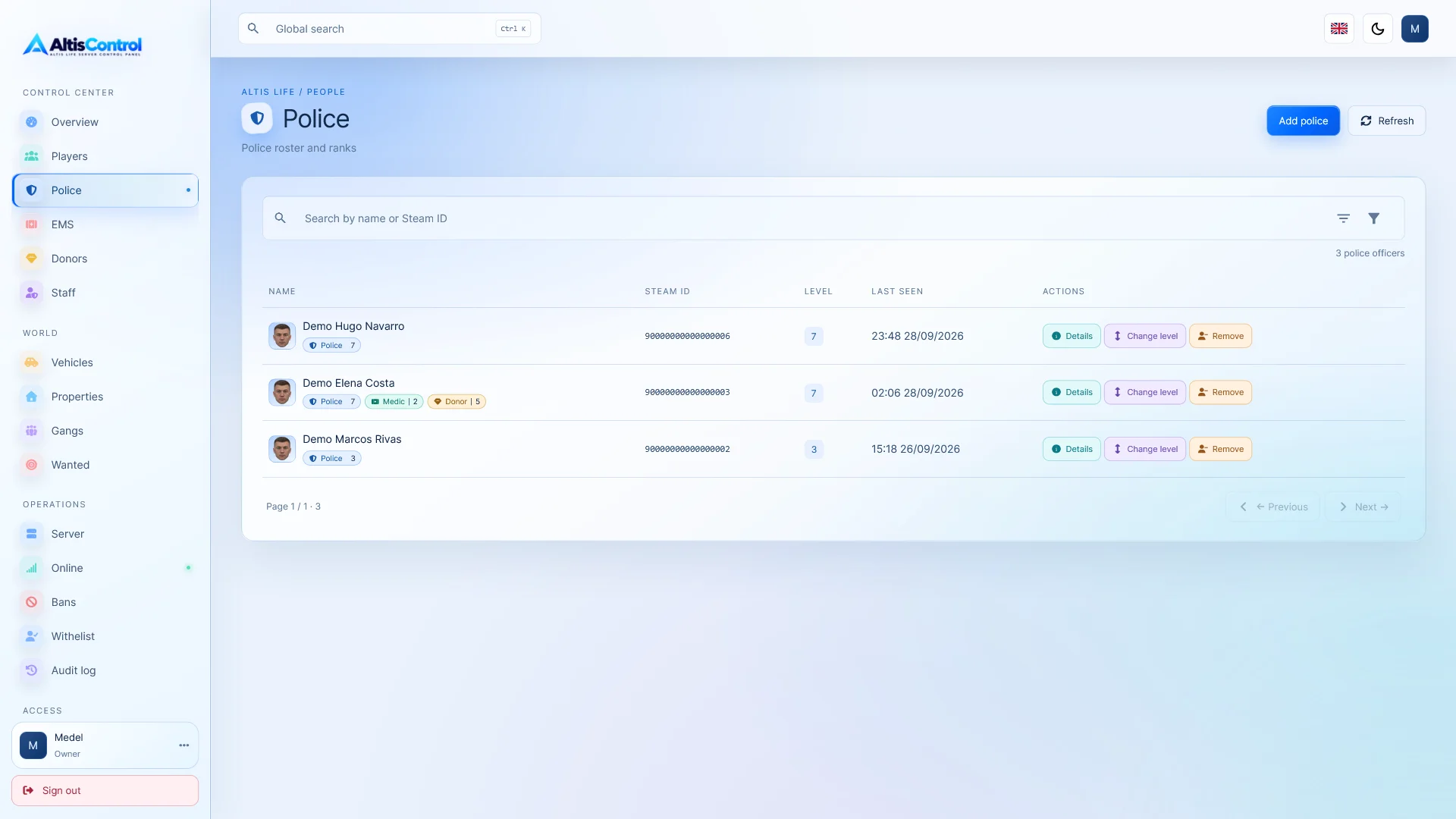
👮 Police, EMS and donors

Manage the main factions of your server from separate sections.

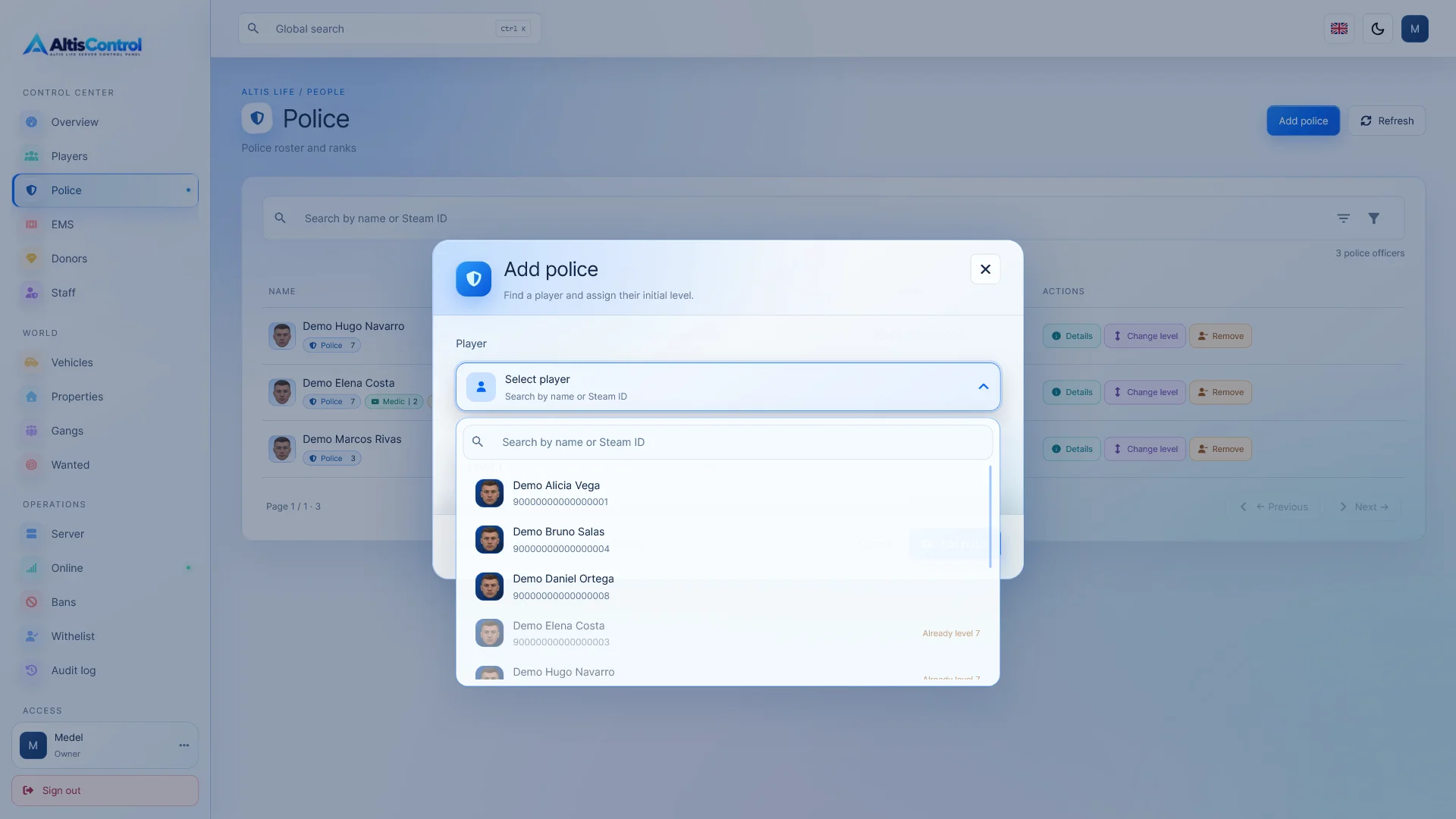
🚓 Police

  • Add players to the police force.
  • Change the police level.
  • Remove players from the faction.
  • Automatic level reset upon removal.
  • Automatic removal of associated police licenses.

🚑 EMS

  • Add doctors.
  • Change your level.
  • Remove them from the faction.
  • Automatically restore your corresponding permissions and licenses.

⭐ Donors

  • Add donors.
  • Modify your level.
  • Remove donor status.

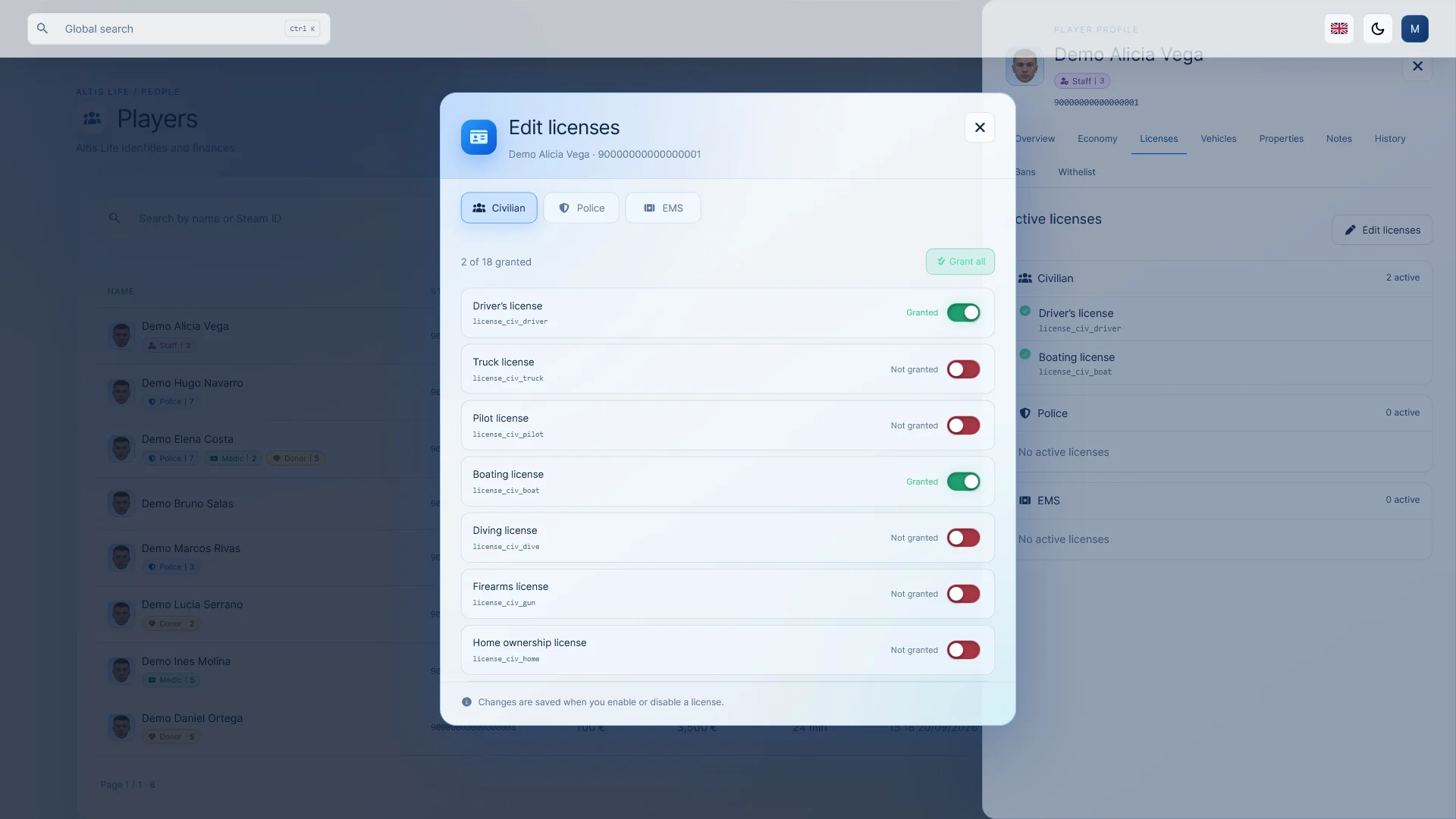
📜 Advanced license editor

Manage player licenses through an interface organized by factions.

  • 🧑 Civil.
  • 👮 Police.
  • 🚑 EMS.

Activate or deactivate licenses individually using switches, or use the option to grant all licenses for a faction at once.

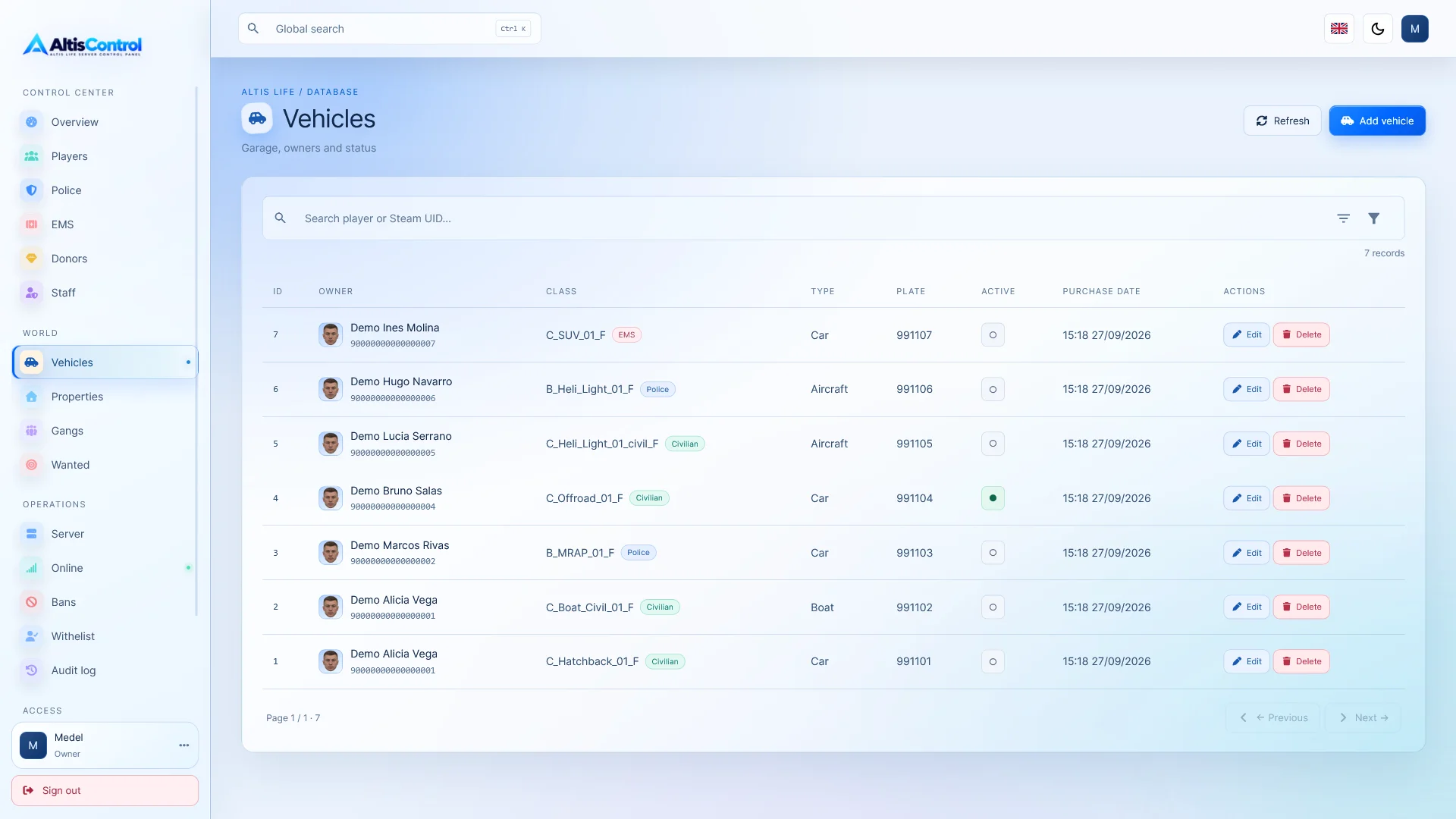
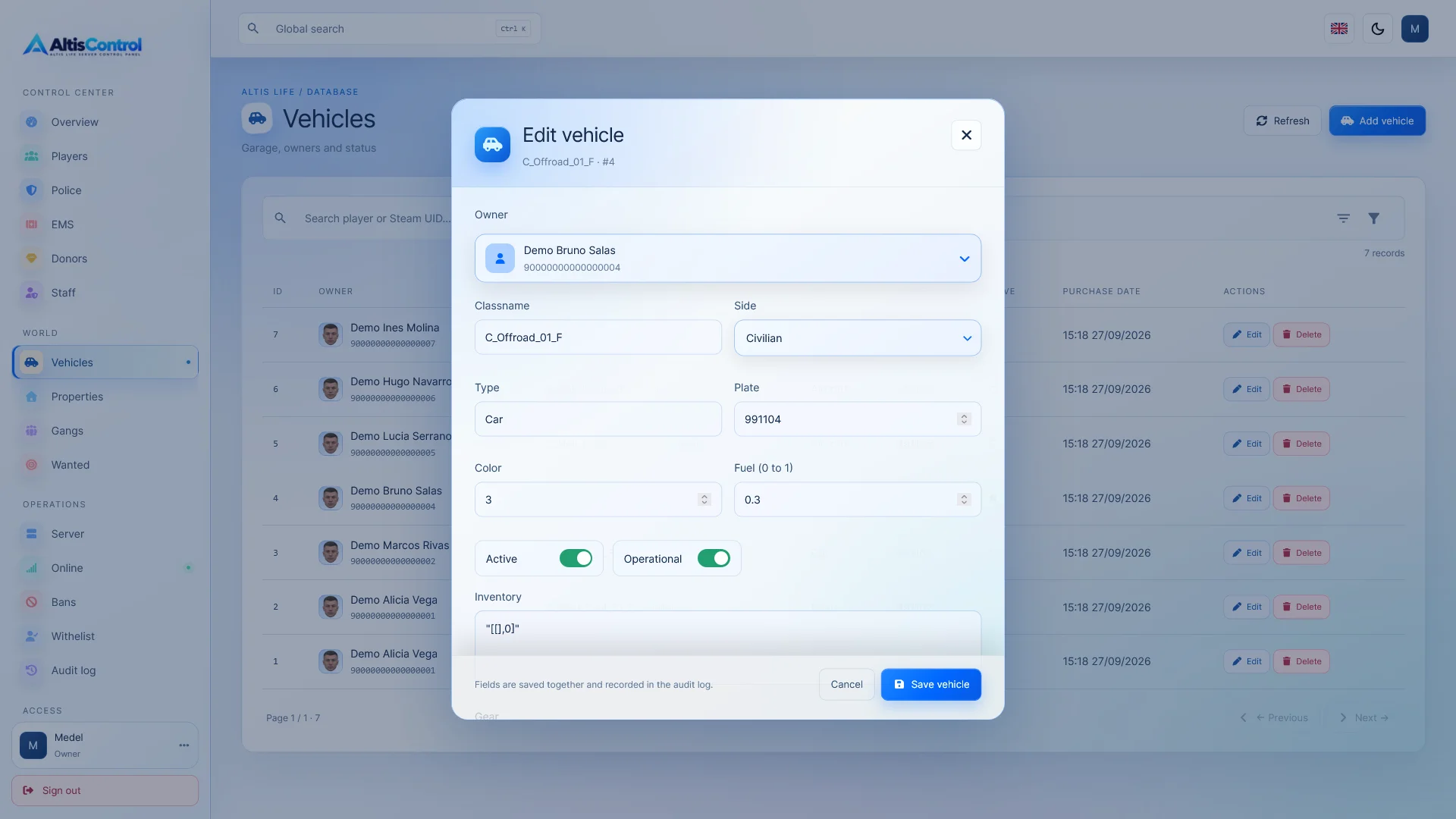
🚗 Vehicle Management

Manages the vehicles stored in the server database.

  • Grants vehicles to a player using their classname .
  • Change the owner.
  • Edit the available vehicle fields.
  • Activate or deactivate vehicles.
  • Remove vehicles.
  • Check your registration date.

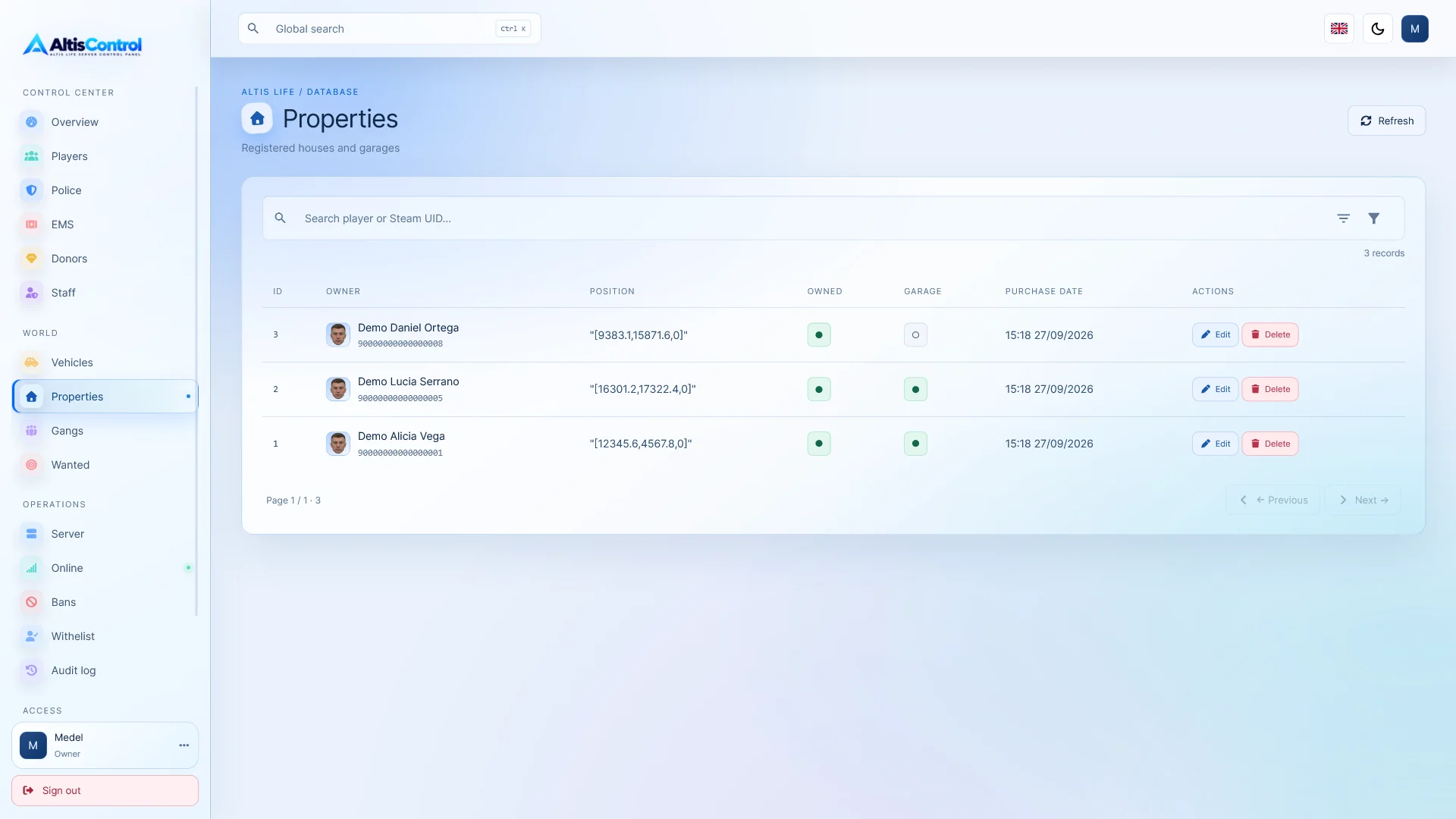
🏠 Properties and containers

Manage player-related properties directly from AltisControl.

  • View properties.
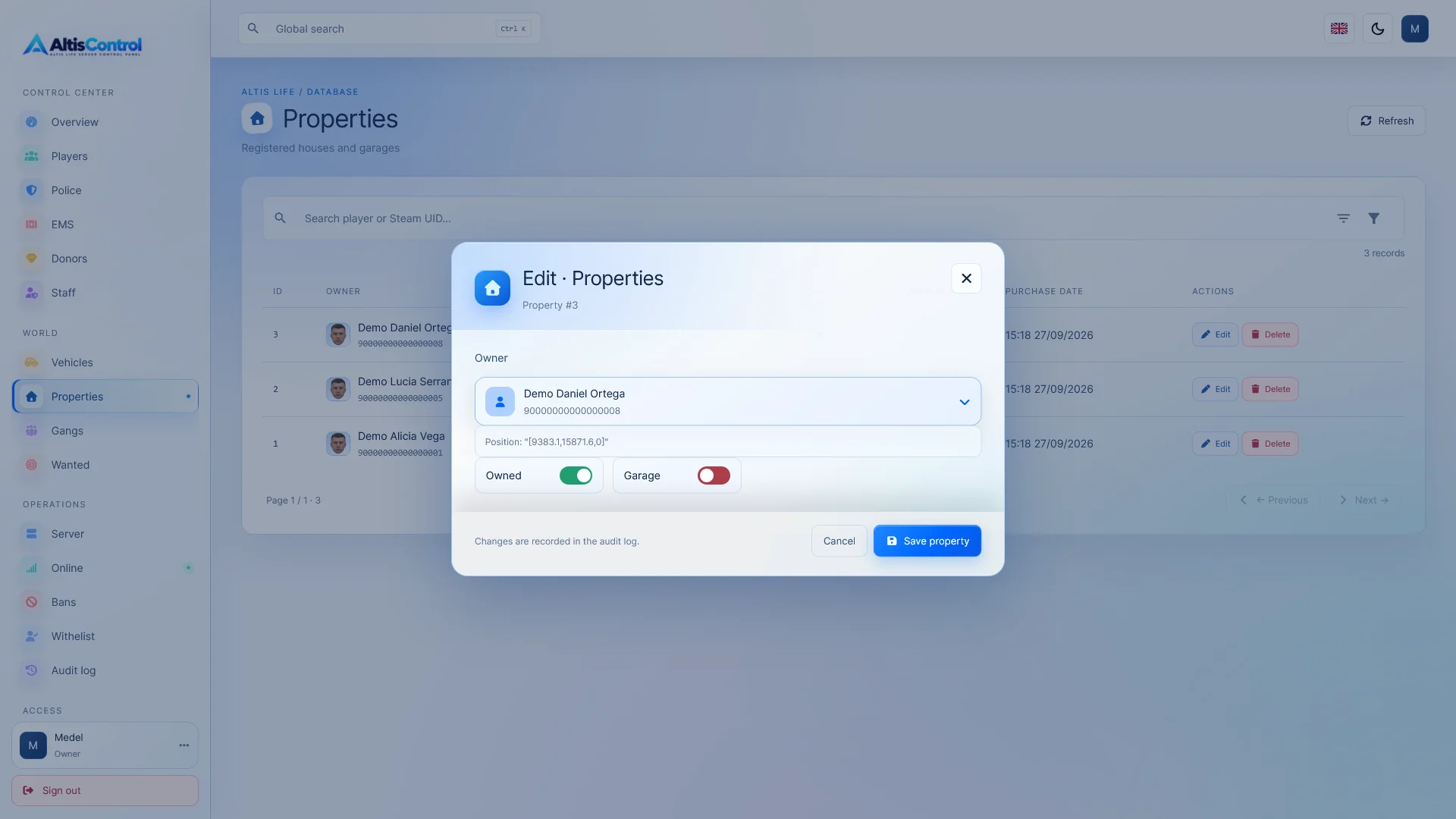
  • Change the owner.
  • Modify states such as property or garage.
  • Remove properties.
  • Check your purchase date.

📦 Containers and cabinets

The containers associated with the player can be viewed directly from their profile.

You can check:

  • Position.
  • Inventory.
  • Equipment.
  • Date of creation.

They can also be deleted directly from the panel.

👥 Band Management

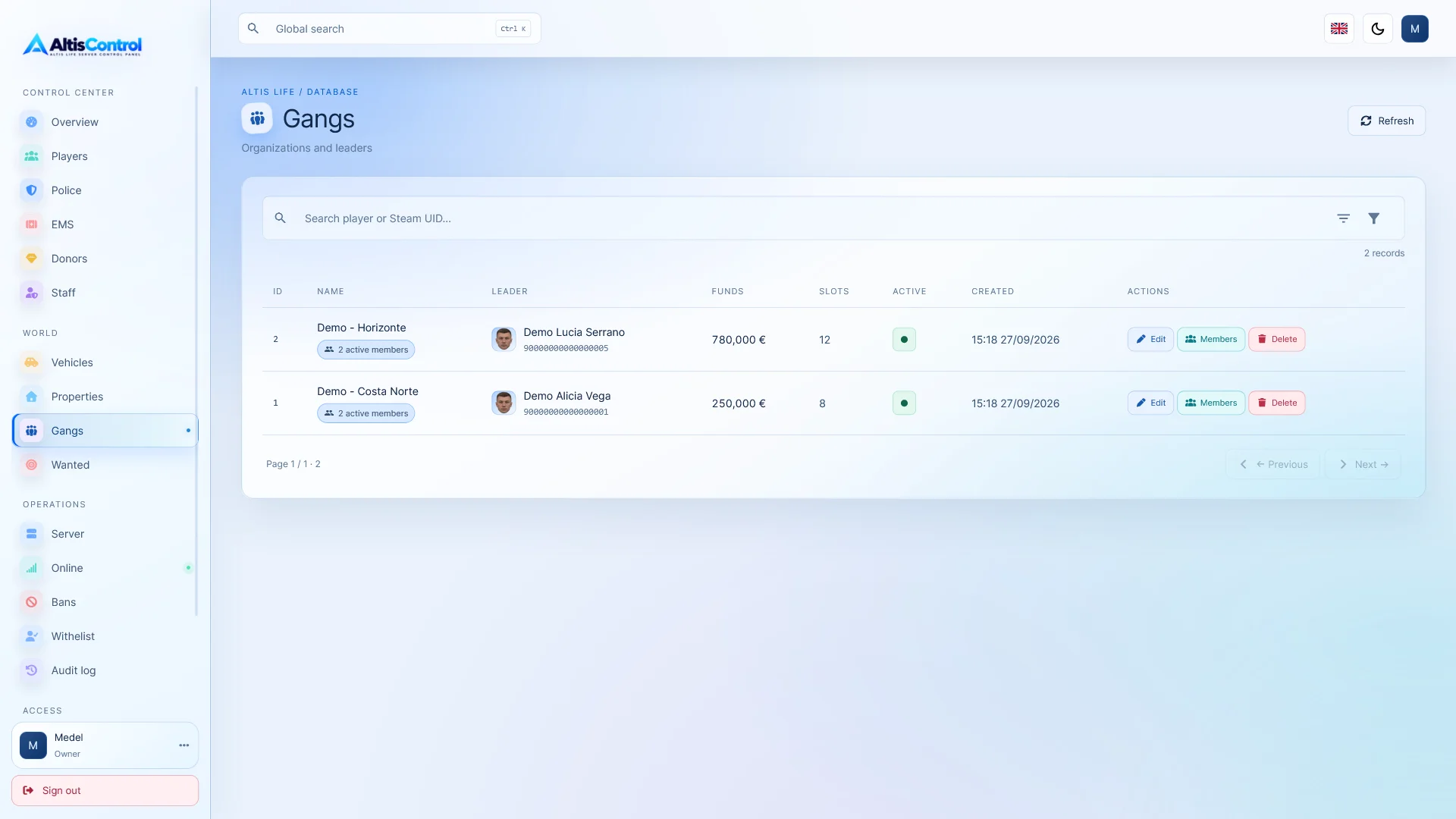
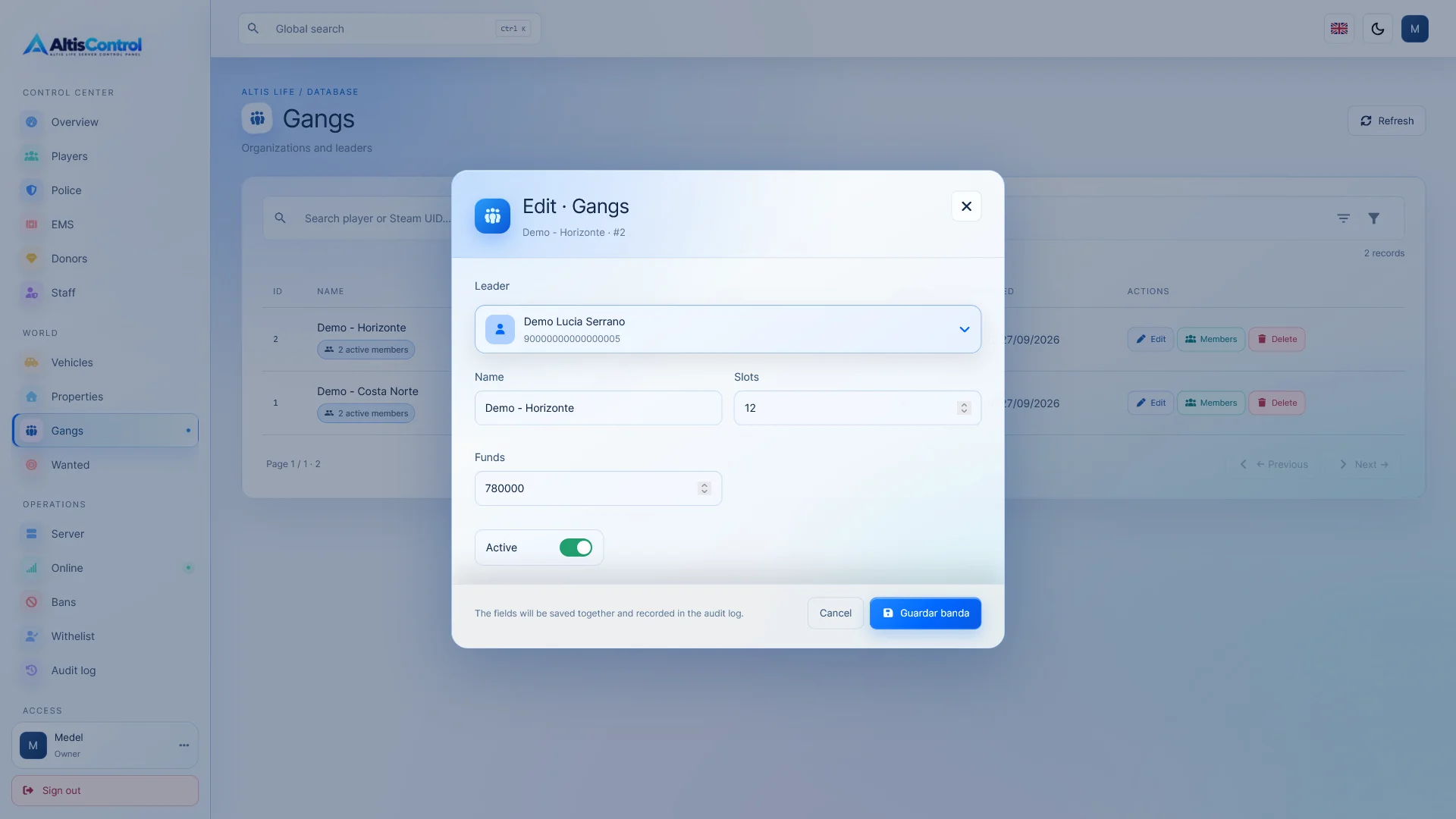
View and manage the bands available on your Altis Life server.

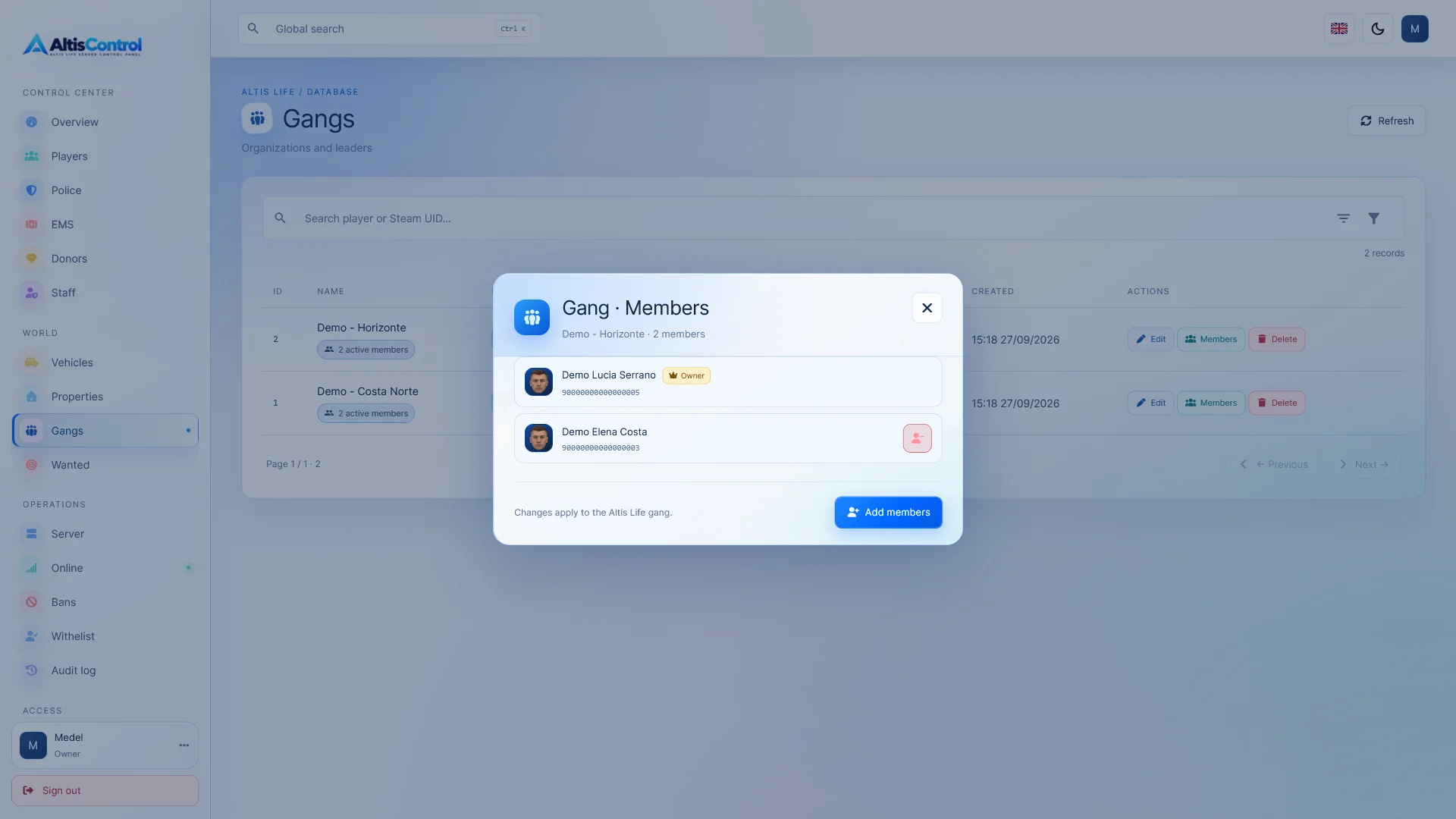
  • 👑 Owner identification.
  • 👥 Member management.
  • 💰 Band funds.
  • 📊 State.
  • 📦 Capacity.
  • 📅 Creation date.
  • ➕ Add members.
  • ➖ Expel members.
  • 🔢 Number of active members.

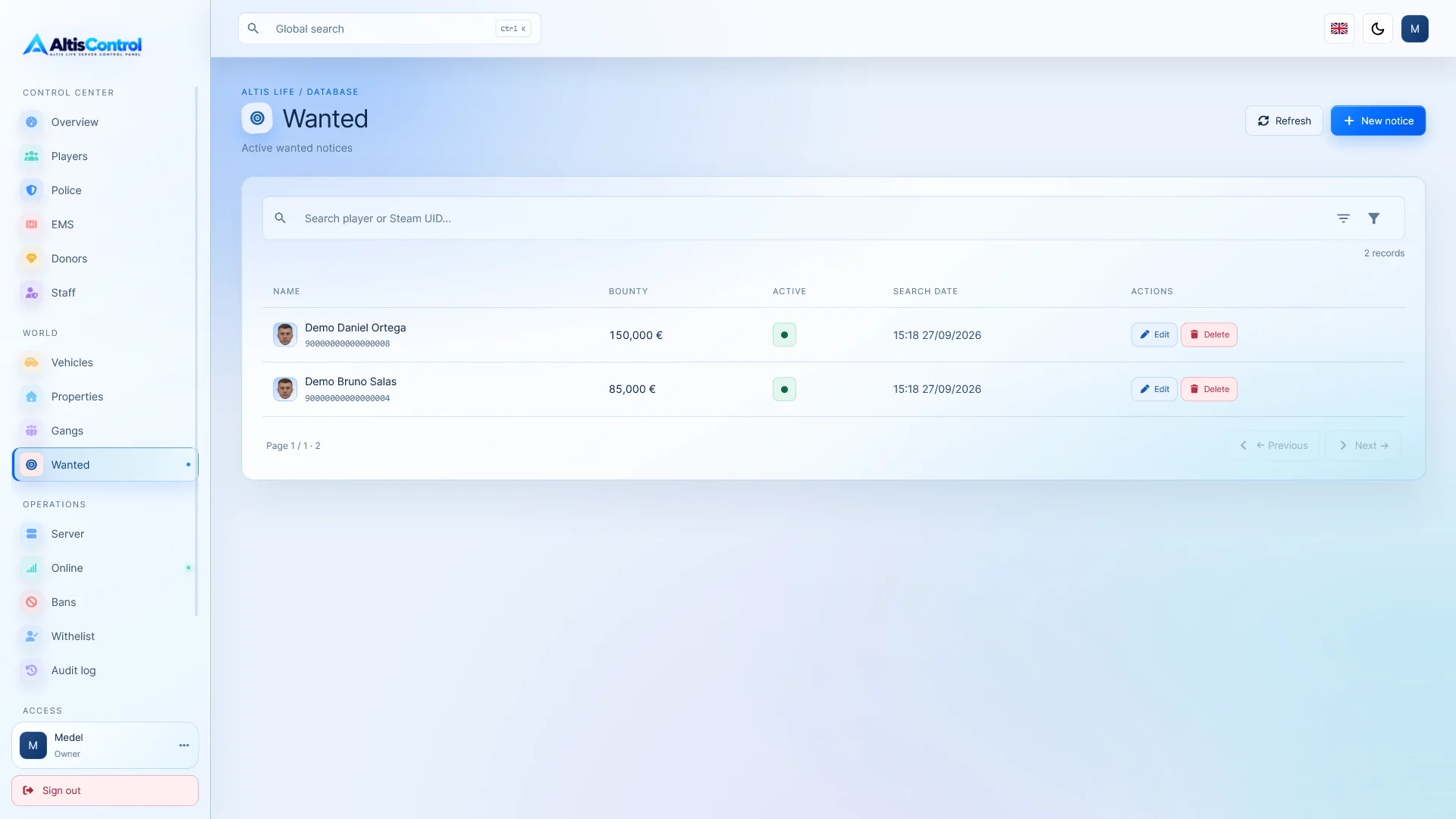
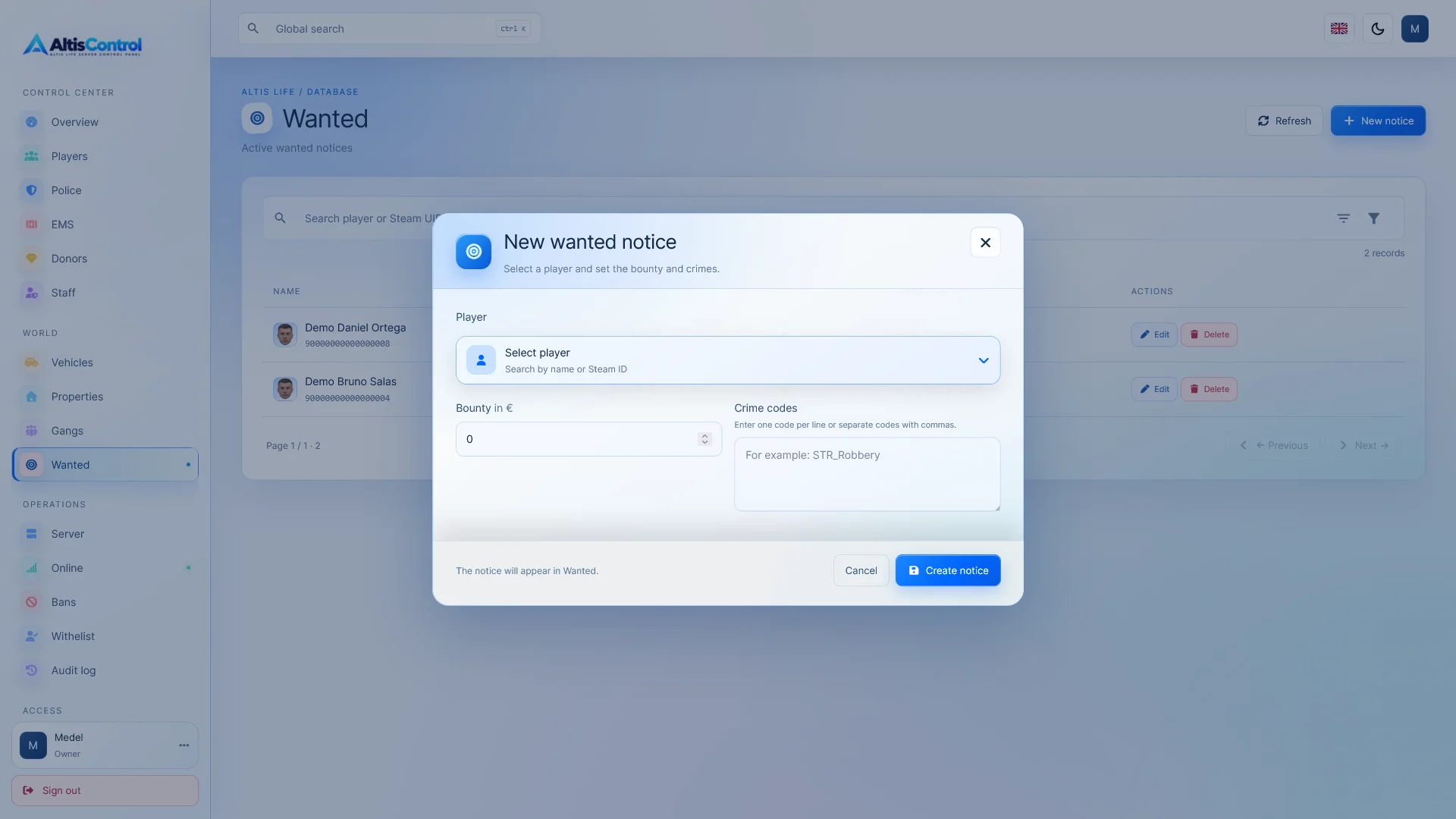
🚨 Wanted System

Manage the server's search list from a specific section.

  • Wanted player.
  • Crimes reported.
  • Reward.
  • Search date.
  • Reward Edition.
  • Deletion of record.

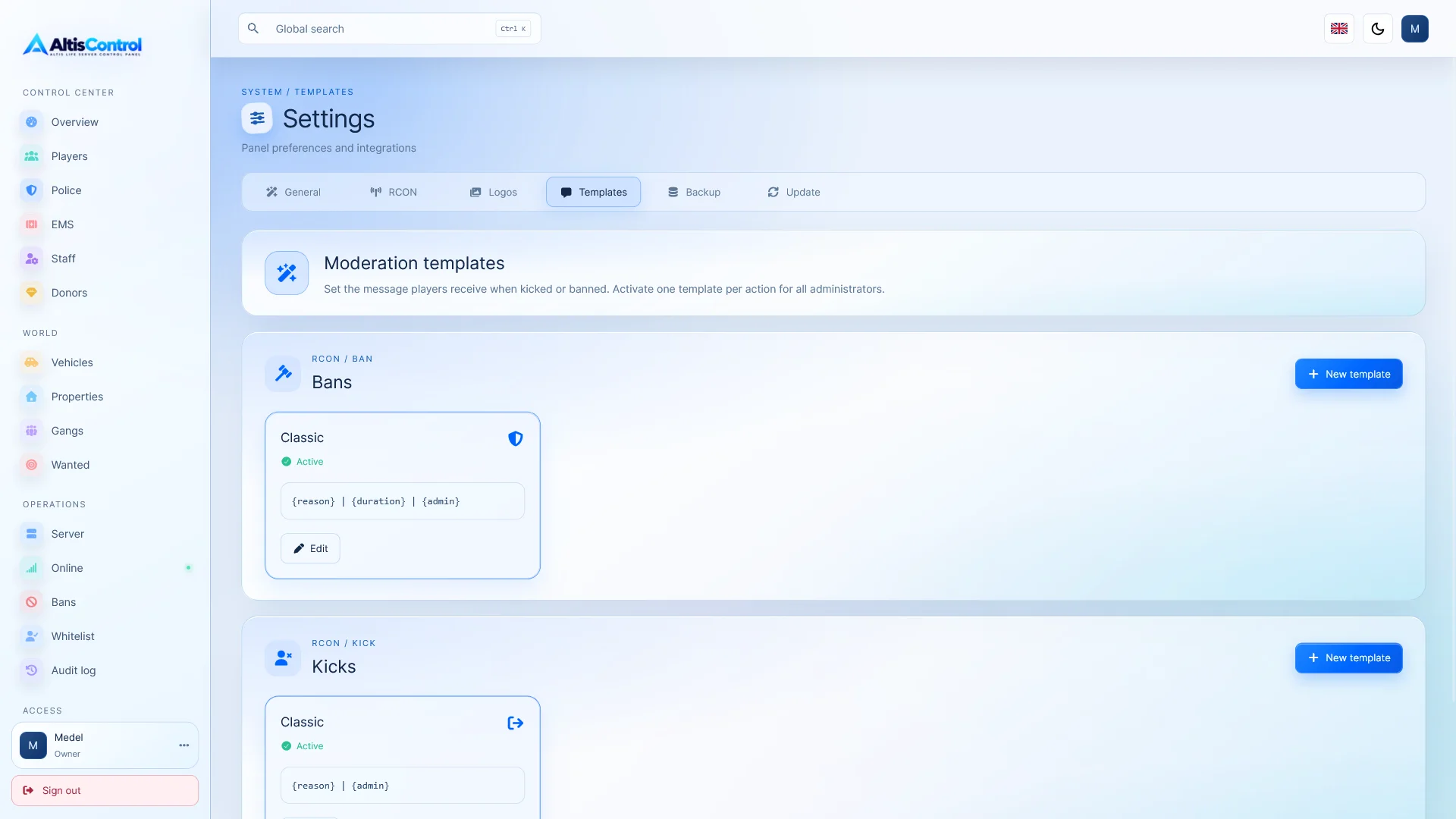
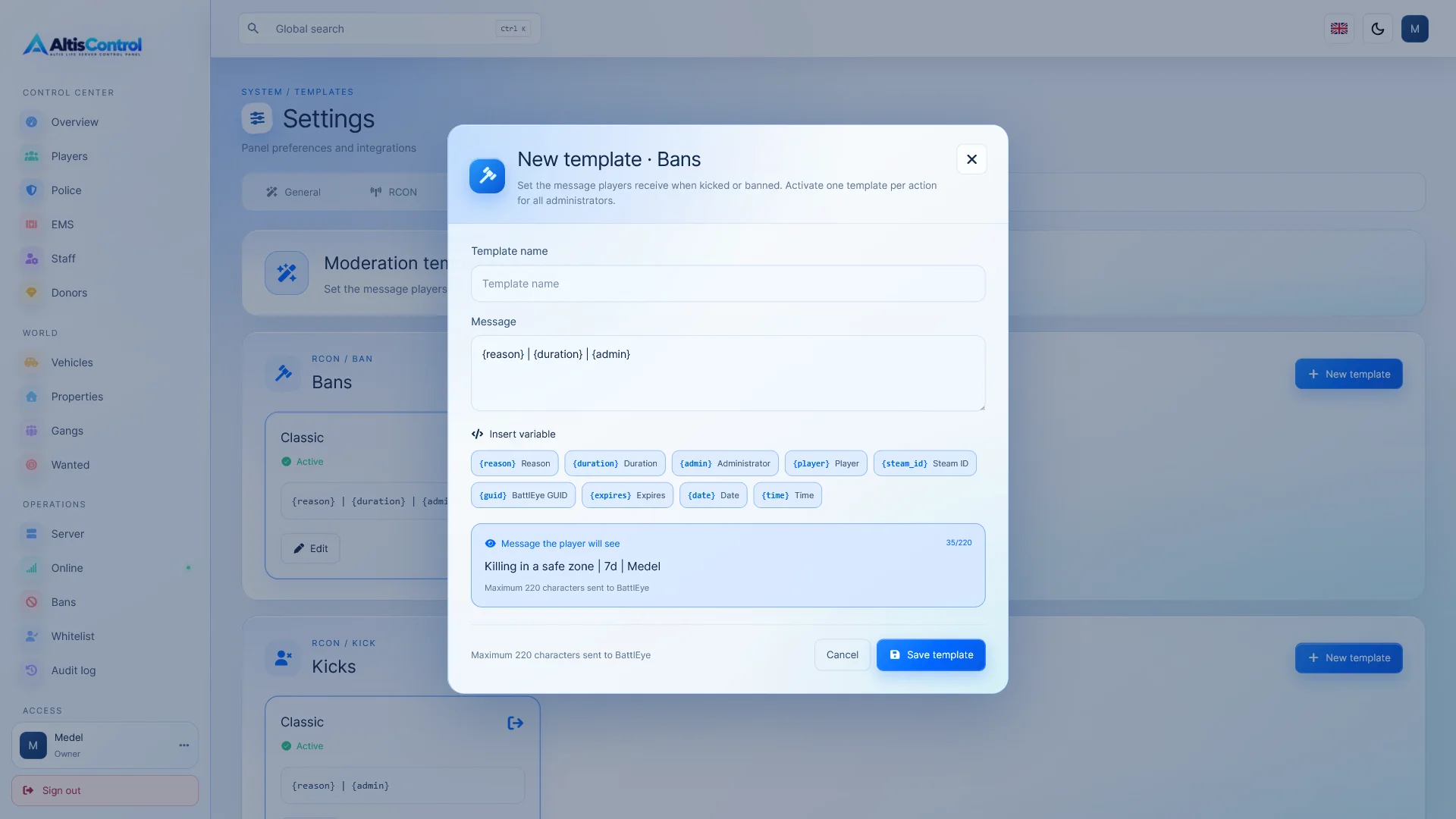
🔨 Bans, kicks, and moderation via BattlEye RCON

Connect AltisControl with BattlEye RCON to have real-time management tools available.

  • 🚫 Temporary bans with custom duration.
  • ⛔ Permanent bans.
  • 🔓 Unbanning players.
  • 👢 Expulsion of connected players.
  • 💬 Personalized messages upon ejecting.
  • 📢 Sending global messages to the server.
  • 🧾 Sanction history.
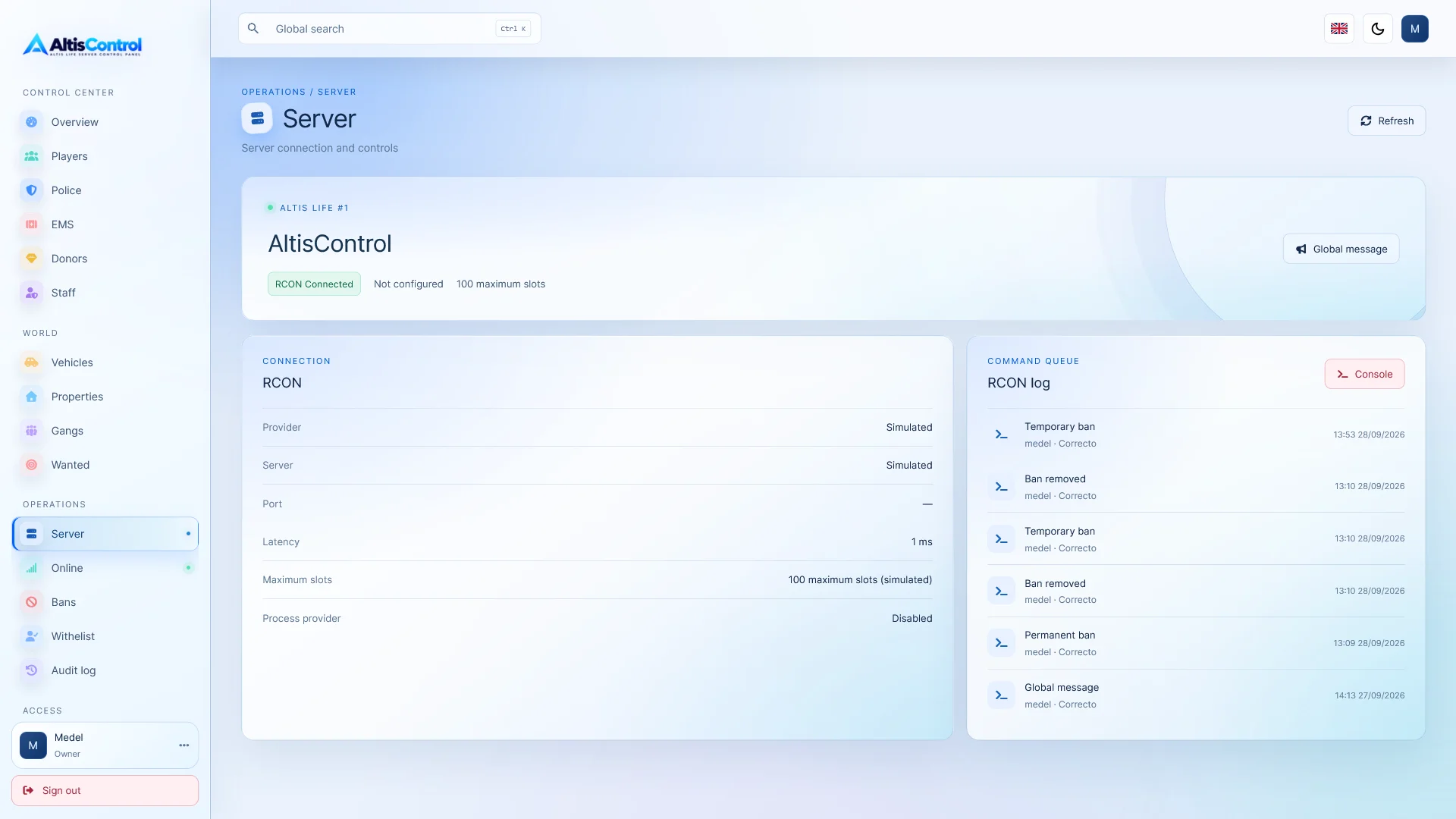
  • 📜 RCON Action Record.

You can execute a ban directly from the player list or from the player's individual profile .

💻 RCON Console

AltisControl incorporates a console from which authorized administrators can send RCON commands directly to the server.

Access to this tool is protected by a specific permission .

🛂 Server access list (Whitelist)

Control which players can remain connected using a BattlEye Steam ID and GUID- based authorization list.

  • Activate or deactivate the access system.
  • Add authorized players.
  • Use Steam ID and GUID.
  • Customize the expulsion message.
  • Record events related to access control.
  • Check the status of the process responsible for performing the checks.

When the system detects via BattlEye RCON that a connected player is not authorized, it can automatically eject them .

⚠️ Important: This function requires a real BattlEye RCON connection and the process must remain running.

 php bin/server-allowlist-worker.php --loop

The check is performed once the player's connection can be detected and associated with their GUID. Due to the way BattlEye RCON works, preventing the player from reaching the slot selection screen prematurely is not guaranteed .

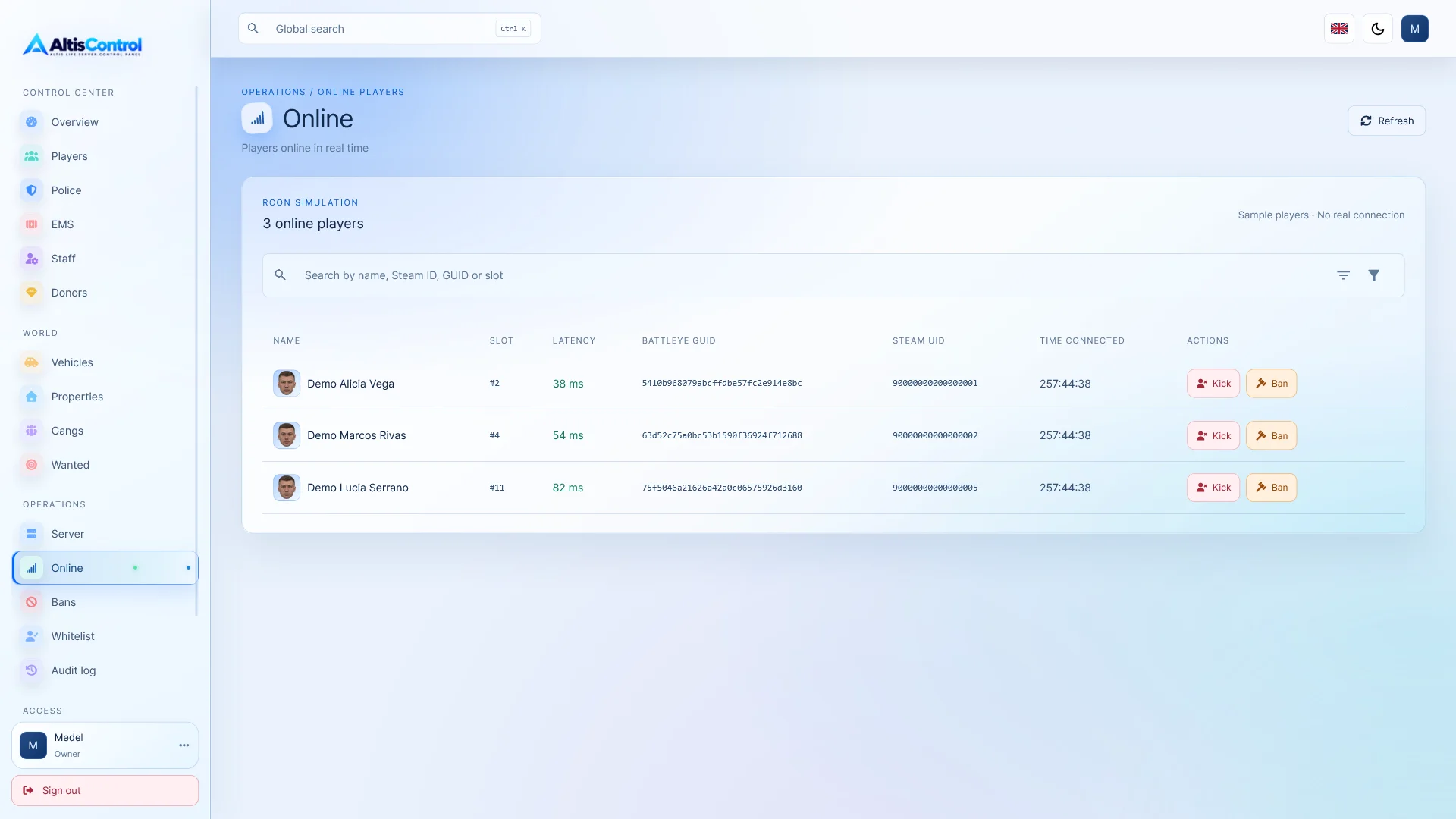
📡 Real-time server monitoring

When BattlEye RCON is configured, AltisControl can display real server information.

  • 🟢 RCON connection status.
  • 📶 Latency.
  • 👥 List of connected players.
  • 🔢 Player slot.
  • 🏷️ Name.
  • 📡 Ping.
  • 🔑 BattlEye GUIDE.

You can also obtain real data through the query configured for the server.

🖥️ Starting, stopping, and restarting the server

If AltisControl is configured with a compatible Windows service , the panel can offer controls for:

  • ▶️ Start the server.
  • ⏹️ Stop it.
  • 🔄 Restart it.

This feature is optional and depends on the server configuration and the Windows service used.

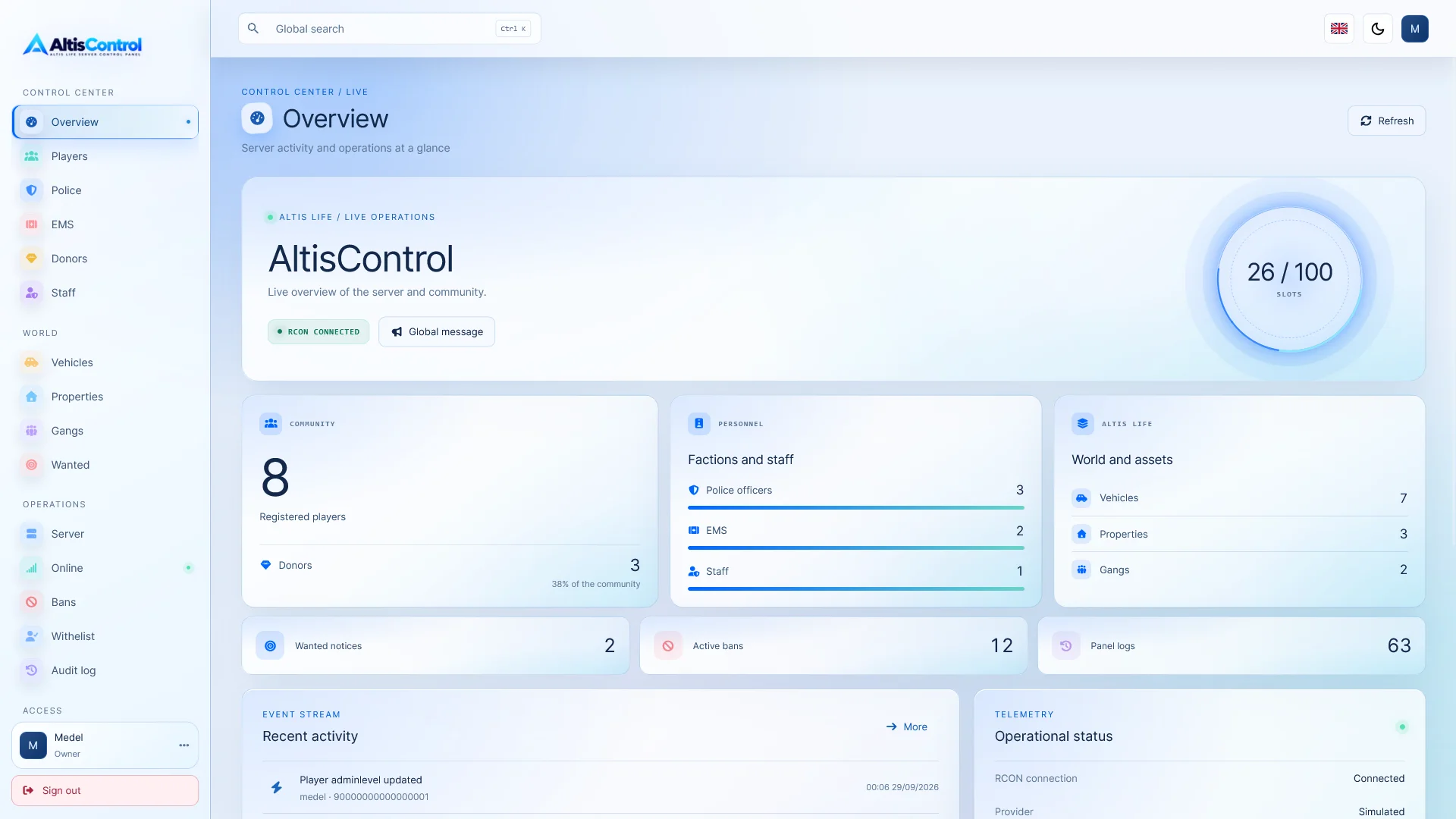
📊 Centralized Dashboard

Get a quick overview of server status and administrative activity from the Dashboard.

  • General statistics.
  • Server status.
  • Connection information.
  • Recent administrative activity.
  • Quick access to the main tools.

⚡ Global search with Ctrl + K

Quickly find players and panel sections using the integrated global search.

Press Ctrl + K to open it from anywhere in AltisControl.

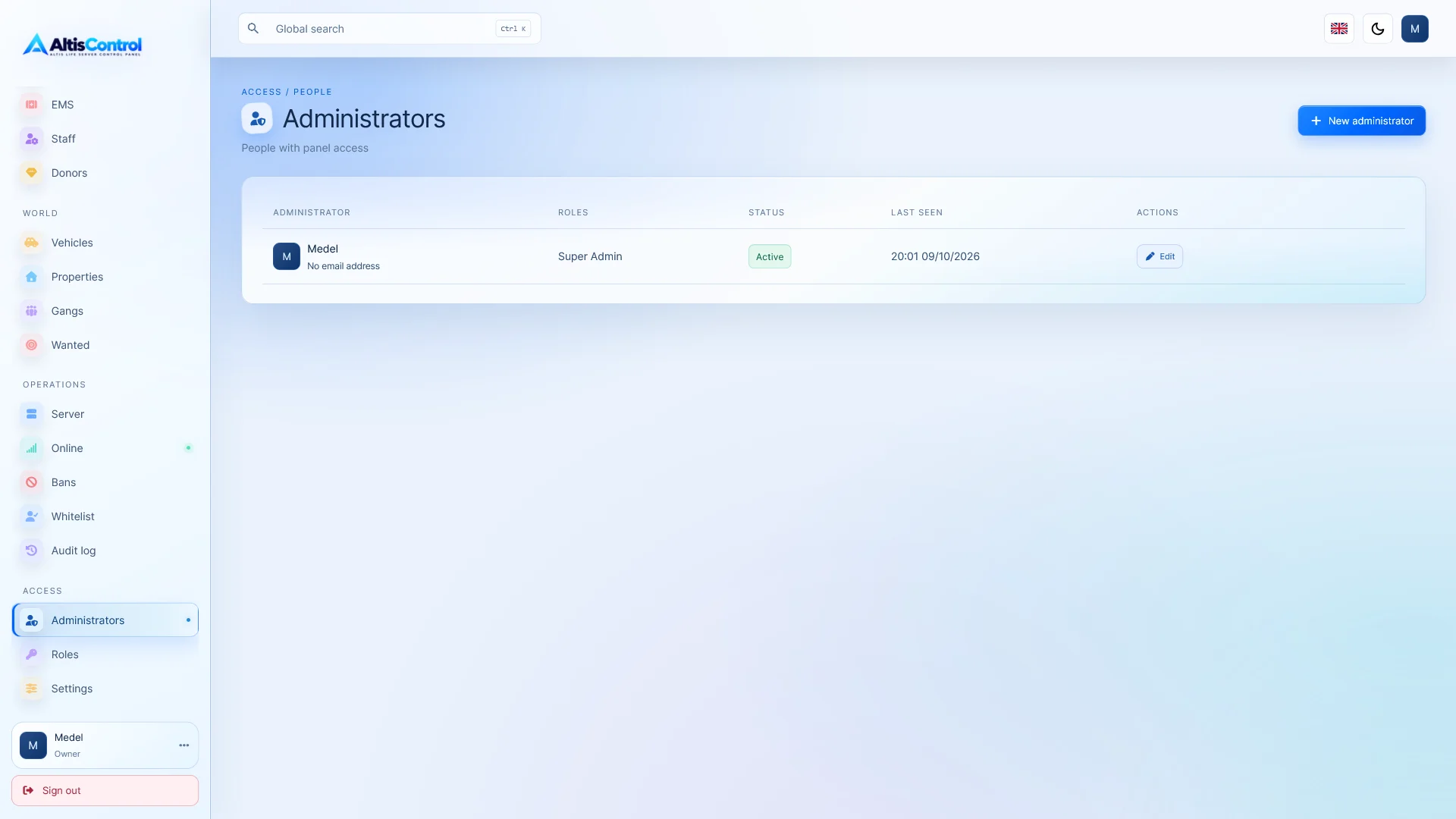
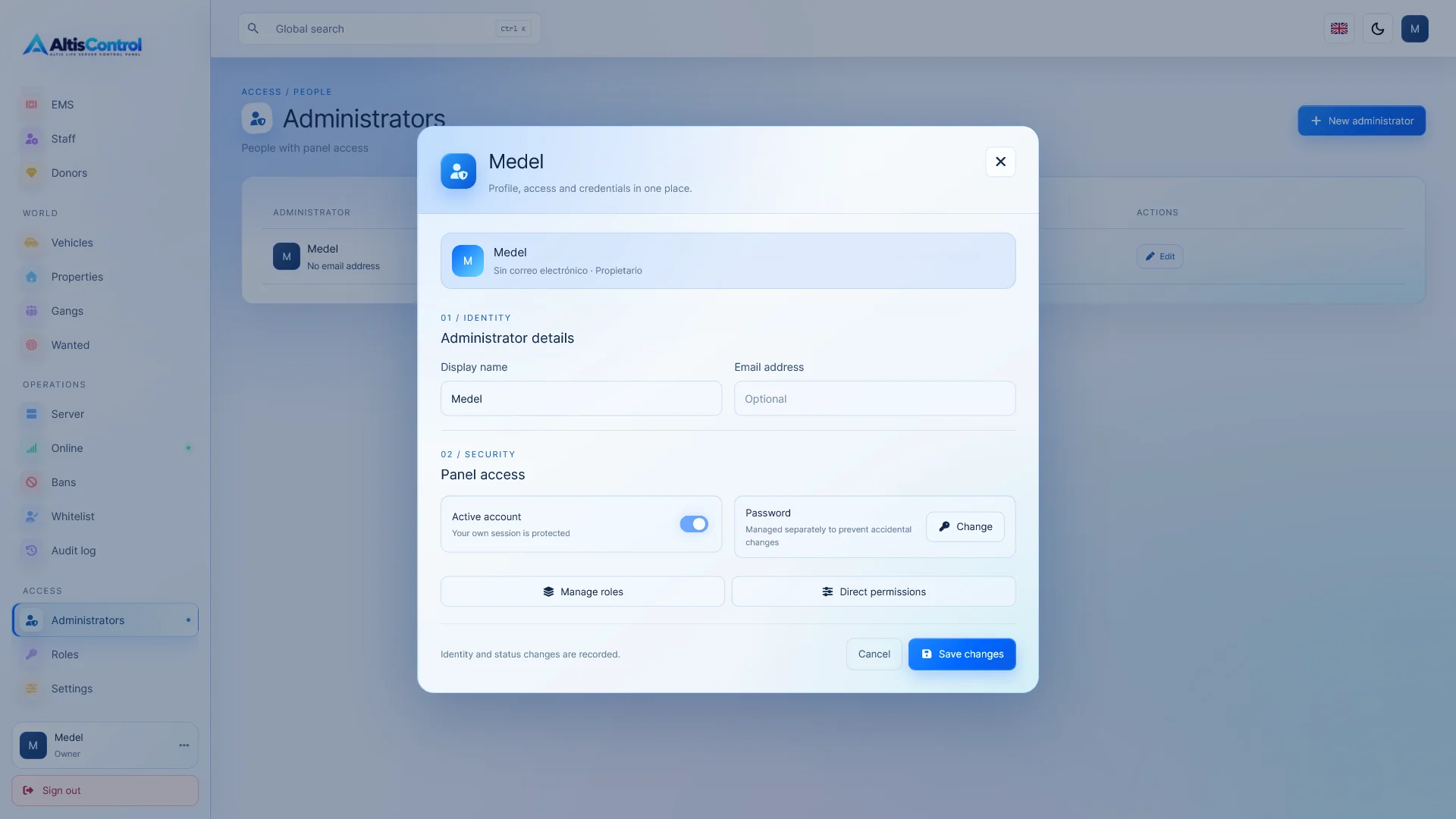
👨‍💼 Administrators, roles and permissions

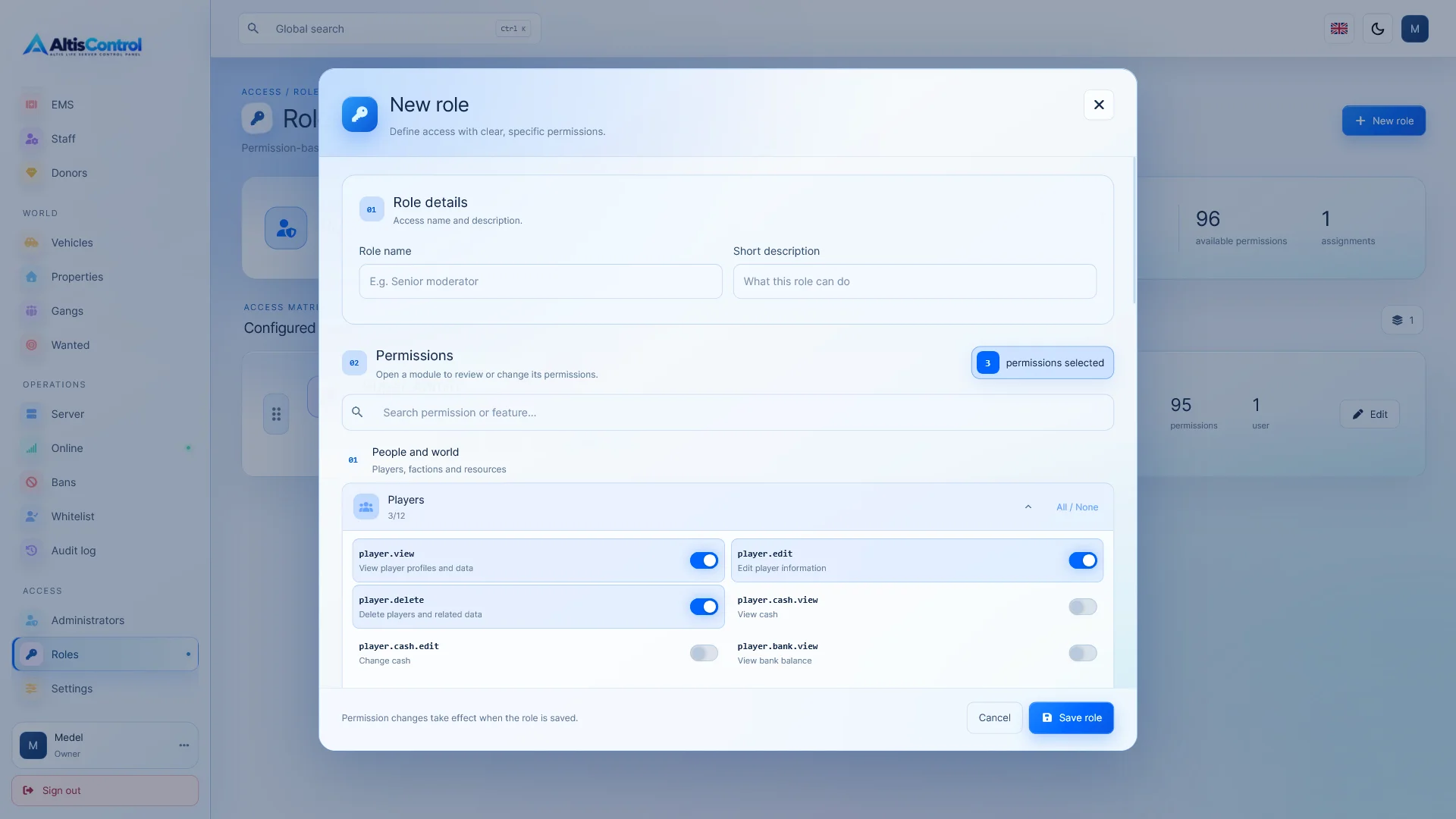
AltisControl includes a complete administration system based on roles, hierarchies, and permissions .

You can control access not only by section, but also by specific actions.

  • Create administrative accounts.
  • Assign roles.
  • Define hierarchies.
  • Configure permissions by module.
  • Configure permissions per action.
  • Restrict sensitive tools such as the RCON console.

🔐 Advanced Security

The panel incorporates various measures to protect both administrative accounts and sensitive transactions.

  • 🔑 Two-step authentication using TOTP.
  • 🛡️ Passwords protected by Argon2id.
  • 🔒 CSRF Protection.
  • 🚧 Limiting login attempts.
  • 📵 Revocation of sessions.
  • 👮 Permission control per action.
  • 📜 Audit log.

📜 Audit log

Keep a detailed history of the actions taken by administrators.

Each record may include:

  • Administrator.
  • Action taken.
  • Module.
  • Aim.
  • Result.
  • Date and time.

The history has independent filters and permissions to delete individual records or clear the entire history .

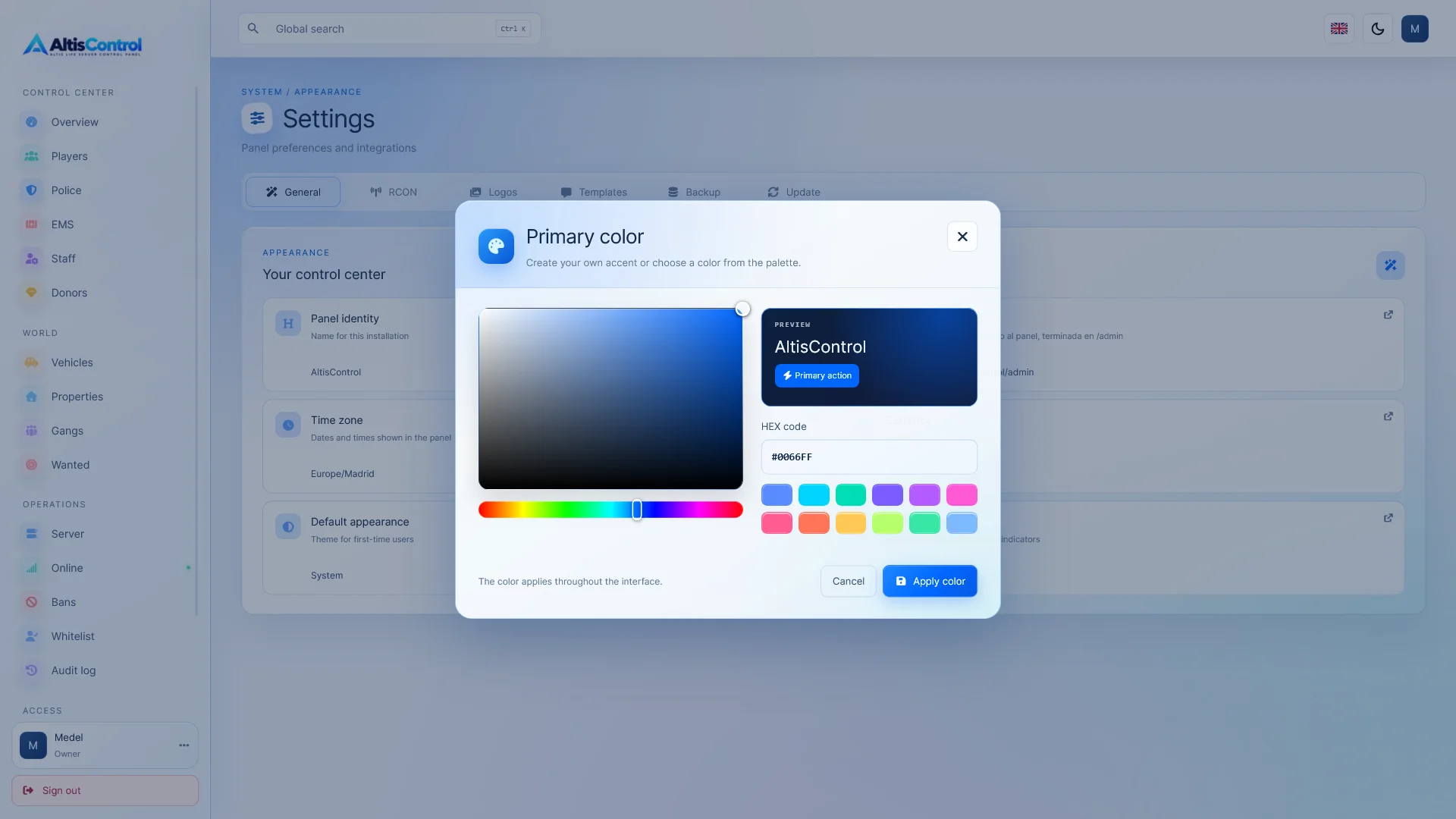
🎨 Modern and customizable interface

Adapt AltisControl to the visual style of your community.

  • 🌞 Clear topic.
  • 🌙 Dark theme.
  • 🖥️ Automatic theme according to the system.
  • 🎨 Main color selector.
  • 🧩 Custom visual components.
  • 🔷 Material Icons.
  • ⭐ Font Awesome.

The interface is designed to adapt correctly to computers, tablets, and mobile devices .

🌍 Multi-language

AltisControl includes an interface in:

  • 🇪🇸 Spanish.
  • 🇬🇧 English.

⚙️ Panel settings

Customize different aspects of the operation directly from the administration panel:

  • Panel name.
  • Time zone.
  • Currency.
  • BattlEye RCON configuration.
  • Server connection details.

🖼️ Custom logos and favicons

Upload your own visual identity directly from AltisControl.

  • Logo for light theme.
  • Logo for dark theme.
  • Favicon.
  • Instant preview.

If no logo is configured, AltisControl will automatically display the name configured for the panel .

🚀 Integrated installer

AltisControl includes an installation wizard designed to connect the panel to an existing Altis Life database .

During installation you will be able to:

  • 🗄️ Configure the connection to the database.
  • 📁 Define the panel path.
  • 👑 Create the owner account.
  • 🔑 Activate the license.

The distribution package is generated without demo data and without including the player database .

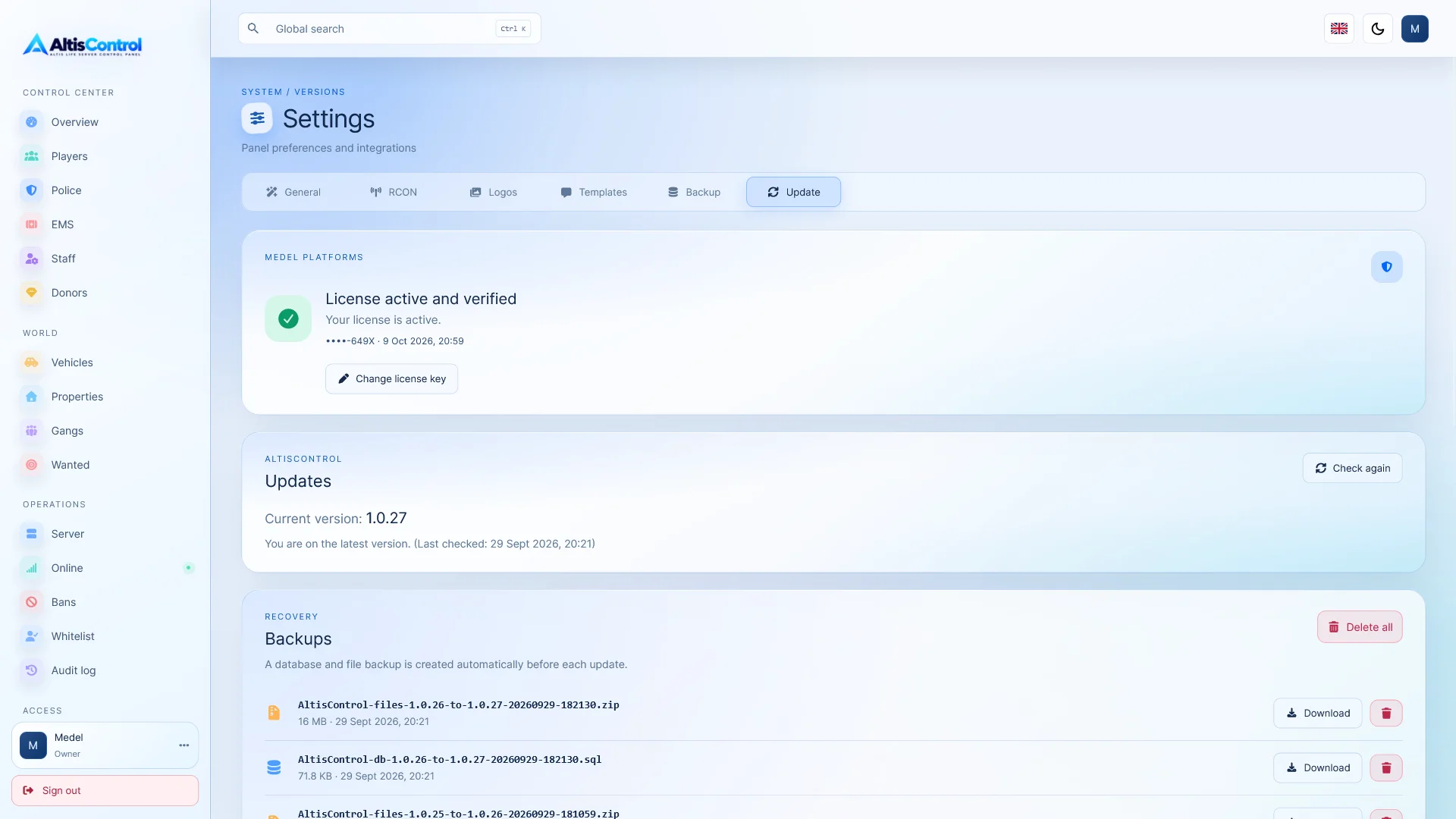
🔄 Updates from the panel itself

Check and install new versions of AltisControl directly from the administration panel.

Before starting an update, the system automatically creates a backup of:

  • 🗄️ Database.
  • 📁 Panel files.

If a problem occurs during installation, AltisControl incorporates a mechanism toautomatic recovery.

The following are preserved during updates:

  • Configuration.
  • Stored data.
  • Files uploaded.

✨ Manage your Altis Life server from a single location

AltisControl brings together the necessary tools to manage players, moderation, economy, factions, and server operations from a single platform.

👤 Manage players and finances.
👮 Controls factions and licenses.
🔨 Moderate using BattlEye RCON.
🛂 Manage server access.
🔐 Define detailed roles and permissions.
📜 Keep a complete history of actions.
📱 Work from your computer or mobile device.
🔄 Update the panel with automatic backups.


Real-time moderation

RCON banning system

Ban, expel and unban players directly through BattlEye RCON, with immediate control and sanctions history.

Access control

Whitelisted by Steam ID and GUID

Decide who can stay on your server by validating with Steam ID and BattlEye GUID.

Centralized management

Players and the economy

View and manage profiles, cash, bank, levels, and key data for each player from a single location.

Factions and ranks

Police, EMS and donors

Easily manage factions, levels, licenses, and special roles for Police, EMS, and donors.
Live Tools

RCON real-time console

Send commands, check connected players, launch global messages, and act on the server instantly.
Administrative security

Advanced roles and permissions

Define hierarchies and control exactly what each administrator can see or do within the panel.

Full traceability

Complete audit log

Monitor all administrative actions with information about user, action, result, objective and date.

Data protection

Automatic backups

Protect files and databases with automatic backups before updating and secure recovery in case of failure.

What you get

When you purchase AltisControl you will receive everything you need to install and operate the panel on a compatible Altis Life installation.

  • ✅ Complete AltisControl panel.
  • 👤 Player management, economy, vehicles, properties and gangs.
  • 👮 Police, EMS, donor and licensing management.
  • 🔨 System of bans, kicks and unbans using BattlEye RCON .
  • 🛂 Whitelist system using Steam ID and BattlEye GUID.
  • 💻 Integrated RCON console.
  • 📡 Real-time monitoring of connected players using RCON.
  • 🔐 Advanced system of administrators, roles, hierarchies and permissions.
  • 📜 Complete record of audit and administrative activity.
  • 🔑 Two-step authentication system using TOTP.
  • 🌍 Interface available in Spanish and English.
  • 🌞 Light theme, 🌙 dark theme and automatic mode depending on the system.
  • 🎨 Customization of main color, logos and favicon.
  • 📱 Interface adaptable to computer, tablet and mobile.
  • 🚀 Integrated web installer.
  • 🔑 Medel Platforms license activation system.
  • 🔄 Update system from the panel itself.
  • 💾 Automatic backup before installing updates.
  • ♻️ Automatic recovery system if an update fails.

AltisControl connects to an existing Altis Life database. The product does not include an Altis Life installation, a player database, or an Arma 3 server.

System requirements

Before installing AltisControl, make sure your server meets the following requirements:

  • 🐘 PHP 8.1 or higher.
  • 🌐 Apache web server.
  • ⚙️ Mod_rewrite module enabled.
  • 🗄️ MySQL or MariaDB .
  • 🎮 A pre-installed compatible Altis Life database.

📦 Required PHP Extensions

  • PDO MySQL.
  • cURL.
  • ZIP.
  • Sodium.
  • Mbstring.

📡 Requirements for RCON functions

Real-time functions require a working connection with BattlEye RCON .

This includes features such as:

  • 🔨 Bans via RCON.
  • 👢 Expulsion of connected players.
  • 🔓 Unbans.
  • 📢 Global messages.
  • 💻 RCON Console.
  • 👥 Check connected players.
  • 📶 Connection status and latency.

🛂 Additional requirement for the Whitelist

To use automatic ejection of unauthorized players, in addition to BattlEye RCON, the following PHP process must be running:

 php bin/server-allowlist-worker.php --loop

This process monitors connections and removes players who are not on the access list.

⚠️ Important: BattlEye RCON only activates once the player's connection can be detected and associated with their GUID. Therefore, preventing the player from reaching the slot selection screen earlier is not guaranteed.

🖥️ Server Control

The server start, stop, and restart functions are optional and require configuring a compatible Windows service .

Installation instructions

Download the AltisControl package and upload its files to the directory where you want to install the panel.

For example:

https://yourdomain.com/panel/

Make sure that Apache can correctly access the directory and that mod_rewrite is enabled.

2️⃣ Create or prepare access to the database

AltisControl is designed to work with an existing Altis Life database.

During the installation you will need the connection data:

  • 🗄️ MySQL/MariaDB host.
  • 🔢 Port.
  • 📁 Name of the database.
  • 👤 User.
  • 🔑 Password.

It is recommended that you use a database user with the necessary permissions so that AltisControl can query and modify the data managed from the panel.

3️⃣ Open the installer

Access from your browser to the URL where you have installed AltisControl.

The installation wizard will guide you through the initial setup.

4️⃣ Set up the connection with Altis Life

Enter the access data to your Altis Life database and check that the connection is successful.

You can also configure the panel path and other basic installation parameters.

5️⃣ Activate your license

Enter your Medel Platforms license key.

The license must be configured and validated before AltisControl creates its own tables and completes the installation.

🔐 If there is no valid license, access to the panel will be limited to the activation process.

6️⃣ Create the owner account

Configure the first administrator account, which will be the main account or owner of the panel.

After completing the installation you will be able to create other administrators, assign roles and configure detailed permissions for each section and action.

7️⃣ Configure BattlEye RCON

If you want to use the real-time functions, go to the panel settings and enter the BattlEye RCON connection details.

Once configured correctly you will be able to use:

  • Bannings.
  • Kicks.
  • Unbans.
  • Global messages.
  • RCON console.
  • List of connected players.
  • Connection status and latency.

8️⃣ Configure the Whitelist if you want to use it

Activate the access list from AltisControl and add authorized players using Steam ID or BattlEye GUID.

For auto eject to work, keep running:

php bin/server-allowlist-worker.php --loop

On a production server, it is recommended to run this process through a system that allows it to be kept active permanently and restarted if necessary.

9️⃣ Customize your panel

From the configuration you can customize:

  • 🎨 Main color.
  • 🖼️ Logos.
  • ⭐ Favicon.
  • 🌍 Language.
  • 🕐 Time zone.
  • 💰 Currency.
  • 🏷️ Name of the panel.

🔟 Installation completed

Once the configuration is complete, AltisControl will be ready to start managing your Altis Life server.

27 Reviews AltisControl - Advanced Altis Life Admin Panel & RCON Manager

5.0
Based on 27 reviews
5 stars
100%
4 stars
0%
3 stars
0%
2 stars
0%
1 star
0%
by garaje_rp 27-09-2026

Accessible vehicles and properties

What I use it for most is searching for a vehicle, changing ownership, or checking a property. These are frequent operations, and the panel makes them quite clear.

by pixel_milsim 23-09-2026

It looks good on mobile too

Sometimes I need to check a player or a ban outside of the PC. The interface responds well on a small screen, and the global search lets me quickly find what I need.

by s3rver_lab 19-09-2026

Smoother updates

I appreciated seeing that it backs up files and the database before updating. When a dashboard is connected to real players, that step is invaluable.

by battleeye_hub 16-09-2026

RCON and panel in a single purchase

I was comparing options to avoid maintaining a separate RCON tool. The BattlEye connection and the list of connected players were decisive factors for me.

by rcon_tinker 13-09-2026

The RCON was what I was looking for

I was particularly interested in the kicks, bans, and global messages from the website. Having a log of each admin's actions is also incredibly useful for reviewing issues.

by control_isla 10-09-2026

More orderly moderation

From the player's profile, I can review their history and apply a ban without losing context. The sanctions log is also helpful when there are appeals.

by bandas_y_roles 07-09-2026

No-nonsense gang management

I can check a band's members, owner, and funds all in one place. This saves me from having to manually access the database to resolve disputes within the server.

by steamid_404 04-09-2026

The whitelist is well designed

Controlling via Steam ID and GUID works for a closed server. The process needs to be left running and RCON configured, but that's clear from the requirements.

by altis_sandbox 03-09-2026

Global search is used a lot

Ctrl + K might seem silly, but when you're constantly answering tickets it really speeds up finding players and sections.

by nodo_altis 01-09-2026

Designed for real management

It's not just a pretty dashboard. The player profile brings together balance, licenses, vehicles, properties, and penalties; this way, tickets are resolved without opening half a dozen inquiries.

by rptools_es 30-08-2026

Good starting point

I wanted to get rid of several separate admin scripts. Players, licenses, vehicles, and moderation are all integrated here, so I can focus on fine-tuning the flow of my community.

by civ_rp_dev 25-08-2026

I like how it separates the features

Police, EMS, and donors each have their own sections. For those who manage a fairly active community, changing levels and licenses from here is much more convenient.

by localize_dev 22-08-2026

Spanish and English from the start

My community has admins from several countries. Having the interface in two languages saved me a task that usually gets left undone for weeks.

by altis_ops 19-08-2026

All on the same panel

We were managing the server with several tools, and this greatly streamlines our work. Players, economy, penalties, and RCON are all easily accessible without having to jump from one place to another.

by php_island 16-08-2026

Full and expandable panel

As a buyer, I was looking for something I could host myself and adapt to my Altis Life server. The feature base is extensive, and the permissions allow for growth without granting full access to all staff.

by licencias_rp 12-08-2026

Fast license editor

The faction-based switches and the option to grant all licenses simplify repetitive staff tasks. It seems like a small detail until you have to do it daily.

by guid_keeper 09-08-2026

The audit provides reassurance

When multiple admins have access to sensitive data, I need to know who did what. Registry filters and permissions for deleting it are welcome features.

by donor_admin 06-08-2026

Less manual labor

Managing donor, police, and EMS levels from separate sections prevents errors. Previously, we did this with direct changes to tables, and it was easy to forget something.

by isla_admin 02-08-2026

Comfortable for the team

In our community, there are several moderators, and not all of them should be handling the economy or the console. Being able to distribute permissions per action is exactly what we needed.

by hosteando_rp 31-07-2026

A useful purchase for my project

I'm preparing an administration offer for Arma 3 communities and wanted a platform I could install on my own server. AltisControl covers the essentials and can be customized to match the brand.

by ops_noche 27-07-2026

The dashboard helps

For my daily check, it's helpful to log in and see the server status, recent activity, and access to important tools. Then I'll look at the details if anything seems unusual.

by slot_cero 24-07-2026

Console with controlled access

The integrated RCON console is handy, but the best thing about it is being able to reserve it for a specific role. For a large staff team, that separation is very important.

by panelero 20-07-2026

Installation is fairly straightforward

I already had the Altis Life database. I uploaded the package, followed the wizard, and connected the panel without having to create a new structure for the players.

by php_bunker 16-07-2026

Security carefully monitored

I appreciate that administrative access includes TOTP, session control, and granular permissions. In a panel with RCON actions, this is a significant bonus.

by config_rp 12-07-2026

Easy to customize to our liking

I was able to adjust the time zone, currency, name, and appearance of the panel. This was important to provide a consistent experience for our community staff.

by byte_rp 07-07-2026

Good foundation for a community

I bought it intending to set up our Altis Life community panel with our branding. The installer and the logo and color options save a lot of time when starting up.

by arma_stack 03-07-2026

Requirements well documented

I appreciate the specification regarding PHP, MariaDB, and BattlEye RCON. This allowed me to prepare the hosting before installation and avoid any surprises.