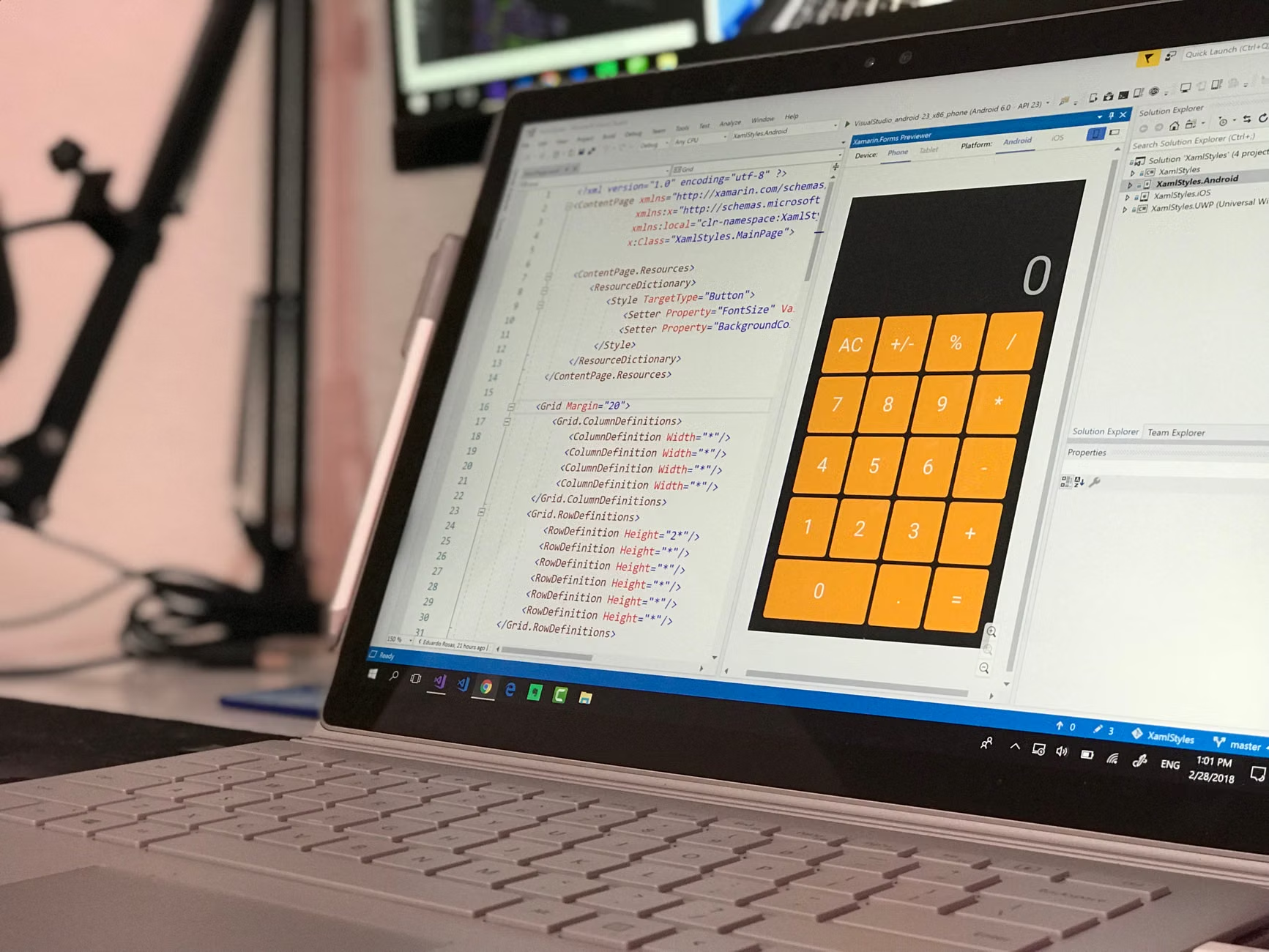

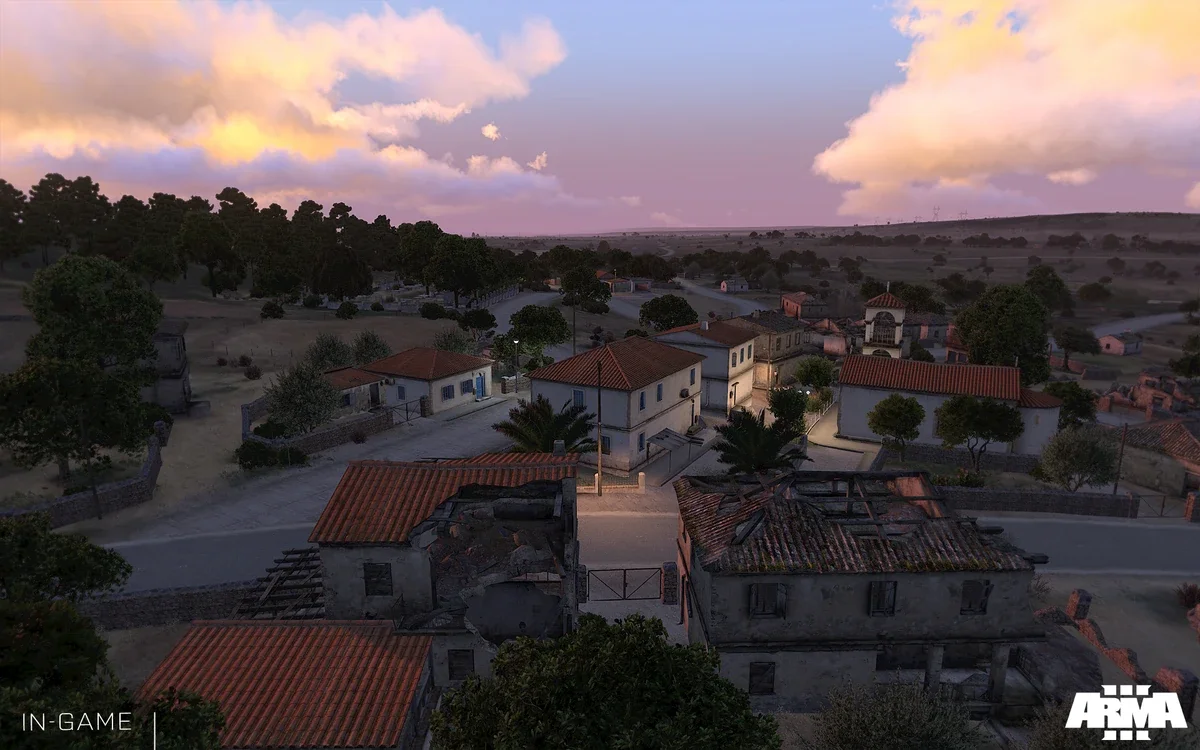
In the dynamic universe of Altis Life, efficient server management is not a trivial task. It requires considerable dedication to maintain order, fairness and, ultimately, the fun of the community. This is where a weapon control panel to manage Altis Life comes into play, an indispensable tool that transforms administrative complexity into a fluid and centralized experience. This article explores in depth how a comprehensive solution like AltisControl can be the cornerstone for any server administrator looking to optimize every aspect of their operation.
Forget about juggling between multiple windows, console commands and databases. An advanced dashboard gives you the ability to handle everything from player management to real-time moderation, managing factions, vehicles, properties and more, all from a single intuitive interface. This approach not only saves time, but also minimizes errors and significantly improves the experience for both server administrators and users. Get ready to discover how to take your Altis Life server administration to the next level.
1AltisControl: The Definitive Solution for the Administration of your Altis Life Server
AltisControl is presented as a robust and advanced platform, specifically designed to centralize and simplify the administration of Altis Life servers. It is much more than just a panel; is a complete suite of tools that covers all operational needs, from real-time monitoring to detailed management of every element of the game. Its main goal is to free administrators from repetitive and complex tasks, allowing them to focus on what really matters: fostering a thriving community and a fair gaming environment.
This panel seamlessly integrates vital functions that previously required advanced technical knowledge or the use of multiple programs. Whether you need to manage bans and kicks, edit player properties, monitor server activity, or implement a whitelist, AltisControl puts it all at your fingertips with a clear, easy-to-navigate user interface. Its architecture has been designed for scalability, adapting to servers of any size, from small communities to large infrastructures with hundreds of active players.
1.1Key Characteristics That Define AltisControl
To understand the magnitude of what AltisControl offers, it is essential to break down its main features:
- Complete Player Management: Access and modify player profiles, manage their money, items, licenses and much more.
- Faction and Gang Control: Manage roles, permissions and members of the police, EMS and gangs on the server.
- Vehicle and Property Management: Monitor and edit owned vehicles and player properties.
- Wanted and Sanctions System: Implements and manages the wanted system, along with the application of sanctions.
- BattlEye RCON Tools: Execute RCON commands directly from the panel for kicks, bans and other moderation actions.
- Server Access List (Whitelist): Control who can join your server, ideal for private communities or with specific requirements.
- Role Permissions: Assign different levels of access and control to different administrators or moderators.
- Action Log: Maintain a detailed history of all actions performed by administrators on the panel.
- Real-Time Server Monitoring: Get an instant view of your server status, connected players, and more.
- Easy Updates: The panel updates automatically or semi-automatically, always ensuring the latest features and fixes.
These features, combined, offer an unprecedented management ecosystem, raising the bar for what an administrator can expect from their Altis Life control panel. The convenience of having these functions integrated in one place not only streamlines your workflow, but also contributes to greater server security and stability.
2Comprehensive Player Management: The Heart of your Altis Life Server
Player management is, without a doubt, one of the most critical tasks for any Altis Life administrator. Keeping accurate records of each player, their assets, reputation and behavior is essential to ensuring a fair and fun gaming environment. AltisControl addresses this need with an extremely powerful and easy-to-use set of tools, allowing you to have granular control over every aspect of a player's life on your server.
2.1Quick and Detailed Player Editing
With AltisControl, editing player profiles becomes a trivial task. It doesn't matter if you need to adjust a player's money, grant them specific licenses, add or remove items from their inventory, or modify their status in the game. The dashboard offers a clear interface where you can search for players by name, Steam ID, or game ID, and then access a full profile that includes:
- Basic Information: Name, Steam ID, game ID, last connection.
- Economy: Cash and money in the bank.
- Inventory: Weapons, ammunition, objects and vests.
- Licenses: All game licenses (driving, flying, hunting, etc.).
- Properties: List of properties acquired by the player.
- Vehicles: List of vehicles owned.
- Status: Wanted status, prestige level, etc.
This quick editing capability is invaluable for troubleshooting issues, compensating players, or even making adjustments for special events. An administrator can, for example, refund money to a player who suffered a bug or give out rare items as a reward, all without having to log into the database directly or restart the server.
2.2Police, EMS and Donors: Special Role Management
In Altis Life, special roles such as police and emergency services (EMS) are essential to the balance and dynamics of the game. AltisControl makes it easy to manage these roles, allowing administrators to:
- Assign and unassign roles: With a couple of clicks, you can promote a player to police or EMS, or remove them from these roles.
- Manage factions: Monitor police and EMS factions, including their members, hierarchies, and predefined equipment (if your server supports it through the database).
- Identify donors: Some servers have a donation system that grants special advantages. AltisControl can help you identify and manage these players, ensuring they receive the promised benefits.
Role management also extends to gangs, allowing administrators to intervene in conflicts, break up problem groups, or simply monitor the activity of criminal organizations on the server. This centralized capability is vital to maintaining order and integrity of the gaming experience.
3The Control Panel for Altis Life and Advanced Moderation
A fundamental aspect of managing any multiplayer server is the ability to moderate player behavior. This includes everything from resolving minor conflicts to applying severe penalties for those who break the rules. AltisControl integrates advanced moderation tools that harness the power of BattlEye RCON, allowing administrators to act quickly and effectively.
3.1Bans, Kicks and Moderation Using BattlEye RCON
BattlEye is the standard anti-cheat system for Arma 3 and, by extension, Altis Life. Its RCON (Remote Control) console allows administrators to execute commands directly on the server from a remote location. AltisControl takes this functionality and integrates it into its web interface, offering:
- Instant Kicks: Kick players off the server instantly for disruptive behavior, spam, or abuse.
- Temporary or permanent bans: Apply server access bans to players who seriously violate the rules. You can specify the duration of the ban and the reason.
- Messages to Players: Send messages to specific players or the entire server to communicate announcements, warnings, or guidelines.
- BattlEye Ban List Control: Review, edit or delete BattlEye Ban List entries directly from the dashboard.
The advantage of using AltisControl for these actions is twofold: first, it centralizes all moderation tools in one place, eliminating the need to switch between the RCON console and the web dashboard. Second, it provides a record of all actions taken, which is crucial for transparency and accountability in the management team. This avoids situations where an administrator applies a sanction without leaving a record, generating confusion or disputes.
3.2Wanted System and Automated Sanctions
Many Altis Life servers use a wanted system to identify players who have committed crimes in the game. AltisControl can be integrated with this system to:
- Manage wanted status: Administrators can add or remove a player's wanted status, adjusting their infamy level.
- Display sanctions: If the game system records sanctions or warnings, the dashboard can display this information so that administrators have a complete history of a player's behavior.
A good system of sanctions is vital to maintain order and equity. By having these tools integrated, administrators can apply policies consistently, reducing the perception of favoritism or arbitrariness, which in turn builds trust within the gaming community.
4Configuration and Requirements: Getting your AltisControl Panel up and running
To take full advantage of AltisControl's capabilities, it is essential to understand the configuration process and technical requirements. Although the panel is designed to be intuitive, correct installation and configuration are crucial for its optimal and safe operation. The official page of the product provides detailed documentation, but here we will summarize the most important points.
4.1Essential Prerequisites
Before installing AltisControl, make sure you meet the following requirements:
- Web Server: You will need a compatible web server (such as Apache or Nginx) to host the panel.
- PHP: A supported version of PHP with the necessary extensions (usually PDO, cURL, JSON).
- Database: Access to a MySQL or MariaDB database where Altis Life data is stored.
- Game Server Access: You will need BattlEye RCON credentials so the panel can interact with your Altis Life server.
- FTP/SSH access: For file uploads and initial configuration.
It is important to note that although AltisControl is designed to be robust, proper configuration of your web server environment is essential for optimal performance and security. If you do not have experience with web server administration, consider seeking professional help.
4.2Database Preparation and Configuration
The first critical step is to ensure that AltisControl has access to your Altis Life server database. This implies:
- Create a Database or Use an Existing One: You can choose to create a new database for AltisControl (where it will store its own data) or use the same database on your Altis Life server, making sure there are no table conflicts.
- Create a Database User: Create a specific user for AltisControl with minimum necessary permissions (SELECT, INSERT, UPDATE, DELETE) only on the relevant tables. This is good security practice.
- Configure the Connection in AltisControl: Within the AltisControl configuration file, you must enter the connection details to your database (host, database name, user, password).
Incorrect database configuration is one of the most common causes of installation problems. Make sure all details are accurate and the user has the correct permissions.
4.3Connection Configuration with Altis Life
In order for AltisControl to communicate with your game server, you will need to provide it with the connection information for your Altis Life server:
- Server IP and Port: The IP address and port of your game server.
- BattlEye RCON Credentials: The RCON username and password you configured for BattlEye on your Arma 3 server.
These credentials are highly sensitive, as they grant direct control over the server. Make sure you keep them safe and don't share them with unauthorized people. AltisControl will use them to execute moderation commands, obtain server information and manage the whitelist.
4.4Implementation of the Server Access List (Whitelist)
The whitelist is a powerful feature to control who can join your server. This is especially useful for private communities, strict role servers, or to prevent access by unwanted users. AltisControl simplifies the management of this list:
- Activation/Deactivation: You can enable or disable the whitelist with a single click from the panel.
- Add/Remove Players: Add or remove players from the whitelist manually, using their Steam ID.
- Additional Whitelist Requirement: Some servers implement additional systems where players must go through an application process before being added to the whitelist. AltisControl integrates with this flow, allowing you to manage requests and grant access.
It is important to remember that implementing a whitelist requires specific configuration on the game server so that it respects the panel's guidelines. This usually involves modifications to the server.cfg file or to scripts specific to your Altis Life installation.
5User Experience and Advanced Functionalities of the Control Panel for Altis Life
Beyond basic management functionalities, AltisControl distinguishes itself by offering a superior user experience and advanced features that raise the standard of server administration. Ease of use, real-time information and updateability are fundamental pillars of its design.
5.1Intuitive Interface and Optimized Design
One of the strong points of AltisControl is its user interface. It is designed to be clear, logical and easy to navigate, even for those with little server administration experience. Menus are sensibly organized, and information is presented legibly, often with visual summaries or interactive tables. This reduces the learning curve and allows administrators to be productive right out of the box.
- Main Dashboard: Provides an overview of server status, connected players, key statistics and important alerts.
- Global Search: Quickly find players, vehicles or properties using a unified search function.
- Alerts and Notifications: Receive notifications about critical events or moderation actions.
This focus on usability ensures that administrators can focus on troubleshooting and improving the server, rather than struggling with the administration tool itself.
5.2Real-Time Server Monitoring
The ability to monitor the server in real time is invaluable. AltisControl provides an instant view of the most important aspects of the server:
- Connected Players: See who is online, their IDs, their roles and how long they have been online.
- Server Performance: Although dependent on integration with operating system monitoring tools, the dashboard can display basic game server performance metrics.
- Event Log: View server logs to identify problems, detect suspicious activities, or track specific events.
This proactive monitoring allows administrators to react quickly to any anomalies, ensuring a more stable and uninterrupted gaming experience.
5.3Server Start, Stop and Restart
For those who have the panel installed on the same hosting server or with the appropriate permission settings, AltisControl can offer the functionality to start, stop or restart the game server directly from the web interface. This feature is extremely useful for:
- Apply Changes: Restart the server after applying important updates or settings.
- Resolve Freezes: Restart the server in case of an unexpected crash.
- Scheduled Maintenance: Plan regular reboots to optimize performance.
It is important to configure server permissions securely to allow the panel to execute these commands, usually through custom scripts or SSH integrations. This requires more advanced technical knowledge and should be done with caution.
5.4Easy Updates from the Panel itself
Keeping any software up to date is crucial for security, performance, and access to new features. AltisControl simplifies this process with an integrated update system:
- Update Notifications: The panel will notify you when new versions are available.
- One-Click Update: In many cases, you can update the panel directly from the web interface, without the need to download files or perform complex manual processes.
This feature ensures that you will always have access to the latest improvements and security fixes, keeping your weapon control panel for managing Altis Life on the cutting edge.
6Benefits of a Weapon Control Panel to Manage Altis Life like AltisControl
Investing in a tool like AltisControl is not just a matter of convenience; It is a strategic decision that can radically transform the efficiency, security and longevity of your Altis Life server. The benefits extend to all levels, from the individual administrator to the player community.
6.1Increased Operational Efficiency
Time is a valuable resource, especially for server administrators, who are often volunteers. A panel like AltisControl centralizes all administrative tasks, eliminating the need to:
- Switch between multiple tools: Database, RCON console, configuration files.
- Execute manual commands: Which are error-prone and slow.
- Find fragmented information: All relevant player, vehicle and property data is in one place.
This consolidation dramatically reduces time spent on administration, allowing moderation teams to be more proactive and efficient in resolving issues and implementing improvements.
6.2Improved Server Security
Security is a primary concern for any online server. AltisControl contributes to improving security in several ways:
- Role-Based Access Control: Allows you to assign specific permissions to different administrators, limiting their access to only necessary functions. This minimizes the risk of an administrator making a mistake or abusing their privileges.
- Action Log: Every action taken on the panel is recorded, providing a complete audit of who did what and when. This is invaluable for identifying misuse or simply reviewing change history.
- Secure Interface: A well-developed web panel uses modern security practices (HTTPS, input validation, protection against common attacks) to protect server and player information.
- Less Direct Database Access: By making changes through a controlled interface, the need for administrators to directly access the database is reduced, minimizing the risk of SQL injections or data corruption.
These security mechanisms are crucial to protect the integrity of the server and the trust of the community.
6.3Facilitates Collaboration in Management Teams
For servers with multiple administrators or moderators, AltisControl is an exceptional collaboration tool:
- Centralized Access: All team members have access to the same information and tools, standardizing administrative procedures.
- Granular Permissions: The team leader can delegate responsibilities by assigning roles with specific permissions, ensuring that each member only has the capabilities they need for their role.
- Shared Action History: The action log allows all team members to be aware of what others have done, avoiding duplication of work or misunderstandings.
This synergy is vital to maintaining a cohesive and effective management team, especially on large servers where coordination is a challenge.
6.4Improve Player Experience
Ultimately, a well-managed server directly translates into a better experience for players. AltisControl contributes to this by:
- Reduce Downtime: Quick restart and monitoring tools minimize service interruptions.
- Maintain a Fair Environment: Efficient moderation and sanctions system ensure that the rules are applied consistently, deterring cheaters and disruptive players.
- Resolve Issues Quickly: The ability to instantly edit player and vehicle profiles allows administrators to fix bugs or issues affecting players in real time.
- Implement Events and Changes: Ease of management allows administrators to organize events or implement changes to the server more smoothly.
A stable, fair and well-maintained server attracts and retains more players, fostering a vibrant and active community.
7Common Errors When Managing Altis Life and How AltisControl Helps Avoid Them
Managing an Altis Life server, while rewarding, is riddled with common pitfalls and mistakes that can lead to frustrations, server instability, and even loss of community. A well-designed arm control panel for managing Altis Life like AltisControl is precisely built to mitigate many of these problems.
7.11. Inefficient Database Management
The Mistake: Many administrators, especially new ones, try to interact directly with the MySQL database using tools like phpMyAdmin. This is error-prone, can corrupt data if you don't know what you're doing, and is a security risk if credentials with too many permissions are used.
How AltisControl Helps: Provides a secure graphical interface to perform the most common database operations (modify money, inventory, properties, etc.) without having to write SQL queries. The panel validates inputs and operates in a controlled manner, minimizing the risk of catastrophic errors.
7.22. Lack of a Registry of Administrative Actions
The Mistake: In large management teams, it's easy to lose track of who did what. This can lead to confusion, double bans, revocation of previous actions without knowledge, and difficulties in investigating abuses of power.
How AltisControl Helps: Maintains a detailed record of all actions performed by administrators through the panel, including the time, the administrator who performed the action, and the details of the action. This provides transparency and accountability.
7.33. Inconsistent or Unfair Moderation
The Mistake: Without centralized tools, different moderators can apply sanctions inconsistently. Some may be too lax, others too strict, leading to resentment and the perception of unfair treatment among players.
How AltisControl Helps: Centralizes kick and ban tools, and by having easy access to a player's history, allows administrators to make more informed and consistent decisions. Role-based permissions can also limit who can apply the harshest sanctions.
7.44. Neglecting Server Security
The Mistake: Failure to properly secure the BattlEye RCON server or exposing the database to unauthorized access. This can lead to hackers or malicious players taking control of the server or stealing data.
How AltisControl Helps: Acts as a secure intermediate layer. Requires access credentials for the dashboard, and your own database credentials may have limited permissions. Additionally, if properly configured, only the panel (and not individual administrators) needs direct access to BattlEye RCON and the database, reducing the attack surface.
7.55. Difficulty Managing Whitelists
The Mistake: Manually managing a whitelist, adding and removing Steam IDs in configuration files, is tedious, error-prone, and not scalable. It's easy to forget a player or add one incorrectly.
How AltisControl Helps: Offers a simple interface to add, remove and manage players on the whitelist. Administrators can easily see who is on the list and make changes instantly, with a log of these modifications.
7.66. Lack of Visibility of Server Status
The Mistake: Not knowing how many players are online, who they are, or if the server is working correctly without connecting to the game or reviewing manual logs. This makes it difficult to make quick decisions.
How AltisControl Helps: Its real-time monitoring function provides an instant view of the server status, including connected players, allowing administrators to always be informed and act promptly.
7.77. Complications in Server Updates
The Error: Manual updates of mods, the Altis Life mission itself, or custom scripts can be complex and lead to errors if not done correctly. This can render the server unplayable.
How AltisControl Helps: Although it does not automate mod or quest updates directly, a well-integrated panel like this can, in future versions or with advanced configurations, make it easier to manage server files and scripts, and more importantly, the panel itself is easily updated, ensuring that the administrative tool is always up to date.
In short, AltisControl acts as a protective shield and efficiency tool, allowing Altis Life administrators to avoid common pitfalls and focus on building and maintaining a thriving and fun server.
8Frequently Asked Questions (FAQ) about the Weapon Control Panel to Manage Altis Life
Below, we address some of the most common questions that arise when considering using an advanced control panel like AltisControl for managing an Altis Life server.
8.1¿Qué es exactamente un panel de control de arma para administrar Altis Life?
Un panel de control para administrar Altis Life es una interfaz web centralizada que permite a los administradores gestionar diversos aspectos de su servidor de juego de Arma 3 que ejecuta la misión Altis Life. Esto incluye la gestión de jugadores, facciones, vehículos, propiedades, así como funciones de moderación (baneos, kicks), whitelist, monitoreo del servidor y más, todo desde un único lugar sin necesidad de interactuar directamente con la base de datos o la consola RCON.
8.2¿Por qué necesito un panel como AltisControl si ya tengo acceso a la base de datos y RCON?
Aunque tengas acceso directo a la base de datos y RCON, un panel como AltisControl simplifica enormemente la administración. Ofrece una interfaz gráfica intuitiva que reduce la probabilidad de errores manuales, centraliza todas las herramientas en un solo lugar, permite la gestión de permisos por rol para equipos de administración, y registra todas las acciones para mayor transparencia y seguridad. Ahorra tiempo, minimiza riesgos y mejora la eficiencia operativa.
8.3¿Es AltisControl compatible con todas las versiones de Altis Life?
AltisControl está diseñado para ser compatible con las versiones más comunes y actualizadas de Altis Life. Sin embargo, dado que Altis Life es una misión modificada y puede tener variaciones personalizadas por cada servidor, es fundamental verificar la compatibilidad con tu configuración específica. Generalmente, es compatible con versiones que utilizan estructuras de base de datos estándar de Altis Life. Para la información más precisa, se recomienda consultar la documentación oficial o el soporte del producto.
8.4¿Cuáles son los requisitos mínimos para instalar AltisControl?
Los requisitos básicos incluyen un servidor web (Apache o Nginx), PHP con ciertas extensiones (como PDO para la conexión a la base de datos), acceso a una base de datos MySQL o MariaDB, y las credenciales BattlEye RCON de tu servidor de Arma 3. También necesitarás acceso FTP/SSH a tu servidor para la instalación inicial de los archivos. Los detalles específicos de la versión de PHP y las extensiones se encuentran en la documentación del producto.
8.5¿AltisControl incluye el servidor de Altis Life o solo es la herramienta de administración?
AltisControl es únicamente el panel de administración. No incluye el servidor de Altis Life en sí mismo, ni los archivos de juego de Arma 3, ni los mods necesarios. Es una herramienta diseñada para gestionar un servidor Altis Life que ya tienes configurado y funcionando. Es el panel de control para tu servidor de Arma 3.
8.6¿Cómo se gestiona la seguridad en AltisControl, especialmente con el acceso a la base de datos y RCON?
AltisControl implementa varias capas de seguridad. Primero, permite configurar permisos detallados por rol para diferentes administradores. Segundo, registra todas las acciones realizadas en el panel, creando un rastro de auditoría. Tercero, se recomienda configurar el acceso a la base de datos para AltisControl con permisos mínimos (solo los necesarios para sus funciones). Finalmente, como cualquier aplicación web, debe alojarse en un entorno seguro y con HTTPS activado para proteger las comunicaciones.
8.7¿Puedo obtener un descuento para AltisControl?
Las políticas de descuentos y promociones pueden variar. Se recomienda visitar la página oficial del producto o contactar directamente con el desarrollador para informarse sobre posibles ofertas, paquetes o descuentos por volumen, especialmente si gestionas múltiples servidores.
8.8¿Dónde puedo obtener soporte adicional si necesito ayuda con la configuración o uso?
La página del producto suele incluir una sección de soporte, documentación detallada, y vías de contacto (correo electrónico, foros de soporte, Discord) para asistencia técnica. Un buen soporte es crucial, así que asegúrate de revisar las opciones de ayuda que ofrece el proveedor de AltisControl.
9Conclusión
La administración de un servidor Altis Life es una tarea compleja y exigente que demanda herramientas robustas y eficientes. El papel de un panel de control de arma para administrar Altis Life, como AltisControl, es fundamental para transformar esta complejidad en una operación fluida y controlada. A lo largo de este artículo, hemos explorado cómo una solución integral puede centralizar la gestión de jugadores, facciones, vehículos y propiedades, además de potenciar la moderación con herramientas RCON de BattlEye, asegurar el acceso con sistemas de whitelist y proporcionar una supervisión en tiempo real del servidor.
AltisControl no es solo una comodidad, sino una inversión estratégica que se traduce en una mayor eficiencia operativa, una seguridad mejorada para tu servidor y una experiencia de juego superior para tu comunidad. Al evitar los errores comunes de administración y proporcionar un entorno de gestión unificado y fácil de usar, permite a los administradores dedicar menos tiempo a las tareas mundanas y más tiempo a fomentar un ecosistema de juego vibrante y justo. Si buscas elevar el estándar de tu servidor Altis Life y optimizar cada aspecto de su funcionamiento, adoptar un panel de control avanzado es el siguiente paso lógico. Descubre cómo AltisControl puede revolucionar tu forma de administrar, visitando la página del producto y lleva tu servidor al siguiente nivel de excelencia.